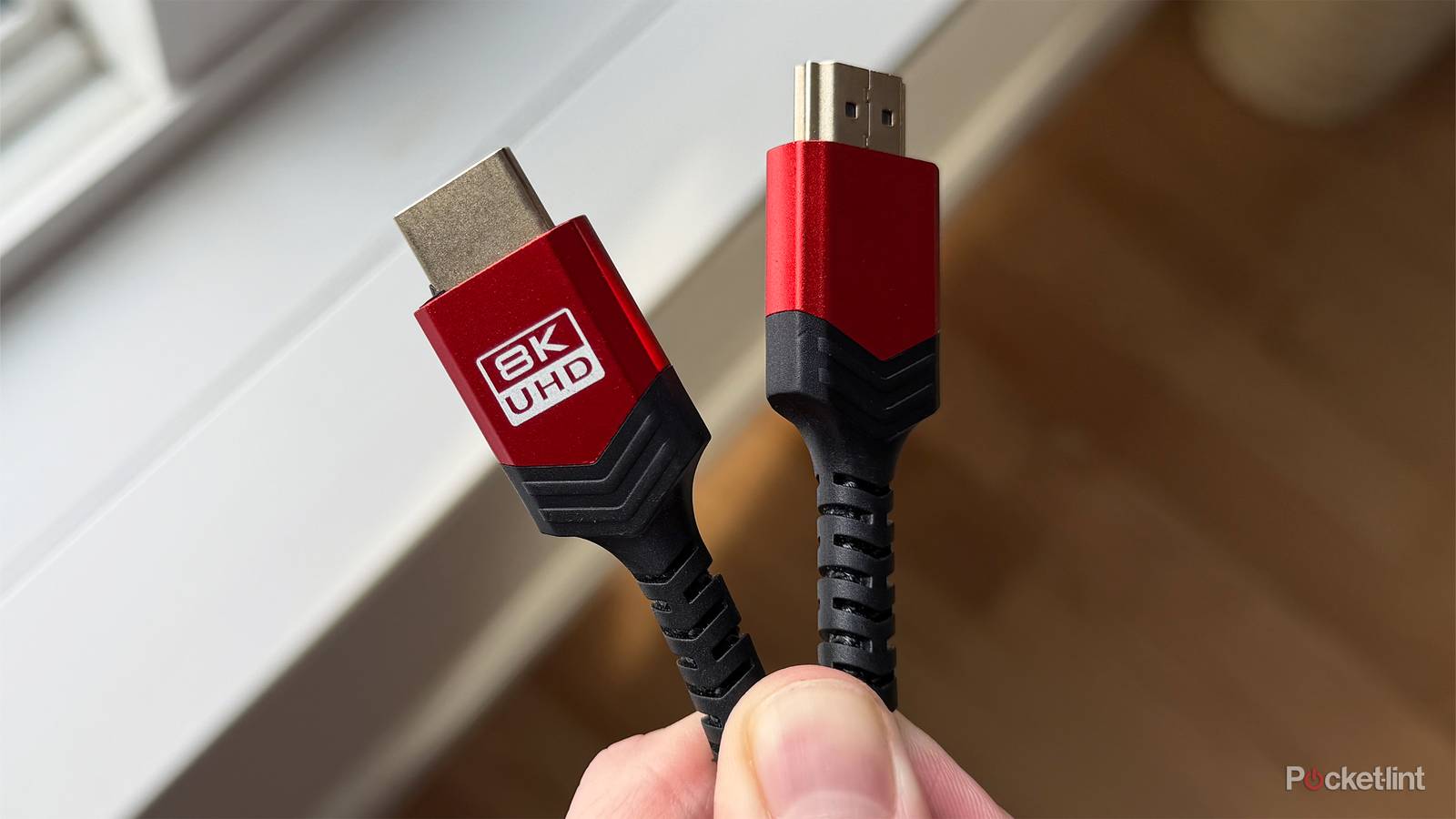
It’s actually relatively easy to shop for HDMI cables with a few basic pieces of information — the main thing you need to know is that in 2026, you shouldn’t settle for anything less than HDMI 2.1, and 2.2 is better still. But understanding why that matters for your TV is something else, and there are a few other factors that should influence your decision, such as length and material quality. I’ll talk about those later on.
To start with, though, you may have noticed that many cables are marked as shipping “with Ethernet,” referring of course to the same cables that connect your router to your modem, and your router to other devices in your home. But does this feature actually matter on your TV? Can you get HDMI cables without Ethernet? The short version is that it shouldn’t really influence your decision, since what you’re seeing is the relic of a failed idea.
What is HDMI with Ethernet, and what’s wrong with it?
Good intentions, less than stellar results

HDMI with Ethernet dates back to the release of the HDMI 1.4 specification in May 2009. In retrospect, 1.4 was extremely important. It was the first version to support 4K resolution, albeit only up to 30Hz. It was also the first release with ARC (the Audio Return Channel), now de facto for many soundbars and receivers. It even added support for 3D video, just in time to fuel the 3D TV fad that would be sparked by the success of Avatar later the same year.
You can get a sense of the ambitions that were had for HDMI with Ethernet by its official name: the HDMI Ethernet Channel, or HEC for short. The idea was that this would provide a baked-in way of delivering internet and other network data instead of depending on separate Ethernet cables. On the surface, that’s a fantastic idea, mirroring ARC’s reduction of the need for separate audio cables.
So why don’t you hear more about the tech outside of cable packaging, then? The biggest issue, by far, is that device makers need to specifically offer HEC compatibility on their ports, and few companies seem to have been interested in 2009, or even several years after the fact. Today, HEC support is virtually non-existent on consumer hardware. The priority with HDMI ports remains delivering video, with ARC (or its successor, eARC) being the only secondary function you’ll see on modern TVs and peripherals.
HDMI with Ethernet is a legacy of the HDMI 1.4 spec, made irrelevant by Wi-Fi and gigabit Ethernet jacks.
The obvious follow-up question is why no one is interested, and the answer to that is probably Wi-Fi. By 2009, some TVs were already starting to incorporate Wi-Fi radios, and the trend would only accelerate heading into the 2010s. Many peripherals started adding it as well, from game consoles and Blu-ray players through to add-on media streamers. Indeed the Chromecast I got as a gift in 2013 assumed you had Wi-Fi in your home — you had to go out of your way to add Ethernet to it. For the average person, the issue of needing a separate networking cable has long been moot.
You may have noticed that a lot of TVs still have Ethernet jacks, which on the surface sends a conflicting message. There’s an explanation for that too, though, which is bandwidth. HEC is generally capped at 100Mbps, whereas gigabit (1Gbps) has long been the standard with other Ethernet connections. 100Mbps is more than enough for 4K streaming — but even Wi-Fi 6 is capable of delivering several times that amount. Beyond perhaps reliability, there’s no reason to use Ethernet short of gigabit speeds.
If all of this is true, you might then be asking why any HDMI cable would be marked with Ethernet as a feature. This is just a legacy of it being baked into the HDMI spec. The functionality still exists, so in the rare instance that someone needs it, it’s important that this be highlighted. It’s analogous to the 12V ports in cars — these were originally meant for cigarette lighters, but fewer and fewer people smoke, let alone often enough to want to light up mid-drive. Arguably, 12V ports are more relevant than HEC, since people regularly use them to charge accessories.
So what actually matters when you’re picking an HDMI cable?
A shortlist of requirements

As I said at the start, the priority is support for HDMI 2.1 or later. 2.0 cables are fine for some purposes, but several major features are intrinsic to 2.1. Only 2.1 supports 4K refresh rates up to 120Hz, as well as VRR, which prevents visual glitches by keeping refresh rates in sync with framerates. It’s also a requirement for eARC, which upgrades ARC with enough bandwidth for lossless audio. You can get spatial audio formats like Dolby Atmos over ARC, but only in compressed form, which might be disappointing if you’ve got a Blu-ray player. Lastly, 2.1 includes ALLM, which reduces input lag by turning on Game Mode automatically for consoles and PCs. 2.0 cables force you to enable Game Mode manually.
If you need an extra-long cable, it’s important to be aware of the distinction between active and passive cables. Many cables are passive, which is fine over short distances, since their native signals are strong enough. As a cable approaches about 10 feet or 3 meters, however, there’s an increasing risk of flickering or complete dropouts. Active cables solve this with built-in boosting circuitry. If you’ve ended up with an overly long passive cable, you’ll need to buy some form of add-on signal booster.
Should you invest in HDMI 2.2 cables? If it’s convenient and the price isn’t exorbitant, that’s not a bad idea, since you’ll be futureproofed for any TVs and peripherals you buy in the next decade.
It’s worth spending a little extra on better materials — by which I don’t mean gold plating, which is redundant on digital connections. Rather, you’ll probably prefer something with a braided nylon sheath instead of PVC. Braided cables are more aesthetically appealing, less prone to fraying, and much harder to tangle. You’re not saving much by buying a PVC cable, usually, and you might actually end up spending more if fraying forces you to buy an early replacement.
Should you invest in HDMI 2.2 cables? If it’s convenient and the price isn’t exorbitant, that’s not a bad idea, since you’ll be futureproofed for any TVs and peripherals you buy in the next decade. That speaks to why 2.2 isn’t essential yet, however — the spec supports up to 98Gbps, double 2.1’s bandwidth, which enables things like 16K resolution, or uncompressed 4K at up to 240Hz. There’s simply nothing that can take advantage of it at the moment, and there may not be for a long time, given the failure of 8K TVs. You can buy a 2.1 cable with confidence that it’ll remain relevant through 2030, and probably beyond.
It should go without saying, but remember that a 2.1 or 2.2 cable won’t automatically enable its features on your devices. You need to plug into compatible ports, which is one of the reasons why HDMI switches have a market.