

There’s a tendency, I’ve noticed, for some people to go all-out spending on a new interest before they really understand it. I’m guilty of that myself. A couple of years ago, for example, I decided to take the plunge into EUCs. Before I was even able to ride in a straight line for more than a few feet, I not only had more safety gear than I really needed, but a wheel of my own with more power than I may ever need. My decisions were educated, but I could’ve saved some serious cash.
The same applies to the home theater space. You might be tempted to buy a fully-equipped battlestation ready to tackle anything, but you’ll get more out of your movies and games if you put your money where it really counts. In this guide, I’m going to tackle the question of HDMI switches — what they do, the sort of specifications you should be looking for, and whether you should even bother with one in the first place. Spoiler alert: you probably don’t need a switch at all if you’re buying a mid-range or high-end TV in 2026.
What is an HDMI switch?
A solution to a problem that shouldn’t exist

I’m not going to mince words: TV makers can be extremely stingy about HDMI ports. Some TVs are still restricted to two or three ports, and even if you have four, some of your connections may be limited to HDMI 2.0 — a standard introduced in 2013. You’re lucky to get HDMI 2.1 across the board, no matter that HDMI 2.2 is already available. Chalk it up to companies wanting to maximize their profit margins.
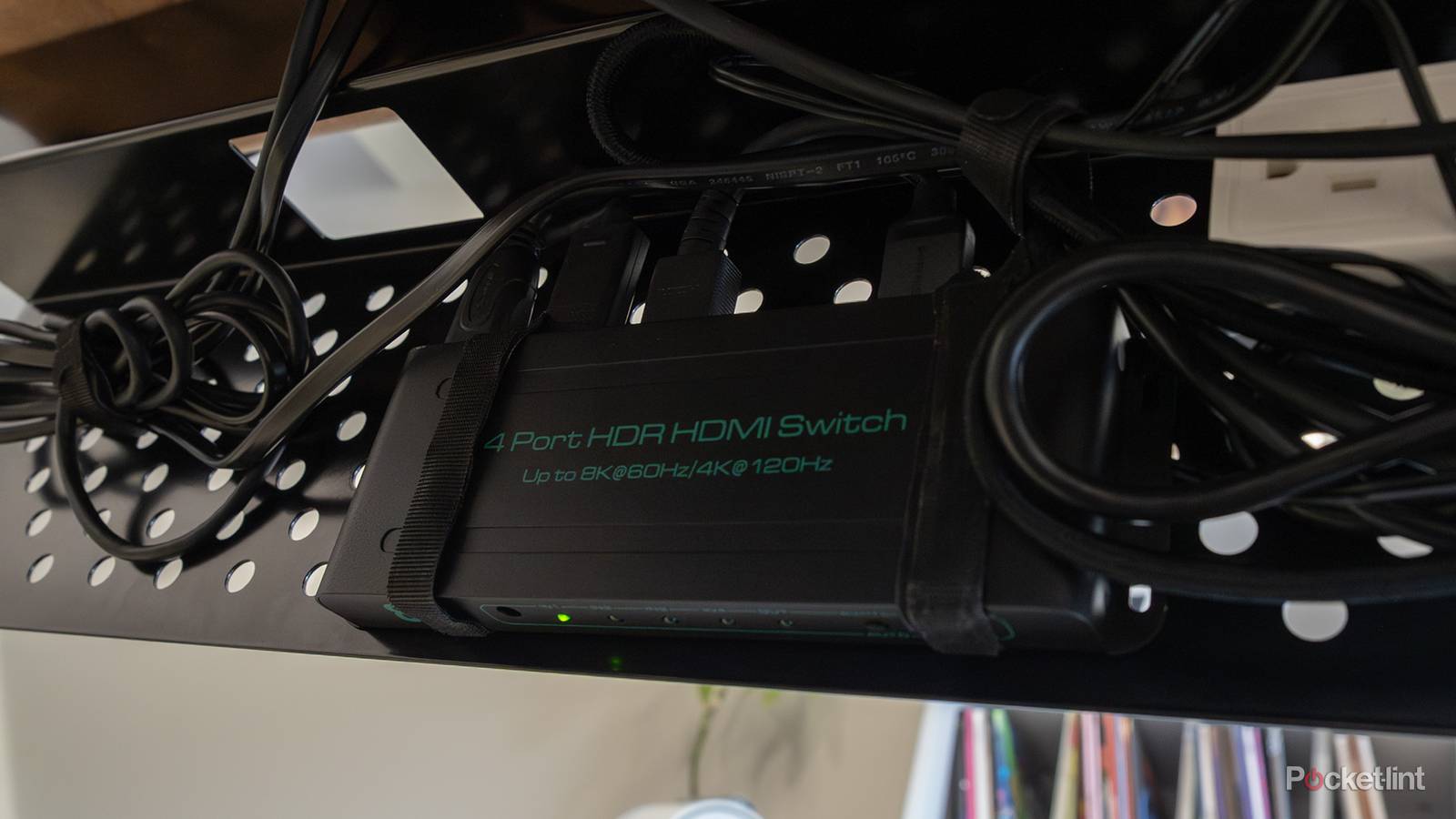
This is where switches can come to the rescue. These turn a single port into two or more, not only increasing the number of overall ports, but which ones have access to the best HDMI technology. That, in turn, matters because some features are limited to later HDMI versions. You don’t really need 2.2 yet, but 2.1 is required for uncompressed 4K at 120Hz, as well as VRR (variable refresh rate) sync, and eARC audio, which allows lossless Dolby Atmos and DTS:X. You simply shouldn’t be playing PC or PS5 games over a 2.0 connection, because your TV won’t be able to keep up with the ever-shifting framerates of 3D titles like Marathon, Resident Evil, or Space Marine 2.
It’s very important to distinguish a switch from a splitter. While you can buy combo devices, splitters duplicate a video feed across multiple displays. You’re unlikely to need a splitter in a home theater unless you’re planning to record or stream gameplay.
What specs do you need in an HDMI switch?
Be demanding, but not too demanding

The most essential spec, by far, is support for HDMI 2.1. You can technically get away with HDMI 2.0 if you’re simply connecting Blu-ray players and media streamers, since there’s enough bandwidth for the compressed versions of Atmos and DTS:X, and in some cases dynamic HDR formats like HDR10+ and Dolby Vision. But you may end up limited to non-dynamic HDR standards like HDR10, and there’s really no reason to take a gamble in this arena when plenty of HDMI 2.1 switches are available.
As I mentioned, HDMI 2.0 can cripple modern consoles and gaming PCs, producing ugly visual artifacts (like screen tearing) when framerates don’t match refresh rates. In fact you might even run into issues with productivity apps, since many Macs and Windows PCs are now built with 120Hz refresh rates in mind. At 4K resolution, HDMI 2.0 is capped at 60Hz.
Assuming you’ve found an HDMI 2.1 switch, it’s still important to verify that it supports two key features: VRR and ALLM (Auto Low-Latency Mode). VRR prevents those artifacts I just talked about, while ALLM switches an input into Game Mode automatically instead of forcing you to do it yourself. Game Mode isn’t frivolous — it reduces input lag by disabling the image processing your TV normally applies. That processing is unnecessary with a PC or console, and it exacerbates lag so much that it can make a difficult action game impossible. You will feel the hurt trying to play an online game like Marathon.
Another thing to check for is HDCP support. This is actually a copy protection measure, but if a switch has an outdated HDCP version or none at all, some videos may refuse to play. HDCP 2.2 is the minimum. Realistically, though, there’s no reason you should be using anything below HDCP 2.3.
Similarly, you should really be using an active switch instead of a passive one. Active switches have their own wall plugs, whereas passive ones rely solely on the power from your HDMI cables. A passive switch can potentially be fine, but there’s a risk of video flickering or dropping out completely, especially as cables approach 10 feet (about 3 meters) or longer. Dedicated power boosts HDMI signals, ensuring zero interruptions.
You’ll lastly need to decide whether you want manual or automatic switching. On the surface, auto-switching may sound like the obvious choice, since it changes sources whenever a device powers on. That can backfire, however, since a lot of modern devices remain on when not in use, simply entering into a low-power state. If it’s safest to stick with a manual switch — though if you do, be sure the product comes with a remote. Getting up off the couch to switch inputs is a minor hassle, but you’re going to regret skipping a remote after you get up for the fifth time, never mind the 50th.
Do you really need an HDMI switch, though?
The simpler your setup, the better

Switches are increasingly irrelevant for the casual enthusiast. It’s not just that HDMI 2.1 is finally gaining more traction — it’s that fewer and fewer external devices are needed in the first place. In the 2010s, many native smart TV interfaces were still slow or otherwise terrible, forcing you to buy an add-on media streamer. People were also more likely to have a cable box or disc player, since internet streaming didn’t gain popularity until the mid-2010s.
In 2026, however, streaming is the default viewing medium, and TV interfaces tend to be both standardized and backed by adequate (if unspectacular) processing power. When most of what you’re doing is watching Netflix, Disney+, and HBO Max, there may be no reason at all to connect an HDMI device that isn’t a soundbar. And even then, you may be fine with an HDMI 2.0 ARC port instead of HDMI 2.1 eARC if you don’t care about lossless audio. Most streaming services are limited to compressed audio, regardless of whether you’re paying for a “premium” plan with 4K HDR and Dolby Atmos.
Switches only become essential with the stingiest of port layouts, or if you’re the sort who likes a diversity of online and offline entertainment options.
Switches only become essential with the stingiest of port layouts, or if you’re the sort who likes a diversity of online and offline entertainment options. Some gamers, for instance, will hook up multiple consoles to have access to older or exclusive games. You may well be in this camp if you’re the sort of person taking the “home theater” concept as literally as possible.