


When you flip your TV around and look at the back, you’ll likely see a few different ports, such as USB, Ethernet, and coaxial. But without a doubt, the most important ones are the HDMI ports. And if you’re anything like me, those are the only ports you really use, since they are the main connection point between your TV and the devices you want to connect, such as a PS5 or a Roku.
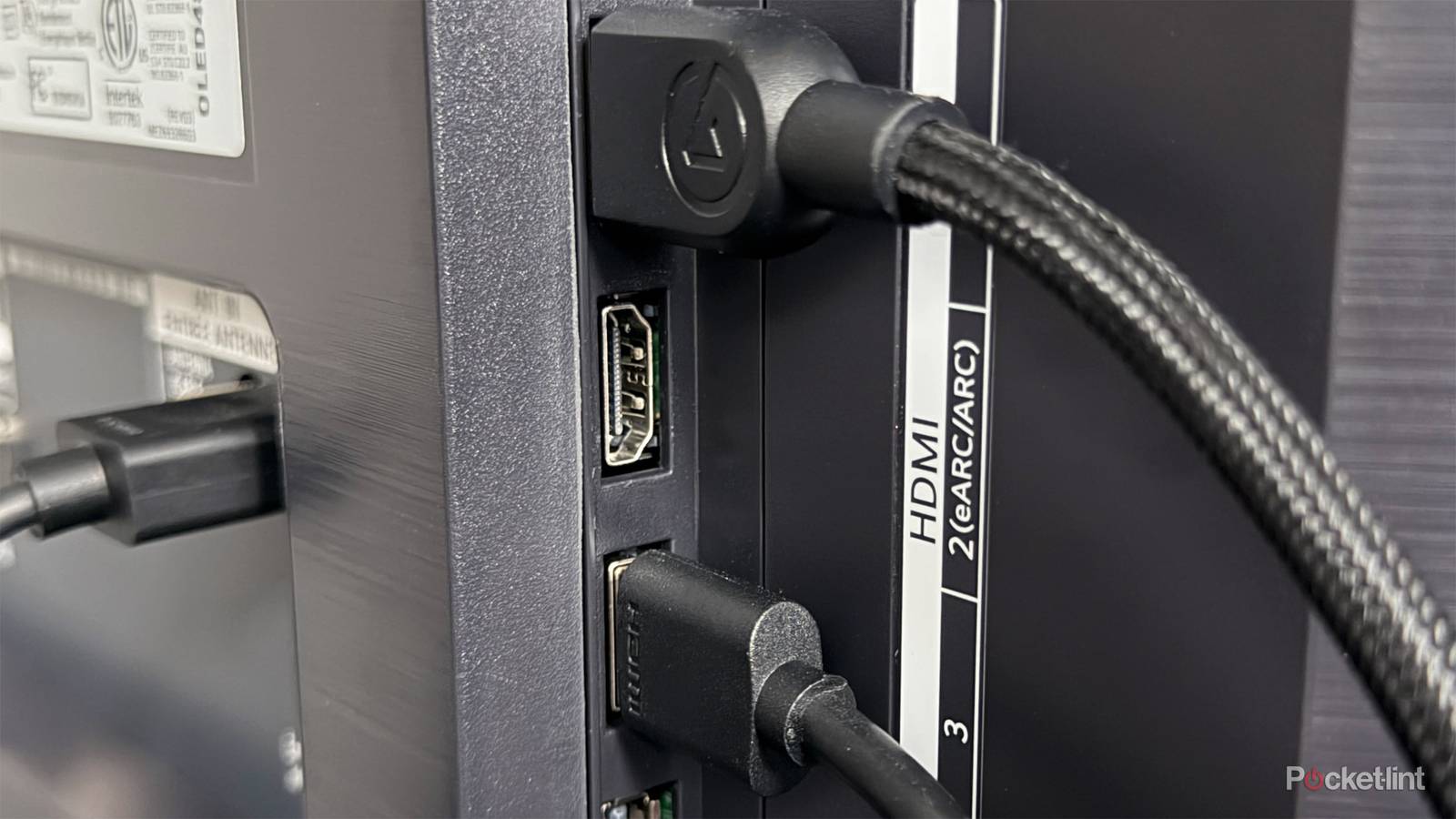
While most newer TVs come with multiple HDMI ports, there’s actually one in particular you should never leave empty: the eARC port. Fortunately, it’s easy to spot this on the back of your TV, as it’s the HDMI port that typically has “eARC” labeled next to it, which stands for Enhanced Audio Return Channel.
Normally, this port is intended for audio devices such as a soundbar or an AV receiver. But even if you don’t have one of those, it’s still a good idea to use your TV’s HDMI eARC port for one of your devices, since it’s likely one of the most powerful ports available.
What makes eARC unique?
It may be the only port on your TV that supports HDMI 2.1

For some background, eARC was introduced with the HDMI 2.1 specification and allows your TV to transmit high-bandwidth, lossless audio formats, such as Dolby Atmos and DTS:X, to an audio system connected to your TV.
Although your TV’s eARC port is mainly designed for connecting an audio device, it’s best not to leave it empty if you don’t have one. Why? Because the eARC port on many TVs also supports the full capabilities of the HDMI 2.1 specification. That means it can handle not just high-quality audio, but higher-bandwidth video as well.
In many cases, that includes support for up to 4K at 120Hz, along with HDMI 2.1 features like VRR (Variable Refresh Rate) and ALLM (Auto Low Latency Mode), which are especially handy if you’re gaming. HDMI 2.1 also provides benefits for streaming, such as Dynamic HDR, which allows HDR formats like Dolby Vision and HDR10+ to adjust brightness, contrast, and colors on a scene-by-scene basis. This is an improvement over Static HDR, which applies the same HDR settings throughout an entire film or show.
On some TVs, the eARC port may also be the only HDMI 2.1 port…
While it’s possible your TV’s manufacturer has limited the eARC port to HDMI 2.0 (which has lower bandwidth than HDMI 2.1), on many TVs — such as Amazon’s Fire TV 4-Series, Hisense’s U68QG series, and Sony’s Bravia 2 II series — the eARC port is actually one of the only HDMI 2.1 ports on the TV.
Of course, this varies quite a bit depending on the TV you have and how its HDMI ports are configured. On some TVs, the eARC port may also be the only HDMI 2.1 port, while on others, there might be another HDMI 2.1 port alongside it. And on many higher-end TVs, usually all the HDMI ports support HDMI 2.1 nowadays, so you don’t have to worry quite as much about using it specifically.
To find out whether the eARC port is the only HDMI 2.1 port on your TV, check your TV’s user manual to see which HDMI specification its inputs support. If you don’t have your TV’s user manual anymore, you can usually find it online by searching for your TV’s model name.
Which devices should you connect to your TV’s eARC/HDMI 2.1 port?
I have my gaming PC connected to my TV’s eARC port

As I mentioned earlier, if you have a soundbar or AV receiver, those are the best devices to connect to your TV’s HDMI eARC port, as they can play high-quality lossless audio thanks to the increased audio bandwidth it offers.
But if you’re in a situation like mine and don’t have a sound system to hook up to your TV, you can technically plug any HDMI device into your TV’s HDMI eARC port and use it without any problems, though some may benefit more from it.
If the eARC port is your TV’s only HDMI 2.1 connection, I’d suggest plugging in a device that truly leverages it — such as a console (PS5, Xbox Series X, Switch 2) or a gaming PC. However, even if you don’t own a console or gaming PC, a streaming device — like an Apple TV 4K, Roku Ultra, or Fire TV Stick 4K Max — can still benefit from it, thanks to HDMI 2.1’s support for Dynamic HDR.
If the eARC port is your TV’s only HDMI 2.1 connection, I’d suggest plugging in a device that truly leverages it…
Personally, I have my PC connected to my LG TV’s HDMI eARC port so I can enjoy its 120Hz refresh rate at 4K. I’ve played tons of games on it without any issues, including Metal Gear Solid Delta: Snake Eater, Indiana Jones and the Great Circle, and The Last of Us Part 2, all while using HDR and Nvidia G-Sync.
All things considered, if your TV’s only HDMI 2.1 port is the eARC one, don’t leave it unused just because you don’t have a sound system — and the same goes if your TV has multiple HDMI 2.1 ports — since gaming consoles and streaming devices can both benefit from the extra features that eARC/HDMI 2.1 ports offer.