



One of the easier traps to fall into with technology is thinking that raw performance is always the solution. Obviously, that’s true in some circumstances. If your five-year-old PC is struggling with new games, chances are, a faster CPU and graphics card will fix that.
Wi-Fi, however, is proof-positive that simply having the ability to go faster won’t necessarily get you there any quicker. Sometimes it’s not even about speed, but crossing the finish line at all, and being able to do it every time. I’m being a bit obtuse here, but everything will make more sense as I explain the history of my woes.
A series of unfortunate events
And the lessons learned

When I moved into my first apartment in Austin, I bought a standalone router with 802.11ac, what’s now dubbed Wi-Fi 5. And it was fine. For the most part, the only things that needed to connect to it were a PC, a TV, a phone, and later, an iPad. I’d sometimes connect gadgets I received for review, but nothing very demanding. Things remained fine after my now-wife moved in, and the pair of us relocated to other apartments in the city.
Things turned south on the Wi-Fi front after we bought our first house. It was only a two-floor townhouse, but much larger than an apartment. Suddenly, there were areas where the old router just couldn’t reach reliably, or at all. Coverage stopped shortly beyond our front and back doors, never mind reaching the detached garage. You’d lose signal in our tiny backyard.
Around the same time, I started reviewing smart home accessories like light bulbs, smart speakers, and robot vacuums. After a while, I noticed that some of these accessories were dropping offline occasionally, particularly on Apple’s notoriously fickle HomeKit platform. I realized that a network upgrade was in order, and to me the obvious solution was the burgeoning category of mesh routers. For both price and simplicity reasons, I went with a Google Nest Wifi.
The combination of my personal devices, my wife’s, and a flood of smart home accessories was overwhelming Wi-Fi 5’s connection limits, forcing it to kick lesser-used items offline.
This did indeed improve range somewhat — but devices still kept dropping. If anything, the problem kept getting worse as the number of smart home accessories mounted.
Sometime later, I finally recognized what the problem was: Wi-Fi 5. Not its speed, though. Rather, it’s that the standard can only handle a small number of simultaneous connections. The combination of my personal devices, my wife’s, and a flood of smart home accessories was overwhelming its capacity, forcing it to kick lesser-used items offline. An iPhone or desktop PC is constantly renewing its connection status — a light bulb or a water control system is only checking in periodically.
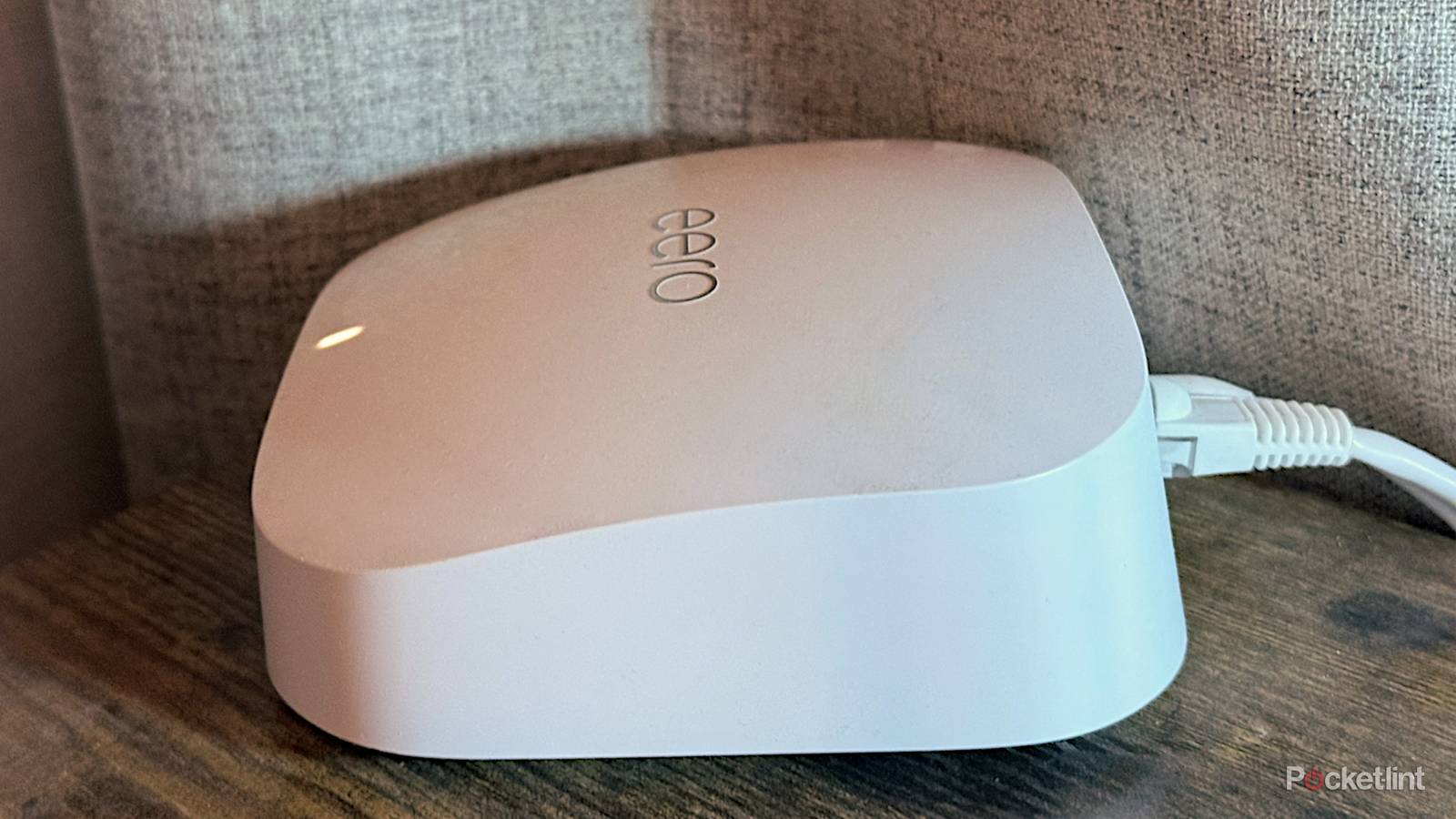
By the time I took my family back to Canada in 2022, I’d made my mind up to upgrade to a Wi-Fi 6E mesh system. I ended up going with the Eero Pro 6E, which has generally been much more reliable, thanks to the fundamentally more efficient architecture of Wi-Fi 6. I haven’t totally escaped the issue of unresponsive accessories, but it happens far less often, and is usually attributable to a specific product misbehaving instead of a router.
A few more lessons
The advanced curriculum

There was still room for improvement. For one thing, I sometimes ran into ping (lag) and stability issues with online games like PUBG, despite one of those Eeros sitting a few feet away from my laptop, and both of them supporting Wi-Fi 6E’s ultra-fast 6GHz band. Eventually, I became irritated enough that I finally got around to connecting an Ethernet cable, and I was actually a little shocked at how much of an improvement it was. All I can gather is that something was causing interference — or at least, the signal was fluctuating enough to cause drops in bandwidth. The lesson was that Ethernet is always, always the way to go when you need a connection to be bulletproof, no matter how fast your Wi-Fi is supposed to be.
Something I discovered by accident is that if it’s an option on your router model, you should probably enable SQM, short for Smart Queue Management. There’s a more technical explanation of what that does, but the short version is that it prioritizes certain kinds of network traffic, such as gaming, video streaming, and VoIP/video calls. The effect of this was a bit subtler than plugging in Ethernet — nevertheless, I felt idiotic for not trying it earlier. I just wish that more routers had the specs to support SQM’s requirements. It should be on by default, in my opinion.
School’s not over yet
Ways I could make things better

Knowing my history with networking (and other aspects of life, really), I’m sure there’s more I can do. At the moment, the only devices I have plugged into Ethernet are my laptop and a Philips Hue hub for my lights. Although nothing else has really demanded that level of reliability, I wouldn’t be surprised if my Apple TV 4Ks started loading videos instantly, or my wife’s media server scaled up its transcoding quality.
Also, I’m something of a hypocrite when it comes to router placement. I know that the best place to sit a router for range is off the floor, away from obstacles, and as close to the center of a room as possible, but I haven’t gone out of my way to make that happen, and our bedroom router is actually sitting on the carpet. This doesn’t seem to be affecting anything, thankfully. It’s merely sub-optimal.
Even a vanilla Wi-Fi 6 router might perform better than you expect if you take steps to deal with its coverage, reliability, and prioritization.
At some point, I will crack and upgrade to Wi-Fi 7. That offers things like Multi-Link Operation — the ability for devices to exploit multiple bands simultaneously — and wider data channels in general, up to 320MHz. There’s no rush at the moment, mostly because so few devices in my home are actually compatible with the protocol, and anything that supports 6E’s 5 and 6GHz bands has plenty to work with. The writing is on the wall, however. At some point, AR/VR glasses will transition from a niche interest to the mainstream, and we’ll all want the best possible bandwidth to stream alternate realities without motion sickness or breaking the illusion. If nothing else, I want my simulated movie theater to be smooth as glass.
In the meantime, you might see if you can avoid spending hundreds of dollars by learning from my mistakes. Even a vanilla Wi-Fi 6 router might perform better than you expect if you take steps to deal with its coverage, reliability, and prioritization.