


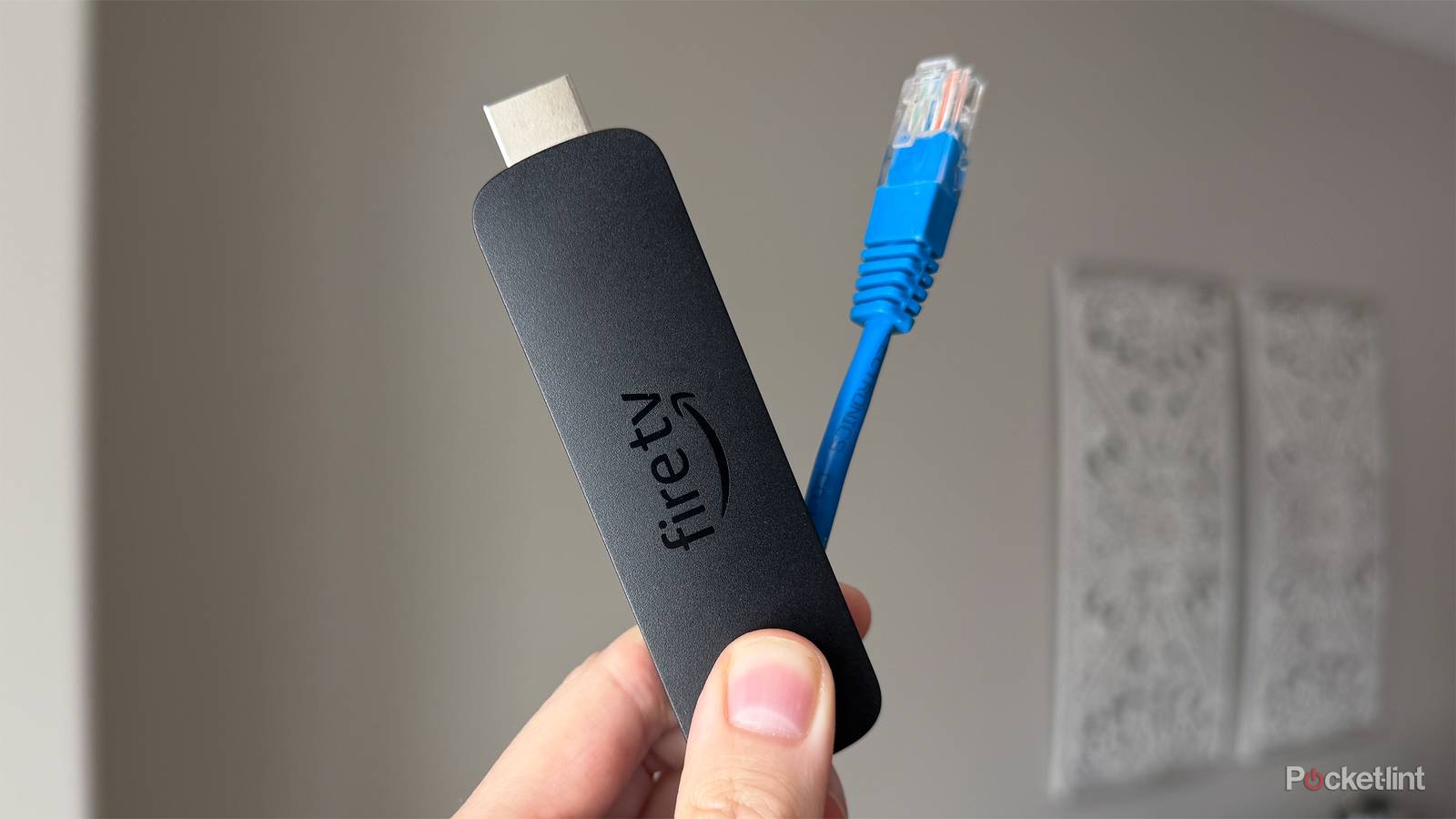
I’ve experimented with a lot of different streaming devices over the years, but I always seem to come back to my Fire TV Stick 4K Max. It’s small, feature-rich, and, compared to other streamers like the Roku Ultra and Apple TV 4K, it delivers surprisingly good performance for such a compact device, which I’m a fan of.
But one limitation that not only the Fire TV Stick 4K Max has, but all of Amazon’s Fire TV Sticks share, is that because they’re so small, they lack extra ports. This means there’s no built-in USB port for connecting a hard drive to watch personal media or an Ethernet port to connect your Fire TV Stick directly to your router.
Focusing specifically on Ethernet, these ports are usually only found on streaming devices like the Fire TV Cube, Google TV Streamer, Apple TV 4K, and Roku Ultra because of their larger size. However, that doesn’t mean Fire TV Sticks can’t use Ethernet.
With Amazon’s Fire TV Ethernet Adapter, which costs $15, you can easily add an Ethernet port directly to your Fire TV Stick. However, while this might seem like a great way to get a more reliable internet connection, the reality is that Ethernet isn’t always faster than Wi-Fi.

- Brand
-
Amazon
- Input
-
Ethernet
- Output
-
Micro USB
How adding an Ethernet port to a Fire TV Stick works
You plug the adapter into the Fire TV Stick’s Micro USB port

Amazon’s Ethernet Adapter is easy to set up and plugs directly into the Micro USB port on your Fire TV Stick. The adapter itself has two ports: an Ethernet port and a Micro USB port, the latter of which you use to power both the adapter and your Fire TV Stick. Once I had everything connected, my Fire TV Stick immediately switched to using Ethernet instead of Wi-Fi, and the results were pretty much what I expected.
Like the Ethernet port on most smart TVs, the Fire TV Ethernet Adapter has one pretty big limitation. It only supports 10/100 Ethernet, not Gigabit, meaning it tops out at a 100 Mbps download speed. So while you might assume Ethernet is a faster alternative to Wi-Fi on your Fire TV Stick, that isn’t always the case. If your internet provider delivers solid download speeds and your Fire TV Stick has a good signal to your router, Wi-Fi can perform just as well.
I noticed no difference at all between using the Ethernet Adapter on my Fire TV Stick 4K Max and its built-in Wi-Fi 6E capabilities.
In my case, I noticed no difference at all between using the Ethernet Adapter on my Fire TV Stick 4K Max and its built-in Wi-Fi 6E capabilities. Shows and movies loaded in 4K at virtually the same speed, and since most Fire TV apps on the Amazon Appstore are so small, they still downloaded in seconds, whether I was using Ethernet or Wi-Fi.
The reality is that if your Wi-Fi signal is decent and not prone to interference, you probably won’t notice any difference between using Ethernet on your Fire TV Stick 4K Max and sticking with Wi-Fi. However, if you think your Wi-Fi might be slowing things down on your Fire TV Stick and want to see if Ethernet could help, there’s an easy way to find out.
Should you use Ethernet or Wi-Fi on your Fire TV Stick?
You can run a speed test to find out

Before spending $15 on a Fire TV Ethernet adapter, I recommend running an internet speed test on your Fire TV Stick to see if it’s actually worth it.
To do this, go to Settings > Network. You’ll then see the Wi-Fi your Fire TV Stick is connected to. Hover over it, and press the Pause/Play button on your remote. This will open a screen where you can run a speed test to see how good your Wi-Fi connection is on your Fire TV Stick (as you can see in the image above).
When I ran the test on my Fire TV Stick 4K Max using Wi-Fi, I got a download speed of 225 Mbps, whereas when I ran the same test using Ethernet, my download speed was only 86 Mbps. So my download speed was more than cut in half when using Ethernet over Wi-Fi. However, if you run the same test and your Wi-Fi’s download speed is under 100 Mbps, an Ethernet adapter would likely benefit you. In my case, it simply didn’t.
With all that in mind, there are two realities here. Yes, using an Ethernet adapter on a Fire TV Stick can be a handy way to get a more stable and reliable internet connection, especially if your Wi-Fi signal isn’t the strongest. On the other hand, if your Wi-Fi is already solid, you might not notice much of a difference between using Ethernet and sticking with Wi-Fi on your Fire TV Stick.
In all fairness, most streaming services only need about 25 Mbps of download speed for 4K streaming, so you can’t go wrong with either Ethernet or Wi-Fi on your Fire TV Stick. Though I’ll be sticking to Wi-Fi since it’s more convenient, and since the 10/100 Ethernet doesn’t make a strong enough difference for me.