

Sometimes it’s helpful to keep in mind that your smart TV is essentially a computer, and because of that, there are things you can do besides simply watching TV. There are no shortage of app integrations and casting options available that allow you to remotely connect devices such as a phone or tablet, or transform your TV into a slideshow or workstation.
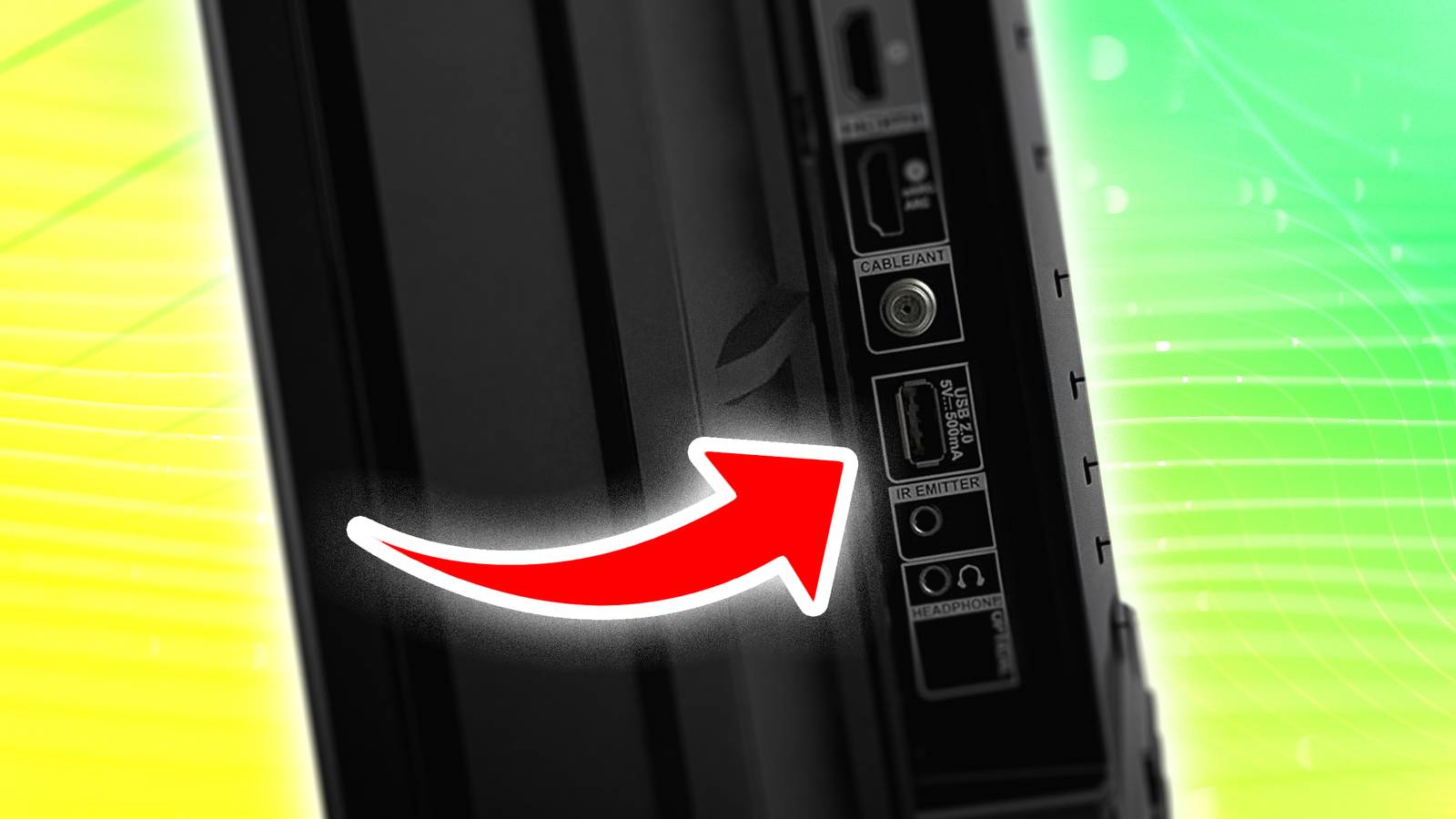
A lot of that is done via Bluetooth or Wi-Fi connections, or online platforms that share data. However, you can still get a lot of use out of your physical USB port, connecting various devices to change the ways you can use your TV. Most new smart TVs come with a pair of USB ports; even if you have an older model, you likely have at least one somewhere on the unit.
Here are a few ways in which you can use the USB port on your smart TV.
Plug in a drive and play

Perhaps the most popular and common way to utilize a USB port is to play files like you would on a computer. You can fill up a USB thumb drive or external hard drive with photos, music, or videos, and then connect them to the TV the same way you do on a laptop. Accessing and playing them might be slightly different, however, depending on your TV. In most cases, your TV should recognize a device is connected, and allow you to access the files on it and select them.
Most new TVs allow some kind of gallery mode, where you can upload photos and have them play in a slideshow on your TV, whether it’s fully on or operating in a low-light ambient mode, serving as a background. Often, these modes work by working with a specific app that can be accessed by a phone, tablet, laptop, and TV, forgoing the need to connect a drive. Still, having a physical drive with your media files is mighty handy.
Connect accessories to work, create, and game
Hook up your corded peripherals or wireless receivers

Another way you can utilize your TV’s USB port is by connecting various accessories and peripherals. If you are inclined to use your TV as a kind of workspace, you may want to consider using your USB connection to set up a keyboard and mouse, for example. While a wired peripheral with a USB connection would work, they are increasingly uncommon. Instead, most keyboards and mice have a receiver that requires a USB port, connecting via Bluetooth.
If you only have one available slot on your TV, but need to connect a pair of devices, then you can consider a cheap USB multiplier.
For some TVs, you may be able to connect a gaming controller to the TV as well in order to play games online without a console. A wired connection could work, as could a receiver that creates a Bluetooth signal as well.
Enjoy video streaming sticks
You may be able to record TV as well

Certain video streaming devices draw power from the USB port on your TV so that you can access apps and services. The Roku Streaming Stick and Amazon Fire Stick are both relatively small drives that plug directly into the USB port of your TV, turning it into a smart TV. This is a common way to take an older TV that isn’t connected to the internet and turn it into something that allows you to enjoy Netflix, Prime, and a slew of other popular platforms.
As video streaming devices get bigger and more powerful, however, the USB port might not be able to provide enough juice. The latest TiVo stick, along with the new Google TV Streamer, require connection to an A/C outlet.
Some TVs may allow you to record live programming as well via a USB drive. It will depend on the type of TV, so you’ll have to do some investigating. But essentially, you can plug in a USB drive to your TV, format it, and then record channels either live or time-shifted to the drive via settings on the TV. It takes some looking into, but it might be worthwhile for some users.
Charge your devices
There is power available if you’re patient enough

Because streaming sticks draw power from your TV, it stands to reason that other devices can as well. So, if you’re in a pinch — for whatever reason — you can always use the USB port to charge a device provided you have a compatible cable. Now, keep in mind that the charging power isn’t likely to be particularly fast or efficient. Like a computer, you have the opportunity to draw power, you just shouldn’t consider it the best way to do so.
Still, it can be helpful if you’re lacking space or available outlets, or missing the right kind of cable. It’s also helpful for items like gaming controllers that may already live near a TV. If you’re not in a hurry, the TV can be a useful charging hub.
It can be helpful to keep in mind what opportunities a USB port on your TV affords. From allowing access to files and providing power to devices, the USB port can change the way you use your TV.