Android may have evolved over the years with a new design language and plenty of AI features, but the core experience has largely stayed the same. You still swipe down for the notification tray and Quick Settings, you still tap and hold the navigation bar to launch the Assistant, and whenever you download a file, you head to a file manager to access it. Some habits simply have not changed.
For the most part, that consistency has worked well. I use Files by Google as my primary file manager on my Pixel 10 Pro, and for a long time, it has done the job. It comes preinstalled, lets me browse files, clear junk, share items, and handle the basics without much friction. That said, it still is not the best file manager I have used.
Files by Google feels a bit clunky to me. You are greeted with a home screen showing recent files, different categories, and starred or locked folders, but accessing the actual internal storage directory requires a few extra taps. It offers quick access to features like a document scanner and Quick Share, yet for something meant to be minimal, it can feel overly busy.
Thankfully, I recently discovered a free and open-source file manager for Android that takes a different approach. It has a clean, minimal design, is lightweight, and lets you jump straight into your internal storage without unnecessary steps. I’ve been using it for a few weeks now, and I genuinely don’t see myself going back to Google Files anytime soon.
Fossify File Manager is the open-source gem I discovered
It’s ad-free, privacy-focused, lightweight, customizable and pleasantly minimal

The app I’m talking about is Fossify File Manager. Fossify is the same developer behind the gallery app I previously mentioned as my Google Photos replacement. When I realized they also made a file manager, I gave it a try and have been using it ever since.
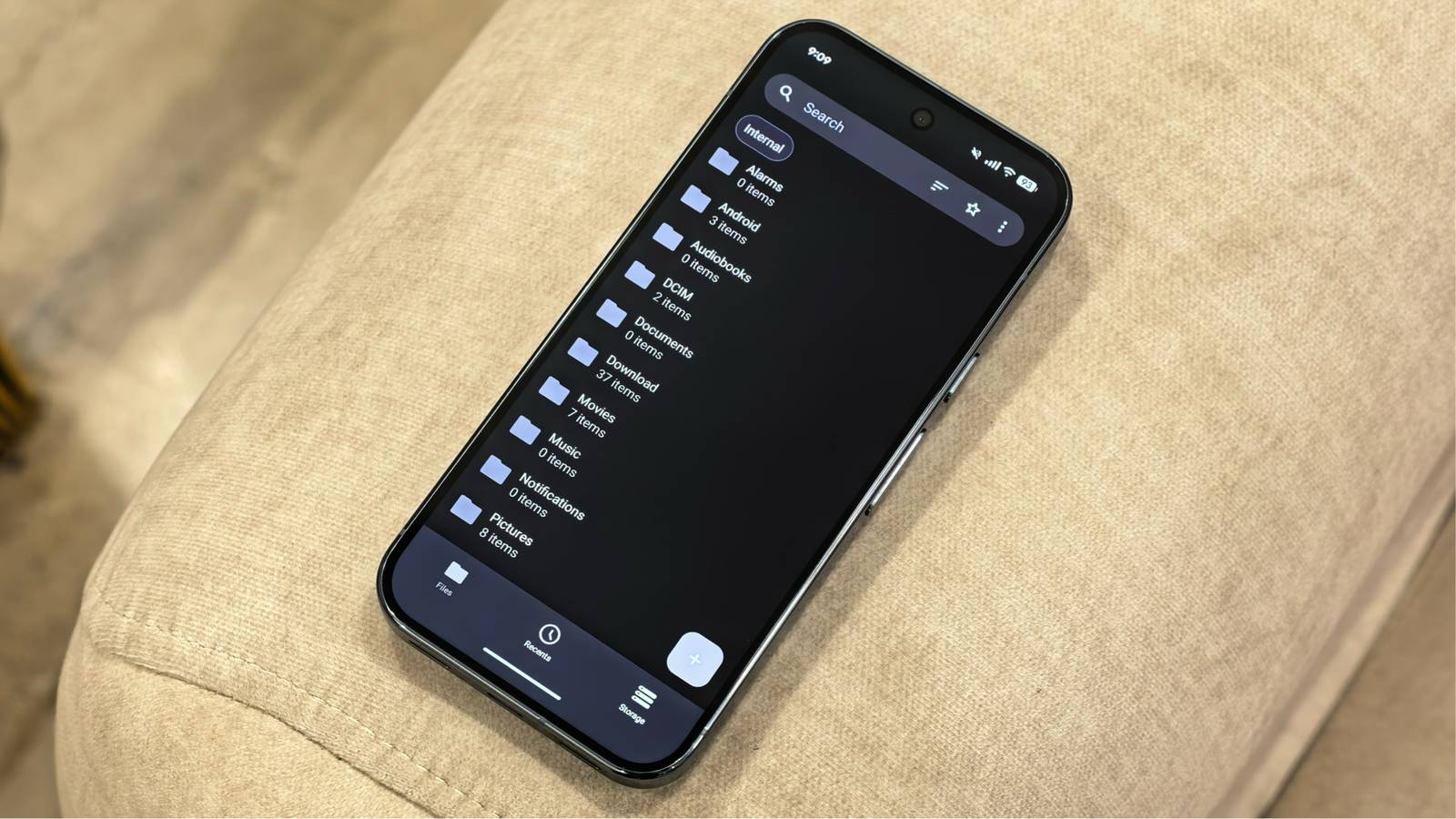
When you open the app, you’re greeted with a minimal interface that directly shows your internal storage folder hierarchy. You can jump straight into any folder without extra steps. The bottom navigation bar has three tabs: Files, Recents, and Storage, and it opens to Files by default, showing your internal storage folders right away.
At the top, there’s a search bar that lets you quickly find files across your device. There’s also a sorting button that allows you to organize folders and files by name, size, last modified date, and more. Tapping the three-dot menu gives you access to settings, lets you star files or folders, and switch between list and grid view.

The Recents tab shows recently accessed files, while Storage gives you a breakdown of what is taking up the most space, categorized by file type, such as images, videos, and documents. You can tap into each category to see exactly which files are using the most storage. For example, sorting videos by size helped me find an old clip I had forgotten to delete.
In terms of customization, you can tweak the app’s color theme, including accent and icon colors. You can also customize which tabs appear on the bottom bar and manage your favorites. If needed, you can even protect the entire app with a password.
The best part is that Fossify File Manager is completely free. There are no ads or paid tiers, and it respects your privacy. It is open source, and the clean design feels polished enough that it doesn’t come across like a typical third-party app.
That said, this does not mean Fossify File Manager is without drawbacks. One thing I did miss was cloud integration, which means you cannot directly access Google Drive or Dropbox through the app. There also doesn’t appear to be support for network file sharing, which means you can’t access any NAS storage in your home or office.
Fossify File Manager is available for download via the Google Play Store, the F-Droid app store, and through the company’s GitHub releases page.
On the whole, I’ve genuinely enjoyed using more open-source apps on my devices recently. Alongside switching to Fossify File Manager and its gallery app, I’ve also found a capable open-source office suite that handles most tasks I would otherwise use Microsoft 365 for.