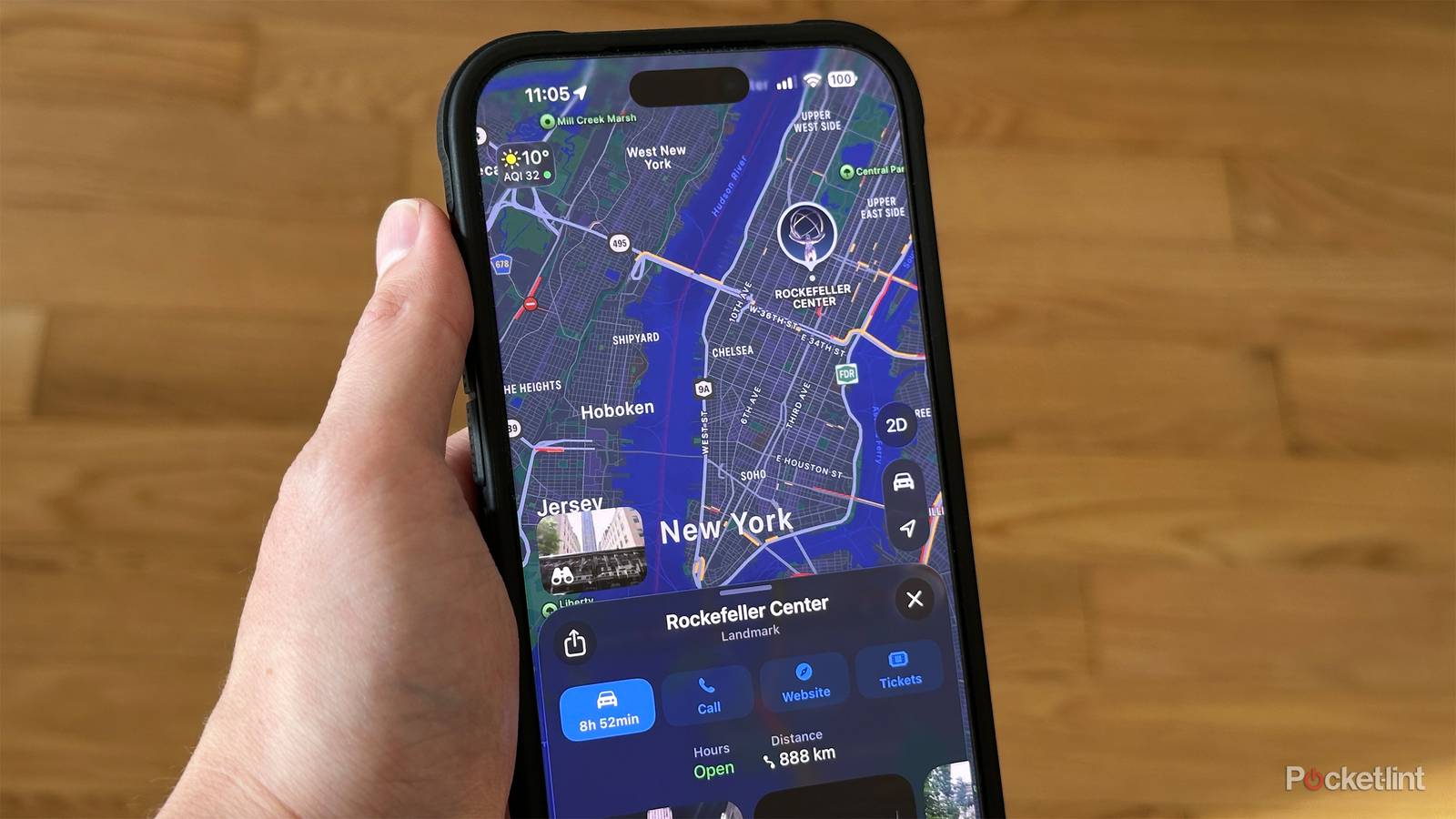
Around the launch of iOS 26 in late 2025, I wrote a piece suggesting that I was tempted to switch to Apple Maps full-time, at least for driving. I’ve normally preferred Google Maps since I started using smartphones. Certainly, I need some sort of navigation app in my car — I’m not one of those people who develops instinctive familiarity with a city. I go to the gym three times per week, but I couldn’t repeat the directions I use to get there if my life depended on it.
After that article was published, I found myself drifting back to Google, only occasionally using Apple on a whim or if there was a very specific advantage. I’ve been using Apple’s software a little more often recently, and I’ve come to a conclusion — I’m pretty much glued to Google Maps in the long term unless Apple makes a couple of major additions. Some of you might be able to guess what those are.
How do Apple Maps and Google Maps stack up for daily driving?
A surprisingly close race

The good news is that Apple Maps has come a long way since its disastrous 2012 debut, which I remember reporting on at the time. The overriding flaw was its map coverage. Apple not only had far less of it than Google, but in reduced detail. In some instances, locations were outright mislabeled. Australian officials had to rescue drivers who were being steered into a dangerous section of the Outback.
If you want to drive around town, Apple and Google are largely on par now. Google does hold an edge in international coverage, but here in North America, the two platforms might as well be interchangeable when it comes to getting from A to B. I’ve had no problems for years. In fact, Apple seems to be catching up with Google when it comes to 3D rendering for cities — even my current home, Edmonton, is pretty thoroughly covered, whereas for a while you could only count on 3D in the biggest urban centers, and not even then sometimes.
Personally, there are two reasons I might prefer Apple Maps, the first being an addition in iOS 26: Preferred Routes. This uses local, on-device tracking to figure out which route you normally take to a given destination, and starts suggesting that one over purely calculated options (which are still present). This is handy because as any veteran driver can tell you, what looks good on paper can be terrible in practice, like being asked to cross two lanes of rush-hour traffic to get into a parking lot.
The other is Apple Watch integration. When you start navigating somewhere in CarPlay, Apple Maps appears on your watch as well, and triggers vibrating alerts whenever a turn is coming up. That makes it impossible to miss voice directions, and can keep you alert on long roadtrips. When I get out of my car, my parking spot is marked automatically, just as in Google Maps — but because the Apple Watch has access to features Google doesn’t, I can instantly see that highlighted in the Apple Watch Ultra’s Waypoint face.
Actually, there is a third reason, occasionally. That’s Siri’s more verbose turn directions. Whereas Google Maps might say something like “In 100 feet, turn left onto Guadalupe Street,” Apple’s app might use “At the next set of lights, turn left onto Guadalupe Street.” It’s an acknowledgment that in the real world, people don’t navigate by distance, they navigate by landmarks.
Where Apple Maps still falls short
It’s time to meet us where we live

For me, the main issue holding it back is its ecosystem. That might sound strange given that I just talked about Apple Watch and CarPlay integration, but the only devices that have full-featured versions of Apple Maps are iPhones, iPads, and Macs, only one of which you can probably drive with.
That might not sound like a big deal if you’re an Apple fan, but it has broad implications. There’s no Android app whatsoever — so if you ever dare to switch platforms, you have to reconstruct all your bookmarks in Google Maps, Waze, or something else. Simply having the freedom to carry bookmarks anywhere is a strong incentive to pick Google, no matter how much you like iPhones.
Perhaps more importantly, Apple’s web interface is a pale shadow of Google’s. You can look up business details, get directions, and access a few curated guides, but that’s it. You can’t bookmark anything, which makes planning trips difficult, never mind trying to remember where things are or relive old memories. There’s no way to filter for categories like pharmacies, ATMs, or public transit, and indeed there are only three direction types available: driving, walking, or biking.
Often, the info that Apple does provide for businesses is subpar. In a test, I looked up one of the many Torchy’s Tacos locations in Austin. Apple Maps includes things like photos, a web link, and some “good to know” highlights, but not the menu, activity patterns, or average pricing (in actual currency) available from the Google Maps listing. There are often similar deficiencies for other location types, and Apple’s ground-level Look Around view just isn’t offered for many of the addresses Google Street View covers.
All of this web content matters because for many of us, navigation apps aren’t just about a commute or a one-day roadtrip — they’re about planning multi-day vacations and work trips, or even scouting out a new home. My wife and I have moved repeatedly since 2014, and every time, we’ve used Google’s web interface as one of our primary tools to answer questions, such as access to gyms, schools, and groceries. That sort of research is far easier to do and share using a computer than it is on any mobile device, especially in a multi-platform household.
Is there any chance of Apple Maps winning the fight?
Possibly, maybe, but don’t hold your breath

It’s tough to say. Apple is working on improvements, no doubt. The Maps website is still in beta, so presumably, there are upgrades waiting in the wings. And the company always introduces new features in its annual OS updates, which are previewed in in June, and roll out in the September-October timeframe.
Its focus is on other areas — most notably health and fitness, robotics, sprucing up its neglected smart home efforts, and rehabilitating Apple Intelligence.
The real question is how committed Apple is. A decade ago, there was incentive to reduce its dependence on Google, and lay the foundations for the Apple Car. Now, though, Apple is happy to pay Google if it has to, and the Apple Car project is dead, the closest thing to it being CarPlay Ultra. Its focus is on other areas — most notably health and fitness, robotics, sprucing up its neglected smart home efforts, and rehabilitating Apple Intelligence and Siri by incorporating Google Gemini.
I doubt 2026 will be the year we get Android or better web versions of Apple Maps. There’s some potential elsewhere, though, if Apple can come up with clever ways of exploiting Apple Intelligence. Or if navigation becomes vital to its upcoming smart glasses — people are going to expect real-time overlays if they’re walking around town, or searching for a train or bus station (gasp).