Summary
- Ultrawide monitors consume a lot of space, so you may need to rearrange your desk to make them fit, if they’ll fit at all. They can also be impractical for wall mounts and frequent moves.
- You may need to upgrade your GPU (graphics card) for smooth framerates in 3D games, since ultrawides display more pixels. The higher the resolution, the more demanding things get.
- Curved ultrawides are more immersive for 3D gaming, but may not be the best for some graphics professionals, or viewing at a distance.
I’m relatively slow in upgrading my PC setup these days. I’ve got other things to spend money on — such as my family, or electric unicycles — and on top of that, my Steam Deck takes care of a lot of my gaming needs without demanding much extra investment. When it’s docked to my TV with a pair of quality controllers, it serves as a pretty solid Xbox replacement, with access to most of the games I’d want to play.
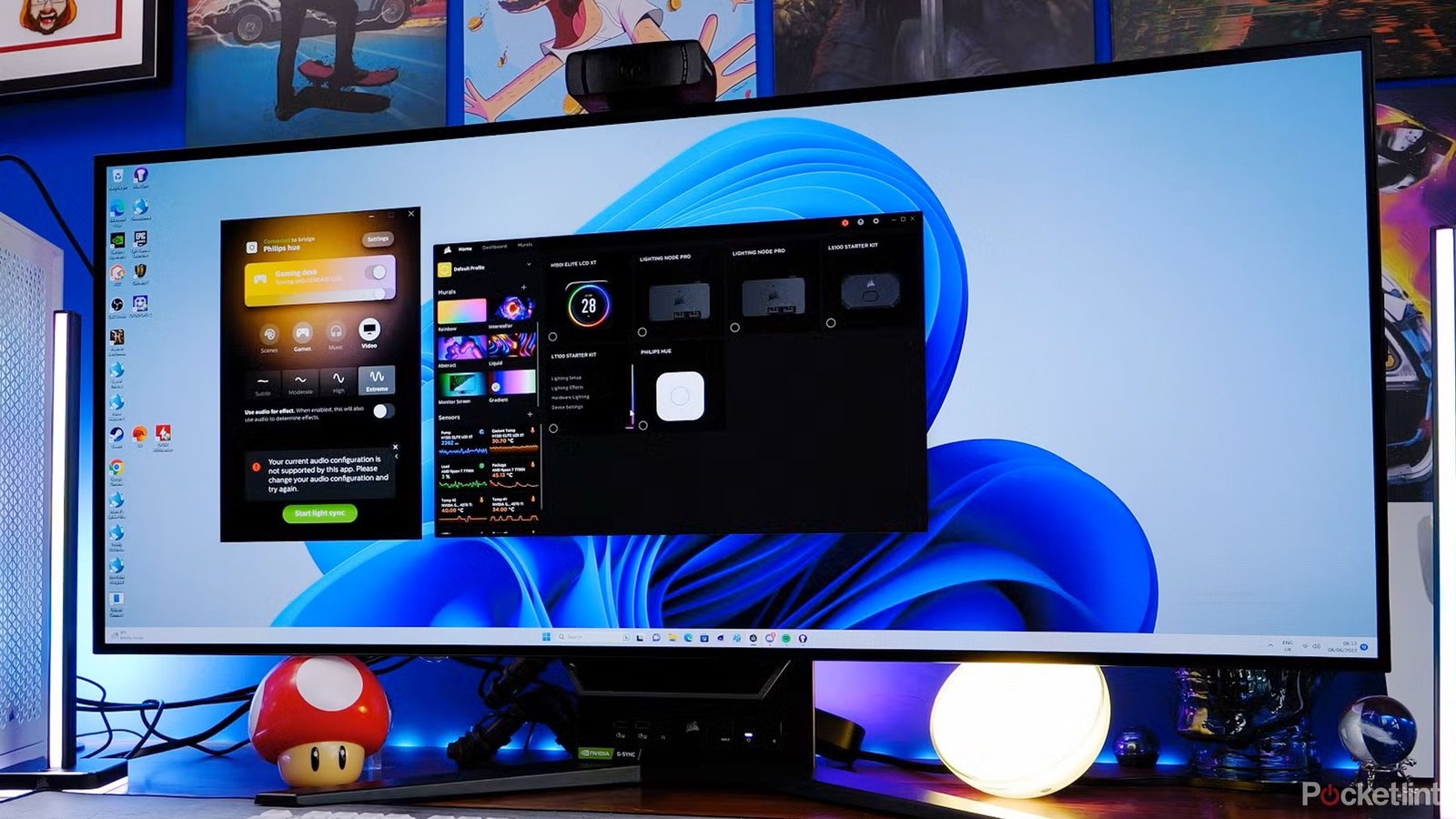
I do try to upgrade my rig when I can afford to, though, and one of the things I’ve had my eye on for a while is an ultrawide monitor. The benefits are obvious — by stretching graphics beyond the 16:9 aspect ratio, gameplay becomes even more immersive. Plus, outside of gaming, you get to expand your workspace without hooking up a second screen.
But everyone should be cautious about picking one up, since there are various potential drawbacks and compatibility issues to consider. Don’t buy an ultrawide just because it looks impressive at a local store.

- Brand
-
Corsair
- Screen Size
-
45-inch
- Display Technology
-
OLED
- Resolution
-
3440 x 1440

Related
How to turn a Steam Deck into a TV gaming console
You can play PC games on your TV without buying a desktop or laptop.
1
Ultrawides consume a lot of desk space
And complicate moving, too

Ultrawides are inherently more efficient than an equivalent multi-monitor setup, but they can still take up a lot of room, especially if you opt for a behemoth display measuring upwards of 34 inches. You may need to rearrange lights, docks, and other items just to fit one, particularly if you’ve been using a laptop’s built-in display until now. Expect to position your laptop far off to the side somewhere, perhaps on a stand if you want to use it as a second screen.
Don’t forget that part of a monitor’s footprint comes from its stand and cables, and that it might look different depending on whether you choose a curved panel or a flat one (more on that tech in a moment). On top of all that, if you expect to move anytime soon, remember that ultrawides can be more complicated to pack. There’s a lot of glass to protect, and curved models won’t fit neatly into most moving boxes.
You may want to keep the packing material your ultrawide shipped in.

Related
4 Windows 11 widget apps I use to make my PC desktop useful
Windows 11 offers its own native widgets, but they can’t be pinned directly onto the desktop – these apps let you take matters into your own hands.
2
You may need to upgrade your graphics card
More pixels, more problems

Inherently, all ultrawide monitors place a greater burden on your PC’s GPU, since there are more pixels to display than on a 16:9 or 16:10 panel. These days, that often means 3440×1440 resolution, possibly up to (or beyond) 5120×2160. An integrated GPU or outdated video card can often be enough to support productivity apps on an ultrawide — but if you want smooth framerates for the latest 3D games, you’ll need something far better.
Exactly what constitutes “better” is a shifting goalpost. Personally, however, I wouldn’t use anything less than an Nvidia RTX 3070 or its AMD equivalent. The good news is that both AMD and Nvidia have released newer, even more advanced cards since the 3070, so you may not need to drain your vacation funds just to achieve an acceptable gaming experience.

Related
This $95 ROG Ally X accessory is expensive, but I promise it’s worth it
As far as protecting your ROG Ally X goes, dbrand’s Killswitch case is by far the best out there.
3
Curved ultrawides aren’t always the best
Consider your use cases

MSI
If you’re buying an ultrawide with gaming in mind, it can be tempting to pick a curved model, no questions asked. Curved screens naturally enhance 3D games, better filling your field of view. But you have to sit in a sweet spot to get the best visibility, so they’re less than ideal if you want the freedom to roll your chair back a few feet. You may be able to strike a compromise if you can find a monitor you like with low curvature.
There are other downsides to curved displays, mind. They can show glare when viewed at an angle, and they may not mount very well, though that’s going to depend on how, what, and where you’re mounting. Video and other graphics professionals should almost certainly gravitate towards a flat ultrawide, no matter how much you game after work. Beyond avoiding glare, going flat offers a more accurate representation of the end product.

Related
Should you still buy a curved TV in 2025? Probably not
A curved display makes sense, but maybe not in your living room.
4
Refresh rate, response time, and panel technology
Don’t cheap out here

id Software
For work purposes, specs may not matter very much. A 60Hz refresh rate will do, and response times barely factor in. Even panel technology may be irrelevant, depending on what you do for a living — many LCDs are quite bright and color-accurate. There’s no need to splurge on OLED.
It’s a different story with gaming. You’ll want a panel with at least a 120Hz refresh rate, plus support for VRR (variable refresh rate) technology. There are two major gaming-related VRR standards — AMD’s FSR, and Nvidia’s G-Sync — and it’s best to choose a monitor that matches the chipset of your GPU. If you’ve got Nvidia’s RTX 5070 in your PC, for example, you should pick a G-Sync compatible monitor. Without VRR, games can be prone to artifacts like screen tearing.
Matching OLED with other high-end specs can be very expensive, sometimes over $1,000.
Preferably, response times should sit at 10ms or lower. A few milliseconds here and there might not sound like much, but the more input lag a PC has, the more likely it is that you’ll notice it in gameplay. Some high-end ultrawides sport lag under 0.1ms, if you truly can’t bear the idea of someone holding a tiny edge over you online.
OLED panels will look the best for gaming, particularly titles that support HDR (high dynamic range). Remember, though, that matching OLED with other high-end specs can be very expensive, sometimes over $1,000. You may want to consider an LCD or mini-LED monitor if you care more about refresh and response specs than how inky-black images are. It’s not like you can’t get LCDs with HDR support, either.

Related
OLED vs mini-LED vs QLED in 2025: Which TV tech should you buy?
Today, you can get surprising image quality without spending a fortune.