Summary
- Boox has unveiled its Mira Pro (Color Version) E Ink monitor, priced at a hefty $1,900.
- Features include a 25.3-inch paper-like color E Ink display, a Kaleido 3 glass screen, and adjustable front light.
- Boox’s Super Refresh technology addresses refresh rate concerns by offering four different speed modes. The monitor is compatible with Windows, macOS, and Linux.
Typically, when you think of an E Ink display, you envision an e-reader such as a
Kindle Colorsoft
or a Kobo Clara, or a tablet like the
Kindle Scribe
or
reMarkable Paper Pro
. However,
Boox
is elevating E Ink displays to a new level.
A couple of years ago, Boox released its first E Ink monitor, the Boox Mira Pro, which features a 25.3-inch E Ink black-and-white display.
Fast-forward to 2025, and Boox has now introduced its latest E Ink monitor, the Boox Mira Pro Color, which, as you might have guessed from the name, offers a color E Ink display for the first time on a Boox monitor. However, its price may leave you scratching your head.

Boox Mira Pro (Color Version)
- Brand
-
Boox
- Screen Size
-
23.5-inch
- Display Technology
-
E Ink
- Resolution
-
3200 x 1800 pixel resolution (145ppi)
- Aspect Ratio
-
16:9
- Refresh Rate
-
Four modes

Related
New Boox Go Series tablets may be the reMarkable alternative you’ve been waiting for
Boox has announced two new Go Series E Ink tablets, the Go 7 and the Go Color 7 Gen II.
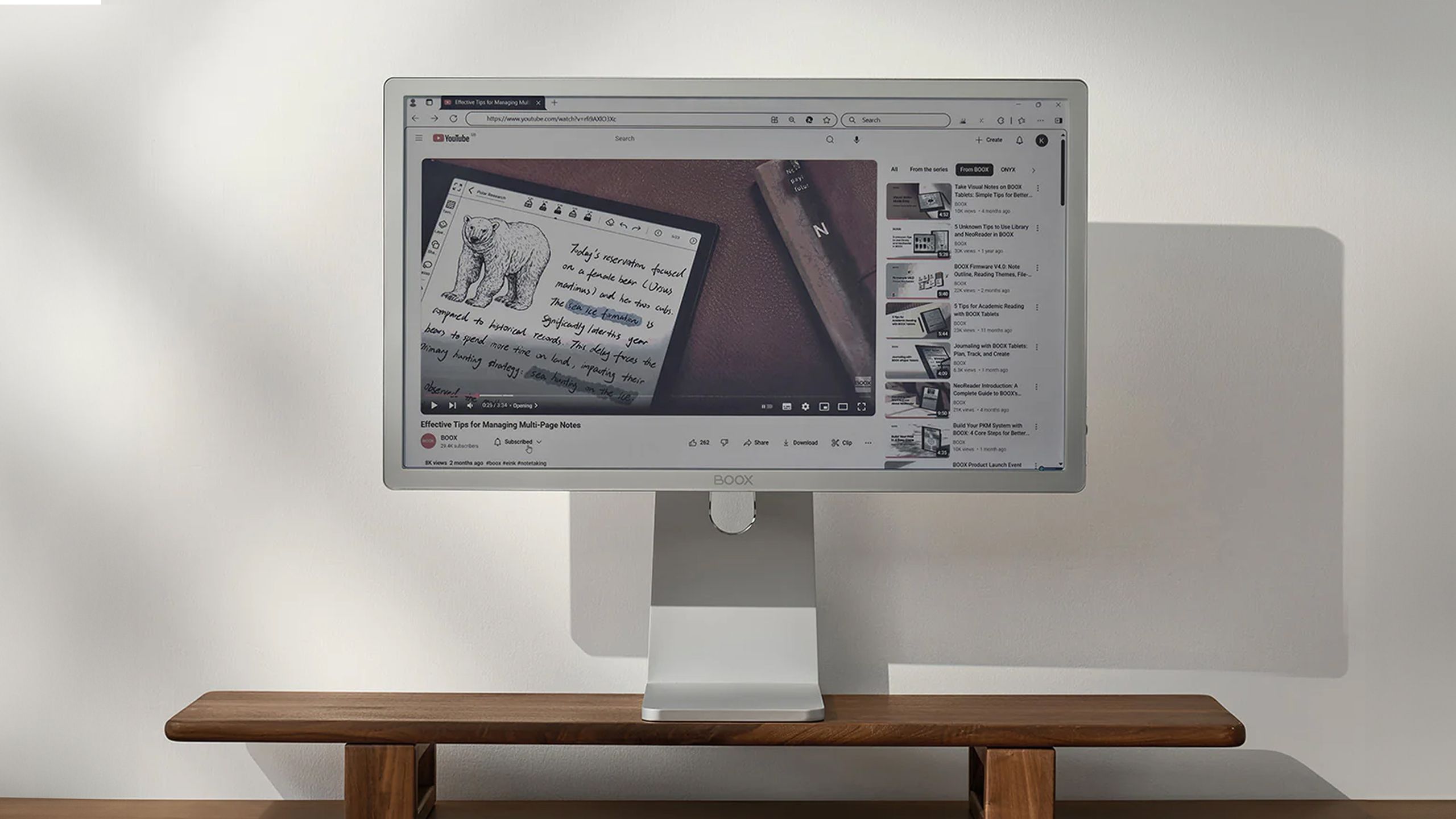
The Boox Mira Pro Color is an advanced E Ink monitor
It uses E Ink color technology similar to the Kindle Colorsoft

Boox
While the Boox Mira Pro Color sounds amazing in theory, especially for those who enjoy using E Ink displays, it unfortunately comes at a hefty cost. The Boox Mira Pro Color is priced at $1,900, significantly higher than traditional LCD monitors and even premium OLED monitors. Additionally, the Boox Mira Pro Color exclusively ships from its Hong Kong warehouse, which means it could be affected by the Trump Administration’s tariffs on China when entering the US.
The advantage the Mira Pro Color has over traditional monitors is its paper-like E Ink display, which is not backlit and considerably easier on the eyes…
Examining the monitor itself, the Boox Mira Pro Color shares many features and functionalities with its predecessor, including a 25.3-inch E Ink display, a 3200 x 1800 pixel resolution, and a 16:9 aspect ratio. What makes the Mira Pro Color display unique is that it boasts an E Ink Kaleido 3 glass screen, allowing it to display 4,096 colors and 16 levels of gray. It also has an adjustable front light, enabling you to modify the color temperature and brightness of the display, similar to how you would on its other E Ink devices.
The advantage the Mira Pro Color has over traditional monitors is its paper-like E Ink display, which is not backlit and considerably easier on the eyes for extended periods compared to a backlit LCD monitor with a higher refresh rate and blue light.

Boox / Pocket-lint
Speaking of refresh rates, typically, E Ink devices have a lower refresh rate than most smartphones or tablets, which could be problematic on a computer monitor, especially for productivity tasks or watching videos. Boox addresses this issue with its Super Refresh technology on the Mira Pro Color, which delivers “the ultimate level of responsiveness in ePaper monitors.”
If you’re seeking a monitor that is much gentler on your eyes for reading and productivity tasks on your computer, the Boox Mira Pro Color may be worth considering, provided you can accept its steep $1,900 price tag…
The Boox Mira Pro Color offers four different refresh modes: reading, speed, normal, and text mode, which balance performance and speed based on your use of the monitor. For instance, speed mode is optimal for watching videos, whereas normal mode is better suited for productivity tasks, such as coding or working in Microsoft Word and Excel. The monitor also includes a physical refresh button to eliminate any ghosting that may occur from increasing the refresh rate.
The Mira Pro Color is compatible with Windows, macOS, and Linux, with Boox providing downloadable drivers for the monitor directly on its product page. If you’re seeking a monitor that is much gentler on your eyes for reading and productivity tasks on your computer, the Boox Mira Pro Color may be worth considering, provided you can accept its steep $1,900 price tag. Otherwise, you would likely be better off with a traditional LCD monitor or perhaps even an OLED. I think Pocket-lint’s Managing Editor, Amanda Kondolojy, put it best: “A monitor that boldly asks, would you pay $2,000 to have a Kindle screen for your computer.”

Related
5 useful Windows 11 features I always enable first on a new PC
Windows 11 has many different settings, but these are the ones I always enable first to enhance my experience.