


Anyone wanting to cut the cord on cable is rightly justified. These cable contracts are unruly, locking you into multi-year terms and making it impossible to leave. They offer better deals for new clients and don’t offer discounts to users that have been with them for years. Plus, you get stuck with channels you don’t care about and get charged even more for some of the channels you might want.
If you’re not someone who cares that much about having every channel and just wants to watch basic cable plus a select few other channels, getting a digital antenna might be the way to go. Digital antennas pick up broadcast signals from local broadcast towers and transmit them back to your TV. It’s cable you don’t have to pay for on a monthly basis and also something you get for just plugging something into your TV. I’ve tested numerous digital antennas over the years, all looking for one that works best for my office TV.
I don’t want to pay for cable in my office and I have a TV on my desk that I want to be able to watch things on. While I have a Roku streaming device plugged in, I didn’t want to add YouTube TV or Hulu + Live TV to get basic cable and local channels. While I tried digital antennas, it wasn’t worth the hassle. Here’s why.

Digital TV antennas
Trivia challenge
From signal strength to antenna types — find out how much you really know
about cutting the cord.
SignalsHardwareTechnologyInstallationStandards
What frequency bands do most digital TV antennas in the US receive over-the-air
broadcasts on?
Correct! Digital TV broadcasts in the US use VHF (Very High Frequency,
channels 2–13) and UHF (Ultra High Frequency, channels 14–36). After the 2009 digital transition, most
stations shifted to UHF, though some VHF channels remain active.
Not quite. Digital TV antennas receive VHF and UHF signals. AM and FM
are radio bands, while C-band and Ku-band are used for satellite communications, not over-the-air TV.
What does the term ‘ATSC’ stand for in the context of US digital TV broadcasting?
Correct! ATSC stands for Advanced Television Systems Committee, the
organization that developed the digital broadcast standards used in the US, Canada, and Mexico. ATSC
replaced the older analog NTSC standard when the US transitioned to digital TV in 2009.
Not quite. ATSC stands for Advanced Television Systems Committee. It’s
the body responsible for developing the digital broadcast standard that replaced analog NTSC television
in the United States in 2009.
What is the primary advantage of an amplified digital TV antenna over a passive one?
Correct! An amplified antenna includes a built-in signal booster that
strengthens weak signals, making it useful for viewers who are far from broadcast towers or in areas
with interference. However, over-amplification can actually degrade signal quality if you’re close to
towers.
Not quite. Amplified antennas boost weak incoming signals using a
built-in amplifier, helping viewers at greater distances from broadcast towers get cleaner reception.
They don’t receive satellite signals or rotate automatically.
Which next-generation US broadcast standard promises 4K HDR over-the-air TV and is
gradually being rolled out?
Correct! ATSC 3.0, also marketed as ‘NextGen TV,’ supports 4K Ultra HD,
HDR, Dolby Atmos audio, and interactive features. It’s an IP-based standard that’s being voluntarily
rolled out across major US markets, though it requires a new tuner to receive.
Not quite. The answer is ATSC 3.0, branded as NextGen TV. DVB-T2 is the
European digital broadcast standard, and ISDB-T is used in Japan and parts of South America. ATSC 2.0
was proposed but never deployed commercially.
Why is it generally recommended to mount an outdoor TV antenna as high as possible?
Correct! TV signals travel in roughly straight lines, so mounting an
antenna higher gives it a better line-of-sight path to distant broadcast towers. Trees, buildings, and
terrain can block or reflect signals, and elevation helps minimize these obstructions.
Not quite. The main reason is line-of-sight — higher placement reduces
physical obstructions like trees and buildings between the antenna and broadcast towers. Signal altitude
and air temperature have no meaningful impact on reception.
What is ‘multipath interference’ in the context of digital TV antenna reception?
Correct! Multipath interference occurs when a broadcast signal reflects
off buildings, hills, or other surfaces and arrives at the antenna at slightly different times. These
overlapping copies of the same signal can confuse the tuner, causing pixelation or signal dropouts.
Not quite. Multipath interference is when reflected copies of the same
signal arrive at the antenna at different times, causing the tuner to receive conflicting data. It’s a
common issue in urban areas with lots of large reflective surfaces like buildings.
What does a coaxial cable splitter do when used with a TV antenna, and what is its
main drawback?
Correct! A coaxial splitter divides one antenna signal among multiple
televisions, but each split reduces signal strength — a two-way splitter typically cuts signal by around
3.5 dB per output. In weak-signal areas, this loss can cause reception problems without a distribution
amplifier to compensate.
Not quite. A splitter distributes the antenna’s signal to multiple TVs,
but it weakens the signal at each output in the process. A passive splitter doesn’t amplify or filter —
it simply divides, which is why signal loss is its biggest downside.
Which free online tool, run by the FCC, is most commonly recommended for finding
broadcast towers and choosing the right antenna for your location?
Correct! The FCC’s DTV Reception Maps tool at dtv.gov allows users to
enter their address and see which over-the-air channels are available, the direction of nearby towers,
and expected signal strength. It’s the official resource for planning antenna placement and selection.
Not quite. While TV Fool and RabbitEars.info are popular community
tools, the official FCC-run resource is the DTV Reception Maps available at dtv.gov. It uses the FCC’s
own broadcast data to show coverage and signal strength at your specific address.
Your Score
/ 8
Thanks for playing!
There are so many different kinds
It can be hard to figure out which one works best for your setup
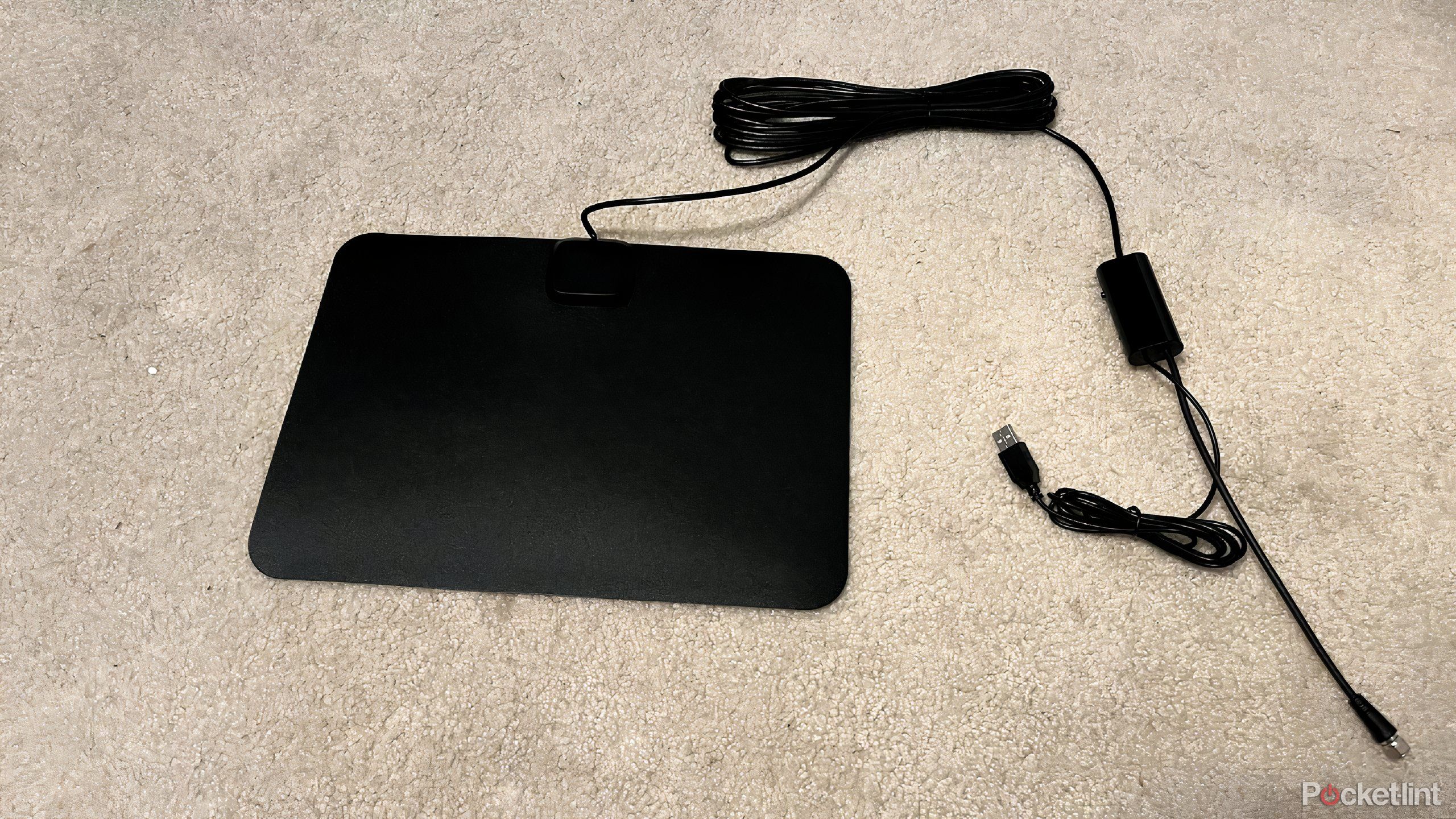
If you search for a digital antenna on the Internet, the results are going to populate dozens to hundreds of different options. They come in all shapes and sizes with varying instructions on where to best place them — some are meant to be placed outside your home, meaning you’re going to have to reach out a window or onto the roof to adjust them. Some say they shouldn’t be too far from a window, while others insist they can live inside an entertainment unit.
I’ve found that, depending on where you are in your house, they work differently. But the problem is not knowing before you buy one what kind is the best for whatever room you’re setting it up in. All different digital antennas offer different features, such as longer ranges, different resolutions, cloud DVRs, and more. You can try and read the Q&As and review for each to see which person out there might have a similar setup to yours, but even then, it may not work out to a tee.
The problem is not knowing before you buy one what kind is the best for whatever room you’re setting it up in.
Setting it up (successfully) can be frustrating
Finagling where you want it to sit is exhausting

Going back to why you might want an antenna in the first place, it could be because you don’t have room for a cable box. But that doesn’t mean you’ll have room for the digital antenna, either. Some of them are massive and flat while others are smaller and cylindrical. Others might be round with rabbit ears like the old-time antennas on big TVs. Digital antennas need to be plugged into the actual TV in order to work, thanks to coaxial cables. So, you have to make sure that the cord is long enough to reach wherever you’re setting up the antenna.
If the only place in your room that gets good reception is against a window or on a high shelf or even above a closet (which actually was the case for one of the antennas I tested) it may not even reach your TV, which would make you rethink your entire room setup.
That’s not something you’re going to want to do for a $50 piece of equipment.
Certain channels might come in well with the antenna in one spot and worse in another, but every time you move your antenna, you’re supposed to scan the channels again to ensure you’re getting the best signal possible. Is that something you’re in the mood to do every time you want to switch channels?
The signals are unreliable
Some come in well while others don’t

Different antennas will claim they can get over 200 channels, but the truth depends on where the nearest broadcast tower is to your home. If you live in a remote area, you’re less likely to pick up a signal. If you live in an incredibly populated area, it may also be hard to pick up clear signals. The biggest issue with digital antennas is not knowing which channels are going to come in with a strong signal.
You may think you can watch CBS, NBC, FOX, or ABC reliably because they’re the premiere basic cable channels, but you could be totally wrong. One of the antennas I tested didn’t pick up a few of these staples.
You can visit this website to see the local channels that are available in your area.
As I mentioned, some channels come in stronger in certain spots than others. Having to see where a specific antenna works best in your room and also which channels work well in that spot is — put simply — way more effort than it’s worth. If there is inclement weather outside, one of the antennas I tested barely worked at all. WIth cable, you have an infinitely better shot of having a reliable signal.
The channel lineup can be misleading
You may think you’re getting one thing, but it could be something else entirely

Not having any idea which channels are going to come in at all is frustrating. Antenna packaging often promises a wide variety of stations, but the reality is often very different. For example, I picked up random channels I’d never heard of, like Bounce TV or Scripps News, while the antenna struggled to capture a local news station for my area.
If you manage to get a reliable signal where your TV is placed, you can enjoy the programming for a while. However, switching to a channel you actually want to watch might not be possible. For someone like me, who enjoys watching live sports, relying on a digital antenna just isn’t ideal. Despite my hopes, missing the channels that broadcast the games was a dealbreaker. Occasionally, a sporting event on a major network came through clearly, but the signal often dropped, making the experience way more frustrating than it was worth.


