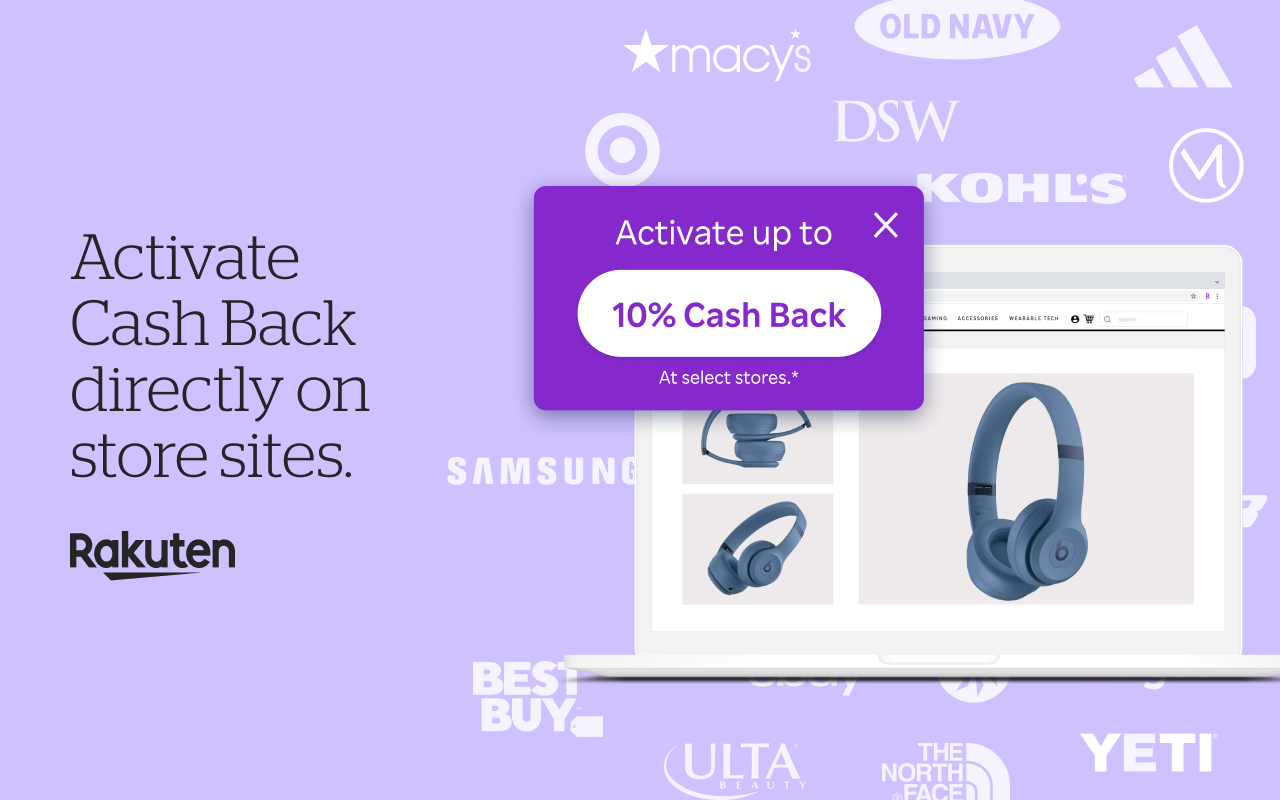
Saving money while shopping online shouldn’t take effort, and, with the Rakuten browser extension, it doesn’t. The free shopping companion works quietly in the background to find Cash Back deals, apply the best coupon codes and alert you to lower prices. Trusted by millions of savvy shoppers, Rakuten’s browser extension helps you earn real rewards and savings at over 3,500 stores.
Whether you’re buying essentials, booking travel or scouting gifts, Rakuten’s extension makes every purchase more rewarding. Below are seven ways the free, easy-to-use tool helps you save more at checkout. (Did we mention it’s free? Just in case we didn’t: It’s completely free!)
Rakuten Browser Extension Overview
The Rakuten browser extension is a free shopping tool for Chrome, Edge, Firefox and Safari that automatically identifies Cash Back opportunities, available promo codes and active coupons as you browse. It’s part of Rakuten’s larger rewards experience, where more than 17 million members have earned over $4.6 billion in Cash Back.
Once you install it, the extension integrates effortlessly into your browser toolbar. When you visit a participating store, it pops up and prompts you to activate Cash Back or apply coupons. There’s no searching or extra steps required. Acting as an automatic coupon finder and Cash Back activator, Rakuten’s extension turns every eligible click into an opportunity to earn.
1. One-Click Cash Back Activation
When shopping at a participating retailer, the extension immediately alerts you that Cash Back is available. With one click, you can activate the offer. There’s no need to start from the Rakuten homepage.
How it works:
|
Step |
Action |
Result |
|
1 |
Visit a store’s site |
A pop-up appears showing available Cash Back |
|
2 |
Click “Activate” |
The extension confirms Cash Back tracking |
|
3 |
Complete your purchase |
Savings accrue in your Rakuten account |
This one-click activation ensures that you never miss rewards. Even when you’re browsing spontaneously, Rakuten has your back.
2. Coupon Magic Finds and Applies Promo Codes
The extension’s Coupon Magic feature takes the guesswork out of finding valid promo codes. When you reach checkout, Rakuten automatically scans for active coupons, tests them and applies the one that will deliver the biggest discount.
There’s no need to hunt, copy or paste codes from coupon sites. The automatic finder works quietly until it can help, ensuring that you get the best deal every time.
3. Price Magic Alerts You to Better Deals
The Price Magic feature gives real-time price comparisons while you shop. If the same product is available for less elsewhere, the extension sends you an instant alert.
How Price Magic works:
- It scans thousands of retailers for identical or similar items.
- It compares prices and Cash Back rates.
- It displays an alert if a lower total price (after discounts or rewards) is found.
It’s a smart price-comparison feature built right into your browser, like a second set of eyes to help you shop confidently and get more value from every purchase.
4. Instant Cash Back Confirmation Speeds Up Rewards
Rakuten’s instant Cash Back confirmation helps recognize eligible orders faster. When you finish an order at select retailers, the extension verifies it in real time so Rakuten can credit your earnings more quickly.
Key benefits:
- Faster Cash Back crediting than standard processing
- Transparent reward tracking inside your Rakuten account
- Secure verification using order total and store details only
Availability varies by store, but the feature reduces wait times between shopping and seeing your rewards grow.
5. Store and Search Overlays Show Cash Back Rates Early
The extension’s search overlay lets you spot Cash Back opportunities before you visit a store. When you search on Google, Bing or Yahoo, Rakuten displays Cash Back rates right in your results so you can compare and choose value at a glance.
Seeing Cash Back rates up front means you can shop smarter from the very first click.
6. Cross-Device and Multi-account Support
Rakuten’s extension fits seamlessly into everyday browsing. It works across Chrome, Edge, Firefox and Safari, and supports mobile browsing on iOS Safari.
You can:
- Activate savings from your laptop, tablet or phone
- Switch devices mid-purchase (as long as Cash Back is activated on your final device)
- Share the extension on household computers using separate Rakuten accounts
That flexibility ensures that everyone in your household can earn rewards their way.
7. Quiet Notifications and Customization Options
Unlike many shopping tools, Rakuten’s notifications are subtle and timely. You’ll see prompts only when they’re useful, such as when Cash Back or coupons are available.
You can adjust settings to choose when and where you get alerts. Privacy-conscious shoppers can disable certain features or remove the extension anytime. Rakuten accesses only limited browsing and order data needed to surface offers, never personal or payment information.
|
Notification type |
Customizable |
Data used |
|
Cash Back alerts |
Yes |
Retailer info only |
|
Coupon Magic |
Yes |
Site and cart value |
|
Price Magic |
Yes |
Product listing data |
These controls keep your shopping experience secure, relevant and clutter-free.
Frequently Asked Questions About the Rakuten Browser Extension
Is the Rakuten browser extension free to use?
Yes. The Rakuten browser extension is free to download and use with no hidden fees or membership charges.
How does the extension automatically save me money while shopping?
It finds and applies coupons, activates Cash Back at partner stores and identifies better deals in real time, so you save automatically.
Can I stack Rakuten Cash Back with store sales and credit card rewards?
Yes. You can combine Rakuten Cash Back with retailer promotions and credit card rewards for greater total savings.
How do I get paid from my Rakuten savings and how often?
You can receive your Cash Back by check, PayPal, American Express Membership Rewards points or Bilt points. Payments are issued quarterly once the minimum balance is reached.
Is the Rakuten browser extension safe? What data does it access?
Yes, the extension is safe, trusted and designed with privacy in mind. It collects only limited data needed to track offers and confirm rewards, never personal payment information.