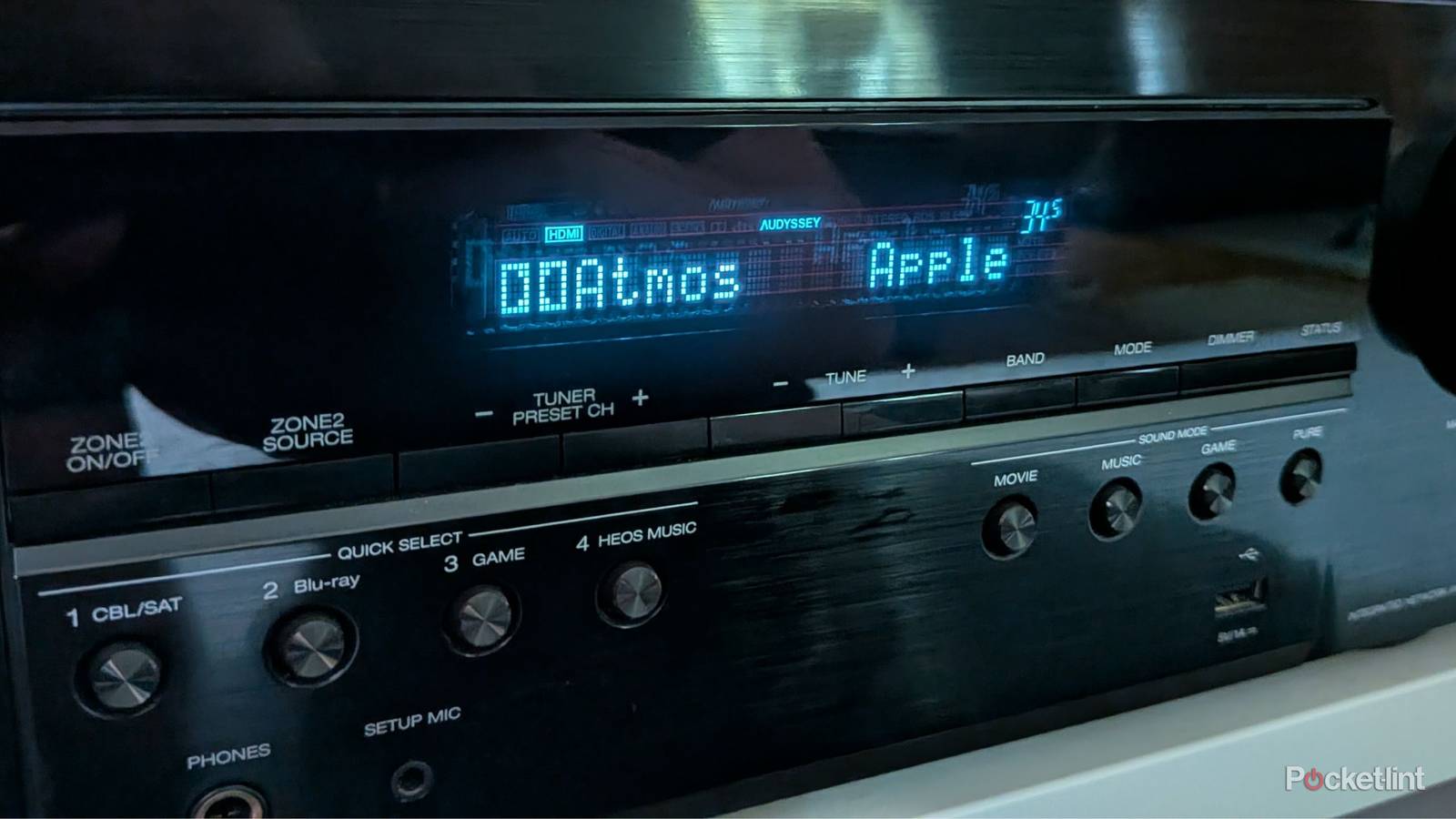
The reason I put together my surround sound system in my living room in the first place was to experience Dolby Atmos. It’s something I do just about every day, and I’m very glad I did it. There are still plenty of upgrades for me to make, but I’m happy with what I have at the moment. You might think that the only thing you need to do is grab a receiver with Dolby Atmos and call it a day. I’m sure many people do that, but if you go through the trouble of setting up all of your speakers, you need to go the extra mile.
Keeping your surround sound system up to snuff is more work than you’d think, but it’s worth it. It’s because of this that I fully understand why people settle for Dolby Atmos soundbars, but those don’t compare to a true surround sound system. This is very much one of those situations where you get what you pay for, and you also get more out of the hobby with the more you put in.
Stop moving your speakers without recalibrating
Your sound will get messed up

It’s easy to set up all of your speakers only to think something’s wrong. From there, you have several choices, and the easy one is to just slide one over a couple of inches. That’s not what you should do, because that means you messed up your audio calibration. On my Denon S760H, I have a program called Audyssey where I have to set a microphone down in my three main listening areas. The software runs a calibration test that dials in the speakers so they sound the best that they can for that particular setup. This means moving one, even if it’s mere inches, messes it up. If you move your speakers around, you should grab the microphone and run the software again.
Unfortunately, this also applies to anybody who bumps into a speaker stand and moves it around. It might not seem like it’s a big deal, but if you’re suddenly having trouble hearing out of one speaker, or you think one is simply too loud, this could be the reason why. I understand it’s annoying, but I think it’d be way more annoying to have one speaker not blending in with the others. The software only takes a few minutes to run, and in an ideal world, you just won’t move your speakers around very often.
Don’t mismatch your front speakers
The back ones are more flexible

When I first built my setup, I started small with a simple stereo setup. I went with a pair of bookshelves from the Sony Core line. The upgrade from there would’ve been to get the matching center channel speaker, but I decided I didn’t want to stick with the Sony line. You might think you could go get any center channel speaker and plug it in, but that’s not what you should do. Yes, it would work, but you might have mismatched timbre and tonal differences, and the audio won’t blend as well as it would otherwise. Your audio software could cover this up, but it’s just easier to make sure everything matches in the first place.
As for what I did for those initial Sony speakers? I just moved them behind my couch and use them as my rear surround speakers. They work perfectly fine, and since the majority of the audio comes from the front, you don’t have to spend an arm and a leg to make sure those speakers are top of the line. Of course, there’s no problem with doing that, and better speakers are certainly worth the investment, but I’m fine with what I have currently.
Not everything has Dolby Atmos, so don’t force it
Be happy with what you have

Dolby Atmos is my favorite audio format, but that doesn’t mean every single thing you watch has it. Something my receiver can do is upscale to use all my speakers, and for a while, that’s what I did. For a long time, I thought that since I have these Atmos height speakers, I better get use out of them. I have since stopped that line of thinking, and I started sticking more with the intended audio format. While the upscaling worked well for the most part, there were still some issues now and then where audio that was clearly meant for the front speakers came out of my surrounds, and it just wasn’t worth the trouble anymore.
Now I just make sure my receiver matches the audio track on what I’m watching. I don’t mess with any additional upscaling or trickery. My setup is for getting the intended audio, so if that’s not Dolby Atmos, I don’t want to force it to be just because I feel like I’m not getting as much value out of my setup.
Use the proper cables in the proper ports
You might not be getting Atmos at all

You can have all the audio equipment in the world, but if you don’t have the right HDMI cable paired with the right HDMI port on your TV, you won’t have Dolby Atmos. You need to have an HDMI 2.1 cable to get Atmos, and you need to make sure you plug it into your TV’s eARC port to get uncompressed audio. This is an extremely important step, and it’s an all-too-common mistake that people make without realizing it.
The good news here is that it’s very easy to swap around some cables, and once you do that, you’re in business. New HDMI cables don’t cost much money at all, so it’s also an easy fix if you find out you’re using some older cables.