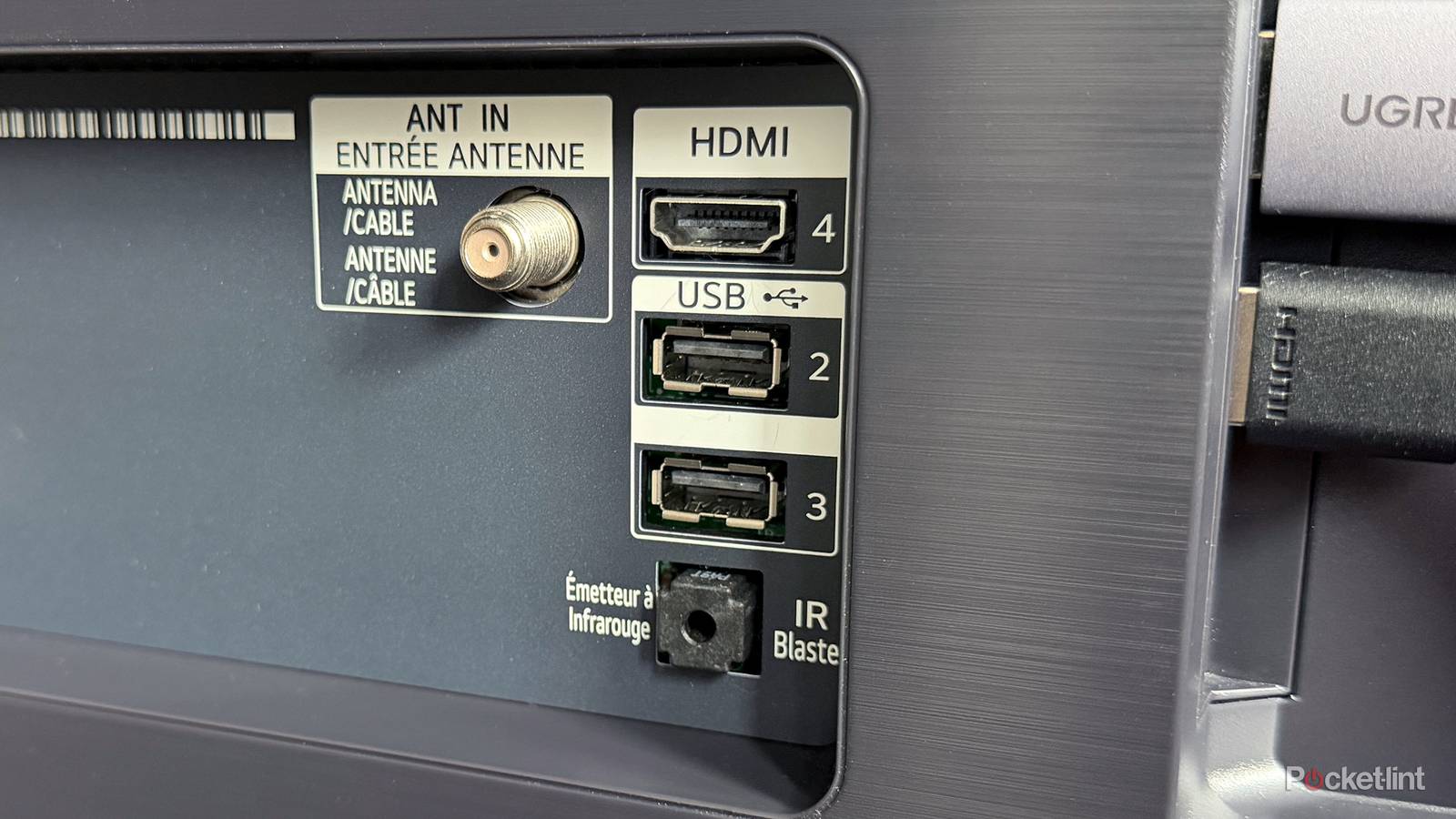
When you flip your TV around and look at the back, you’ll likely find a variety of ports. The HDMI ports are probably the ones you use most often, but there are several others that can come in handy too, including Ethernet, an antenna port, a headphone jack, and USB ports.
While I use all the HDMI ports on my TV, I’ve never really bothered with the USB or Ethernet ports. When it comes to Ethernet, the port on my TV is limited to 100 Mbps, and in my case, my Wi-Fi connection is actually faster, so I haven’t had much reason to use it. As for the USB ports, I’d never really found a way to use them that actually improved my day-to-day experience with my TV.
Don’t get me wrong, I have used my TV’s USB ports before. I’ve connected a portable 2TB hard drive to my TV to watch older movies, and while I was impressed with the built-in media player on my LG TV, it’s just not something I do very often. The vast majority of the shows and movies I watch are streamed through services like Netflix, HBO Max, and Prime Video.
However, while looking for a way to finally put my TV’s USB ports to better use, I came across an accessory that immediately caught my attention: a Gigabit USB-to-Ethernet adapter. My biggest complaint with most smart TVs has always been their slow Ethernet ports, and since the USB ports on my TV were just sitting there unused, I figured this could be a way to upgrade my TV’s wired connection without spending a fortune. And as it turns out, it actually worked.
My TV’s Ethernet is now much faster
It’s all thanks to the power of USB

The USB-to-Ethernet adapter I bought is from UGREEN and supports Gigabit speeds, delivering up to 1 Gbps over a USB 3.0 connection. However, since my LG TV only has USB 2.0 ports, I knew I wouldn’t be able to hit full Gigabit speeds. Still, I figured it was worth a shot, since even a fraction of that would be an upgrade.
When I got the adapter, I plugged it into one of the empty USB ports on my LG TV, connected my Ethernet cable, and the adapter’s lights immediately lit up, indicating it was powered on and connected. So far, so good.
However, my LG TV wasn’t detecting an Ethernet connection at all. It still said its Ethernet port was empty, which technically was true, and when I ran a speed test, I could tell it was still using Wi-Fi.
Luckily, the solution was pretty simple: I completely turned off Wi-Fi on my TV. The moment I did that, my TV showed that it had no network connection, but a few seconds later, it automatically reconnected to the internet, this time through the USB-to-Ethernet adapter. I don’t know if this trick works on every smart TV brand, but at least on my LG C5, turning off Wi-Fi seemed to force the TV to recognize the adapter and use it as its new network connection.

Once I got past that issue and had the adapter working, I ran a speed test through the Netflix app. While I obviously wasn’t getting anywhere close to Gigabit speeds, I was still pretty impressed with the results. I was getting around 250 Mbps, with the highest speed I ever saw being around 320 Mbps. These speeds made sense, given that the adapter was limited by my TV’s USB 2.0 port. Theoretically, the maximum speed it could achieve is around 420 Mbps.
Even at 250 Mbps, that’s still more than double the speed of what my TV’s built-in Ethernet port is capable of and about 100 Mbps faster than my Wi-Fi speed. So the adapter was making a substantial difference. Considering I only paid $12 for it, I was happy with the results, and it was nice to finally put my TV’s USB port to good use after leaving it empty for so long.
Are faster Ethernet speeds necessary on a TV?
There’s a case to be made here

One argument I often see for why it doesn’t really matter that TVs don’t have Gigabit Ethernet built in is that the 10/100 (100 Mbps) Ethernet port found on most smart TVs is technically “good enough.”
In all fairness, that’s a solid point, since most streaming services only recommend around 25 Mbps for 4K streaming. But I think that misses the bigger picture of how people actually use their TVs today.
Things like cloud gaming and streaming high-bitrate 4K files from a Plex or Jellyfin server can easily exceed 100 Mbps of bandwidth. On top of that, streaming 4K content with features like Dolby Atmos and Dolby Vision can also require significantly more bandwidth. That’s where having a Gigabit Ethernet connection can really come in handy, because it gives you a much higher bandwidth ceiling to work with, helping prevent issues like buffering or sudden drops in quality.
Do I wish TV manufacturers would include Gigabit Ethernet on TVs? Absolutely. But for many TV makers, it’s an easy place to cut costs, especially since most people end up using Wi-Fi instead of Ethernet anyway. For those of us who do rely on Ethernet, though, it’s a pretty frustrating limitation.
In the meantime, if you want faster internet speeds on your TV, I highly recommend trying a USB-to-Ethernet adapter. It dramatically increased the connection speed on my LG TV, and all it requires is using a USB port on your TV, which you might not even be using anyway.
Your experience with a USB-to-Ethernet adapter may vary depending on which one you get and your TV’s brand, as compatibility isn’t exactly clear, unfortunately.

- Brand
-
UGREEN
- Input
-
USB
- Output
-
Ethernet