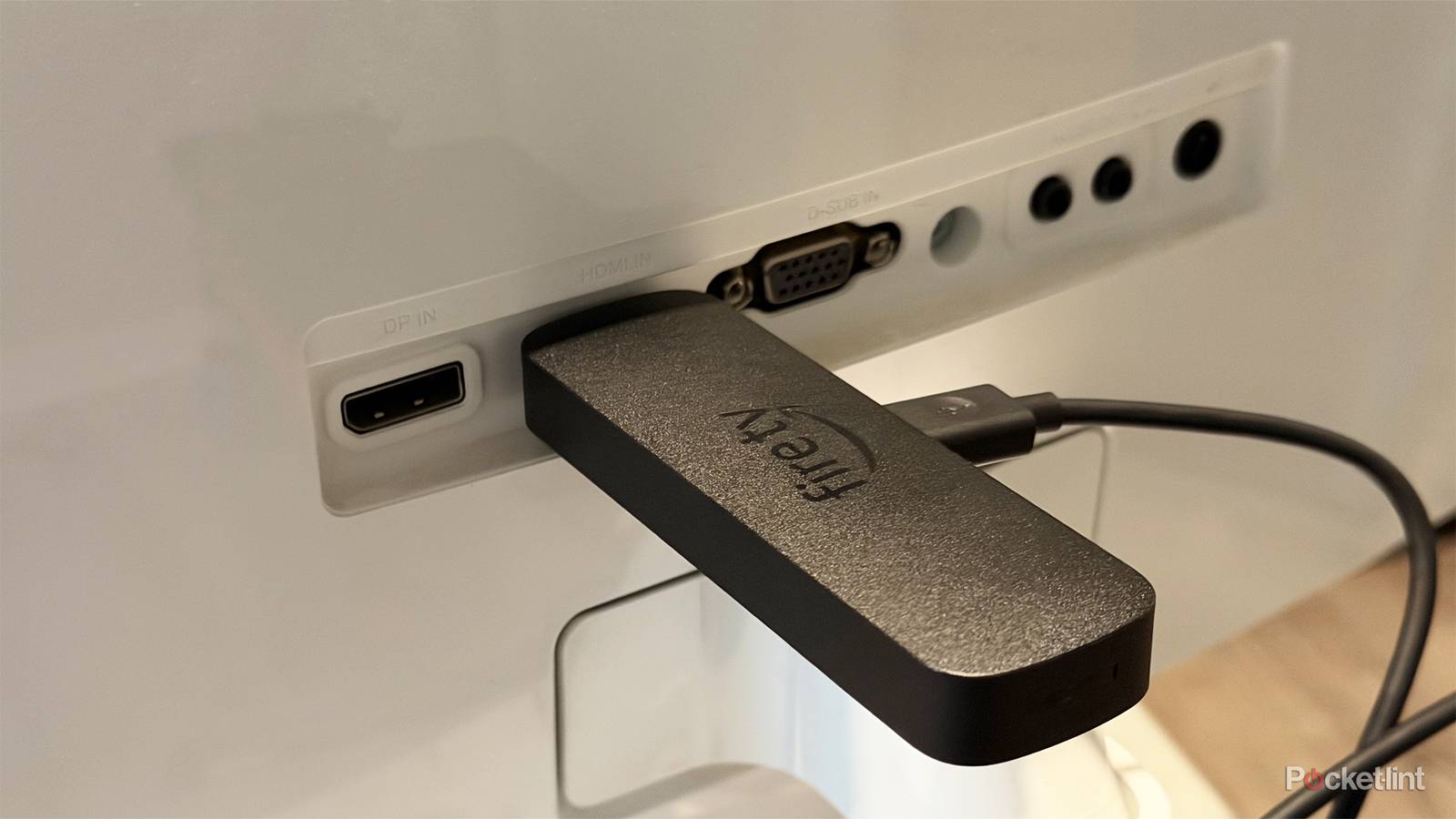
Your Amazon Fire TV Stick is a perfect gateway into the wide world of streaming. Yes, your smart TV already does that for you, but if you’re anything like me, that doesn’t suffice. Smart TVs slow down over time, but it doesn’t mean you have to go out and buy a new TV. Instead, you can pick up a cheap streaming stick, and everything will feel brand new.
What you might not realize is that your Fire TV Stick can do a lot more than just stream. Those features aren’t as plentiful as they were before, when the Fire TV Sticks ran an Android-based operating system that let you sideload APKs. Nevertheless, there’s still plenty that your stick can do aside from streaming the latest shows and movies. While you’ll probably still spend the majority of your time watching things, it’s nice to know that your $20 stick can do a lot more than that when you ask for it.


4.5/5
- Downloadable Apps
-
Yes
- Resolution
-
Full HD
- RAM/storage
-
8GB of storage
- Connectivity
-
HDMI
You can play Xbox games, sort of
Not the real thing

Before Xbox started to right the ship a bit, there was a push for everything to be an Xbox, and yes, that includes your Amazon Fire TV Stick. You can’t just ram a disc into your Fire TV Stick, however, you have to rely entirely on the cloud and a subscription service. Xbox Game Pass subscribers can play Xbox games over the cloud, all from their Amazon Fire TV Stick. This is done via the Xbox app, but you need to make sure you have the correct Fire TV Stick.
It currently applies to the Amazon Fire TV Stick 4K Max 1st and 2nd Gen, the 3rd Gen Fire TV Cube, and the 2nd Gen Fire TV Stick 4K. That’s a lot of devices that support cloud gaming, and chances are good that if you have a recently released model, you’re good to go. As for the actual streaming quality, it’ll come down to your home connection. There’s also the inherent fear of latency issues since you have to connect your Bluetooth Xbox controller to the stick in order to play anything. I haven’t had many issues with cloud gaming in general, but your mileage may vary. I think this is a fun novelty, and if you’re serious about gaming, this is a good way to dip your toes into the Xbox ecosystem. I’d recommend getting an actual Xbox, though.
Music apps are a good choice
Access to better sound

I love my phone, but sometimes I want to have it just be a phone. I’ve been looking for ways to do that, and it’s led me to offload some of the things it can do to other devices. Yes, this even means using the same apps on other things, just for a change of pace. Installing Spotify or YouTube on your Fire TV Stick lets you listen to music, and it’s nice to see a music video show up on the big screen.
The main appeal of this to me is that I get to listen to my music through my dedicated sound system instead of using my phone speakers or a pair of earbuds. I have a Dolby Atmos setup in my living room with seven speakers, so music — and everything — sounds a lot better coming through those speakers compared to my phone. Spotify works the same as it does on my phone, and all of my playlists carry right over. It’s great for small gatherings where you want to play some music but don’t have to worry about draining your phone’s battery. Unfortunately, Apple Music doesn’t have an app for the Fire TV ecosystem, so you’re out of luck if that’s your music app of choice.

- Premium Subscription
-
$12 per month
- Free trial
-
Yes
- Ad plans
-
Free with advertisements
Control your smart home devices
Your Fire TV is a smart device, too

Alexa has come a long way, and if you have Alexa+, it gets even better. My Fire TV has full voice control, letting me control everything my TV can do and giving me control of other smart devices on the network. A lot of people think that just because you’re talking to a stick or a TV, it doesn’t do anything, but you’re leaving a lot of versatility on the table if that’s how you think. I use my TV’s voice commands quite often, but my smart home is a lot smaller than others. The only thing I do with any regularity is control my lights, but that’s in my bedroom.
If you have more smart home devices, then your TV could end up being the focal point of the whole system. I find myself sitting on my couch in front of my TV more than any other thing I do in my house, so it makes sense for that to be the command center. Voice controls mean you can check security cameras, control your lights, thermostat, and even ask questions. Alexa+ can hold a decent conversation these days, so that’s a nice bonus. Even without Alexa+, your TV can still control your smart home, so just try talking to it the next time you’re close by.
Take it with me on trips
Not only to stream, but also other things

One of the most underrated things about not just the Fire TV Stick, but all streaming sticks, is their portability. You don’t have to worry about lugging around an HDMI cable or a power cable in many scenarios, like you would if you traveled with your Apple TV 4K or Roku Ultra. I don’t go to hotels as much as I used to, but one of the things I remember is that the TVs found in the rooms leave a lot to be desired. Most importantly, I didn’t have access to streaming apps, so I had to rely on the tablet I brought with me to keep up to date with anything I watched.
A Fire TV Stick lets you get around that just by plugging it into the HDMI port on the back of the TV. This is something that the sticks excel at, where other devices fall flat. If you want to listen to Spotify, watch Netflix, or just scroll through a Fire TV interface, your Fire TV Stick plugged into the back of a hotel TV will let you do that. You’ll often find that hotel TVs are locked down and limited, so this lets you bypass that and get that at-home experience on the road. The best part is that your Fire TV Stick is small enough to fit into a little bag, so there’s nothing bulky coming with you. If you have a Fire TV Stick, stuff it into your luggage and bring it on a trip next time. It’ll make your time spent in the hotel room a lot less boring.