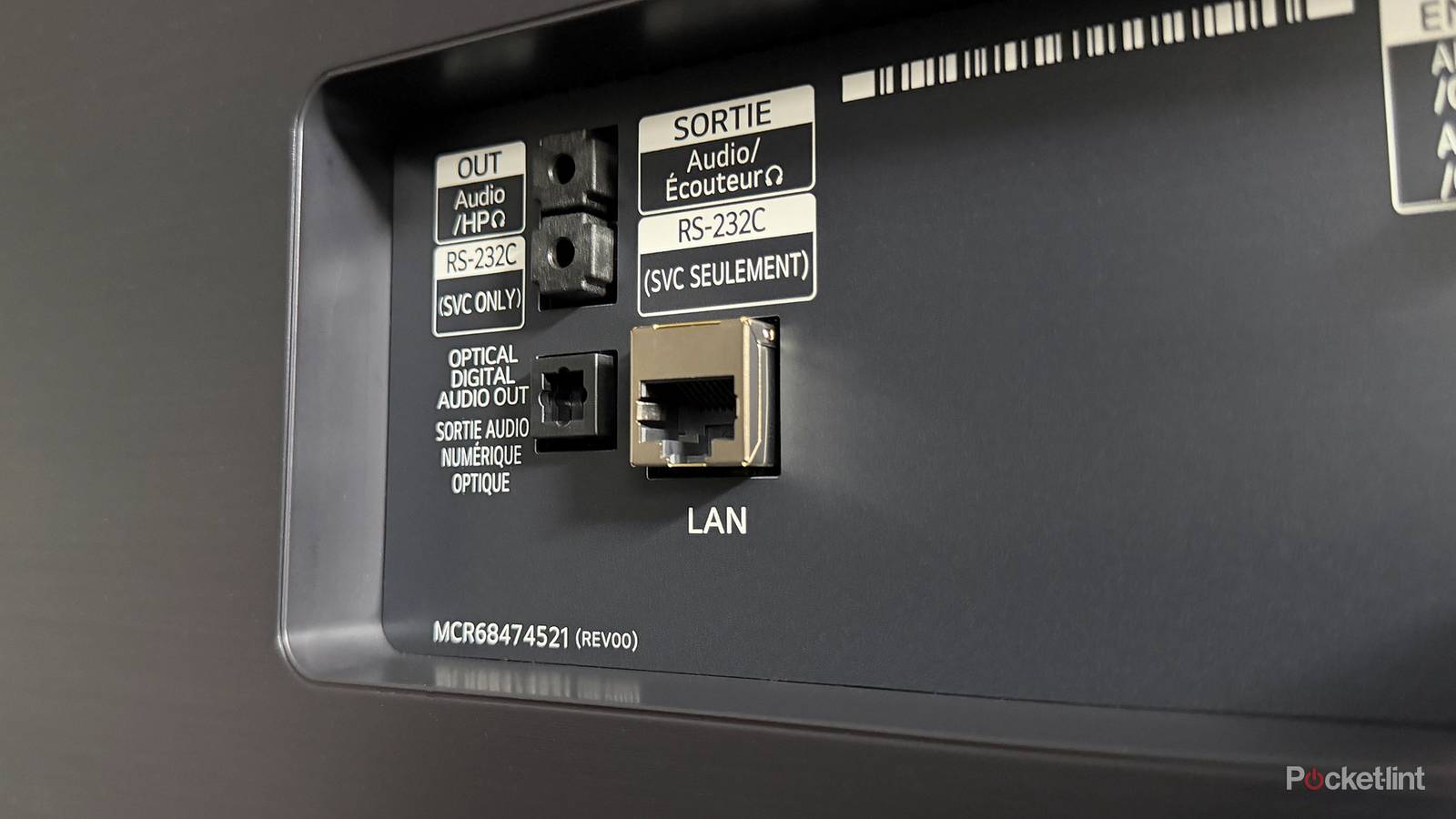
I use Ethernet with a lot of devices in my home, and for good reason. Compared to Wi-Fi, Ethernet generally provides a faster, more reliable connection because you’re hardwired directly to your router. That’s why my desktop PC, PS5, and Switch 2 are all connected via Ethernet. Whether I’m downloading games, streaming content, or working from home, I want the fastest, most stable connection possible, and Ethernet delivers exactly that.
That said, despite my appreciation for Ethernet, there’s one device in my house I’ve always refused to connect to it: my LG TV.
The reason is simple. While Ethernet undoubtedly offers a more reliable connection than Wi-Fi, the Ethernet port on virtually every smart TV has one major flaw that makes it hard to justify using. Most are limited to 10/100 Ethernet, which caps speeds at just 100 Mbps.
In my case, my Wi-Fi can easily exceed that, often delivering more than double the speed. As a result, using the Ethernet port on my LG TV has always felt a bit pointless. This creates a problem, though: while Wi-Fi is faster on my TV than Ethernet, it’s not always as reliable. Every now and then, I’ll run into connection issues, which can be frustrating when I’m just trying to stream something.
This got me wondering whether there was a way to get Ethernet’s stability without sacrificing connection speed on my TV. Luckily, there is a solution to this dilemma, and it’s all thanks to the power of USB.
A USB-to-Ethernet adapter is all you need
You can easily quadruple the speed of Ethernet on your TV

To get around the 100 Mbps Ethernet limit on my TV, I turned to a surprisingly simple gadget I picked up on Amazon for just $12: a USB-to-Ethernet Gigabit adapter.
The one I bought is from UGREEN, and it works exactly as you’d expect: plug it into an available USB port on your TV, connect an Ethernet cable, and you can bypass the speed limitations of your TV’s built-in Ethernet port.
I’ve been testing this adapter on my LG TV for the past week, and it works great. I get faster speeds than with Wi-Fi and my TV’s built-in Ethernet port, which is exactly what I was hoping to achieve. That said, there are a couple of things to note before you try it yourself.
First, while you can buy a USB-to-Ethernet Gigabit adapter as I did, don’t expect true Gigabit speeds. Most smart TVs are equipped with USB 2.0 ports, which don’t have enough bandwidth to support the full 1 Gbps speeds of Gigabit Ethernet. The adapter will still work, but the real-world ceiling is closer to 420 Mbps.
…my LG TV’s Ethernet connection peaked at about 88 Mbps, while the adapter consistently delivered speeds of around 320 Mbps.
Even so, that’s a huge improvement over the TV’s built-in Ethernet port. For comparison, my LG TV’s Ethernet connection peaked at about 88 Mbps, while the adapter consistently delivered speeds of around 320 Mbps — nearly four times faster. Additionally, the adapter easily outperformed my Wi-Fi connection, which typically hovers around 200 Mbps.
The other thing to keep in mind is that you may need to disable Wi-Fi on your TV for an Ethernet adapter to work properly. When I first connected the adapter to my LG TV, the TV continued to use Wi-Fi instead of switching to Ethernet. After I manually turned Wi-Fi off, it immediately recognized the adapter and started using the wired connection.
It’s time for Gigabit to become the standard
10/100 Ethernet should’ve been phased out long ago

While I’m happy that a USB-to-Ethernet adapter finally fixed my biggest gripe with my TV, it also reminded me how silly it is that most TVs still ship with 100 Mbps Ethernet ports. Gigabit Ethernet has been around for more than 25 years at this point, yet it’s still missing from smart TVs.
One of the most common arguments I hear in defense of the continued use of 100 Mbps Ethernet ports on TVs is that they’re technically “good enough.”
And to be fair, I understand that perspective. Most streaming services only recommend around 25 Mbps for 4K streaming, so on paper, a 100 Mbps Ethernet connection is more than capable of handling the job.
But I think that misses the bigger picture of how people can use their TVs today.
In 2026, Gigabit Ethernet should be standard on every smart TV.
Once you move beyond basic streaming and start playing high-bitrate 4K files from a Plex or Jellyfin server, cloud gaming, or downloading large apps and updates, that 100 Mbps ceiling can quickly become a bottleneck. Even during everyday streaming, having a connection that’s four or five times faster can make a noticeable difference, whether it’s reducing buffering, loading videos more quickly, or speeding up how fast apps populate movie and TV show libraries.
Which begs the question: since Gigabit Ethernet is so much better, why don’t TV manufacturers include it?
My guess is that it comes down to cost. Since most people rely on Wi-Fi rather than a wired connection, Gigabit Ethernet is an easy corner to cut for TV makers without generating much backlash.
Still, I hope that changes. In 2026, Gigabit Ethernet should be standard on every smart TV. The fact that I need to plug a USB adapter into my TV just to work around an antiquated 100 Mbps Ethernet port feels a little ridiculous, especially when so many other living-room devices already include Gigabit Ethernet, including the Google TV Streamer, Apple TV 4K, Nvidia Shield TV Pro, PlayStation 5, Switch 2, and Xbox Series X.
Should you pick up a USB-to-Ethernet adapter?
It’s the easiest upgrade you can make to your TV

If you want the fastest Ethernet connection possible on your TV and are ready to ditch Wi-Fi for streaming once and for all, I’d highly recommend picking up a USB-to-Ethernet adapter.
It’s affordable, easy to set up, and can potentially quadruple your TV’s Ethernet speeds. It’s worked flawlessly on my LG TV and has quite frankly been one of the best $12 tech purchases I’ve ever made. Until TV manufacturers finally start shipping TVs with Gigabit Ethernet, I’ll be sticking with this workaround for the foreseeable future.

- Brand
-
UGREEN
- Input
-
USB
- Output
-
Ethernet