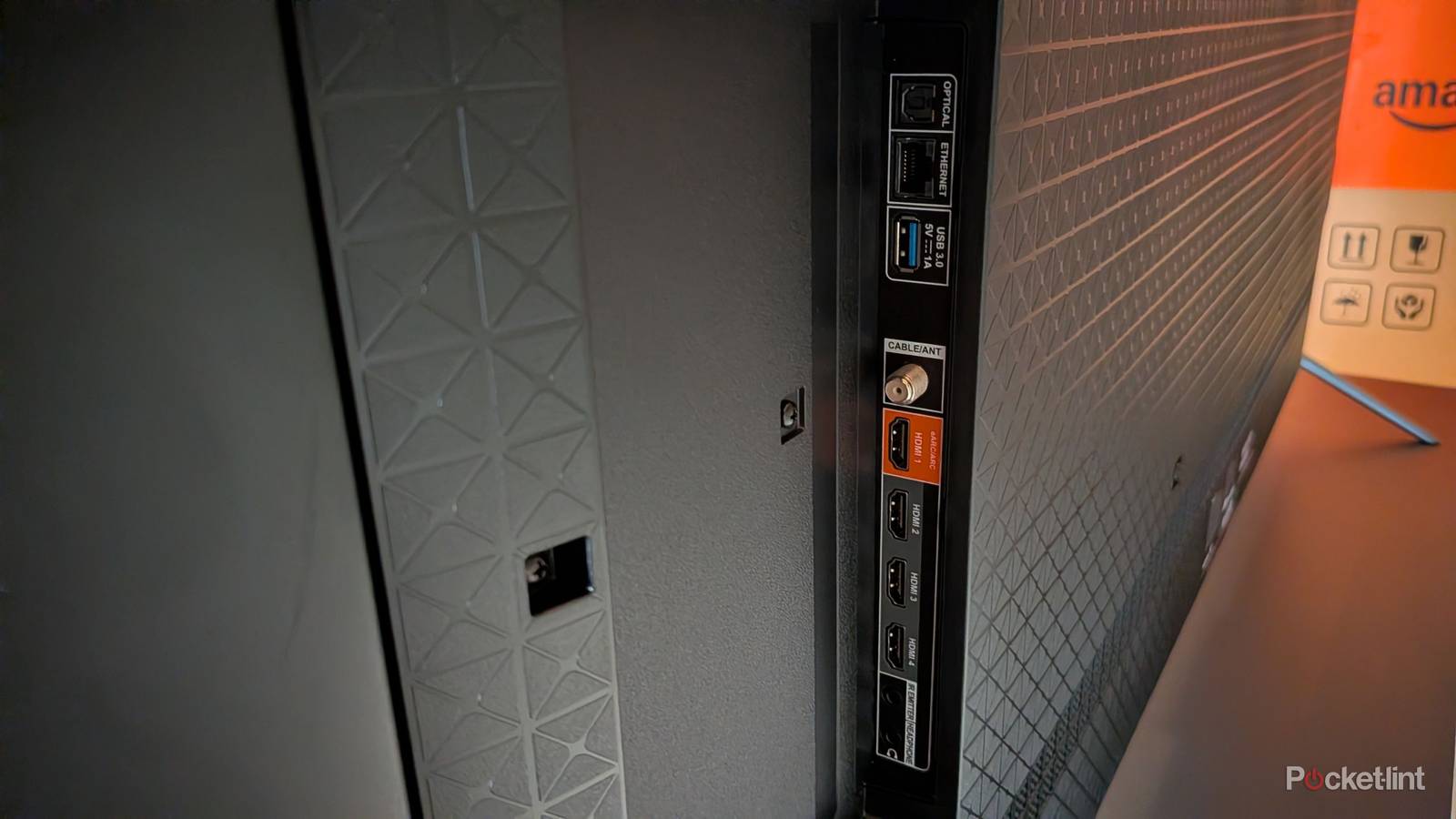
I’ve long thought my TV’s USB port didn’t have much of a use, and while that’s largely the case, I found a use for it. A lot of people like to talk about plugging in hard drives and flash drives, but I just never saw a reason to do that, since I had an Apple TV 4K. Well, my Apple TV 4K doesn’t have a USB port, so when I decided to finally watch the 4K77 de-specialized version of Star Wars, I had to load it onto a portable SSD and plug that into my TV. I was shocked by show seamless everything was, and my TV instantly read the hard drive. It’s not even like my Sony Bravia X90J TV or Fire TV Omni QLED has a powerhouse built-in media player or anything, but it delivered when it needed to.
I was able to long hold the Home button on my TV remote to bring up the contents of my hard drive, and the only thing I had to do from there was click on the video and relax. Surround sound automatically defaulted to my audio receiver, and while I didn’t have a Dolby Atmos track like I do from the disc version of Star Wars, it didn’t hurt my experience. I don’t typically download movies to an SSD, but in this specific case, it paid off.
The USB port that could
It’s not totally useless

Your smart TV is loaded with ports ranging from Ethernet and HDMI to optical audio and USB. Some of these are much higher on the totem pole than others, and if I had to give an answer, I’d say the HDMI ports are by far the most important. I would argue TV manufacturers are aware of that as well, and that’s why you get several of them compared to other ports. Something that typically sits unused on my main TV is the USB port. I do have an older Samsung TV in my basement that has a Roku Streaming Stick plugged into its USB port, so it’s not like I thought the port was totally useless.
The thing is that I see a lot of people call the USB extremely versatile, but it just hasn’t been that in my experience. There’s not a whole lot to do with it aside from plugging a storage device into it every now and then. With that said, I’m glad I did that, and I don’t know if I would’ve ever tried it in the first place if I hadn’t read people raving about the port in the past. A long time ago, I used to use my laptop’s HDMI port to plug it into the TV and act as a big monitor in the days before smart TVs. This was an excellent way to use YouTube on my TV, and I suppose I did a similar thing here with my hard drive.
It’s not often I have videos to watch on a hard drive that aren’t available elsewhere, but I was glad to have the USB port available now that I did. That’s especially the case since my Chromebook doesn’t have an HDMI port I can use to connect to my TV. Thanks to streaming sticks, I’m not sure if manufacturers will ever drop the USB port from the TVs, so that’s great news. Even if I don’t use it, I still like having options instead of having them taken away. I have a first-gen Apple TV 4K, and it doesn’t have a USB port. You might think that I could just upgrade to a newer model and get more features, but no, that’s not the case. No version of the Apple TV 4K has a USB port. Meanwhile, the Roku Ultra has a USB port, so while the Apple TV 4K is arguably a better performer, the Roku Ultra has some additional versatility not seen with Apple.
Your TV is capable of so much today that it’s easy to lose track of all that it can do. If my TV can easily read a 500 GB SSD, then there’s nothing stopping me from saving a bunch of videos to it and watching them on my TV. Of course, the problem is that I need a reason to do that, and aside from this specific Star Wars movie, I don’t have any reason to. Home videos could be a good reason, but the reality is that your TV’s USB port is largely a niche port. There’s nothing wrong with that, mind you, and with me watching this movie, the USB port has gotten more use than the digital audio out port has. I’m not currently in the market for a new TV, but when the time comes to get one, I hope the USB port is still sticking around. Perhaps we might even get a USB 3.0 port.
Some more practical uses for the port
Lighting is a good one

Something you might’ve noticed if you like looking at people’s viewing setups is a string of lights behind a TV. No, it’s not the TV doing it, but instead those are bias lights. These lights attach to the back of your TV, and they are powered by a USB port, which means it’s something that can keep your TV’s port occupied all the time if you’re looking for that. Bias lighting feels a lot like a gimmick, and in many ways it is, but I can’t lie and say it looks bad when you’re watching something at night. You either get distracted by the backlights or you think it enhances the experience.
Aside from those lights and a streaming stick, there’s not much else out there that will use the port 24/7. That’s not inherently a bad thing as I don’t come close to using all the USB ports on my PC or laptop. I’m just glad the option is available for me for when I need it. There are a lot of ports that used to be commonplace that are no longer. Laptops are a big offender in this regard, and it feels like the older USB-A ports are going extinct, despite so many of my peripherals still relying on them. I’m actually shocked that TVs have gotten on the USB-C bandwagon yet, considering that it’s becoming the norm as of late. Perhaps a few more cycles is all it’ll take for USB-C to finally take hold, and that means I’ll need to find a different cable to connect my hard drive to my TV. For the time being, I just won’t worry about it. I’m grateful the USB port is there for me when I need it, and I hope I run into some more spontaneous uses for it down the road.