


Add-on media streamers have become a lot more affordable in the past 15 years or so. When the first-generation Chromecast launched, the big deal wasn’t so much its casting-based controls as the $35 pricetag it came with. Competitors like the Apple TV could cost several times as much, which was a hard sell if you were able to get by with a TV’s native apps. $35 was an impulse purchase, no matter that you had to use your phone as the remote. Today, that isn’t even as cheap as things get — you can buy an entry-level Roku stick for $27 on Amazon, and there are probably steeper bargains out there.
As a rule, though, you should not only veer away from low-cost models, but spend on the most expensive ones you can afford. That decision may actually save you money in the long run, a claim which will make sense in a minute.
What you give up with an entry-level streamer
More than just the deluxe features

Putting it bluntly, the cheapest streamers are only meant to get you in the door. For people on the tightest budgets, they’re better than nothing — but since most TVs now ship with a decent built-in interface anyway, the expectation is that you’ll step up to a higher rung on the price ladder once you see what’s available.
That might sound a bit conspiratorial, but all you need to do is look at specs to understand what I’m talking about. Amazon’s Fire TV Stick HD is limited to 1080p resolution, despite the fact that many budget TVs offer 4K these days. There’s also no Dolby Atmos or Vision decoding, and Wi-Fi connectivity is limited to Wi-Fi 6. Bumping up to the Fire TV Stick 4K Select does of course get you 4K, but Wi-Fi is scaled further back to Wi-Fi 5, which is absurd given that 6 has been around since 2019.
All this is to say that if you buy an entry-level streamer, you’ll never experience the best your TV is capable of, whether or not you’re paying for a premium subscription plan.
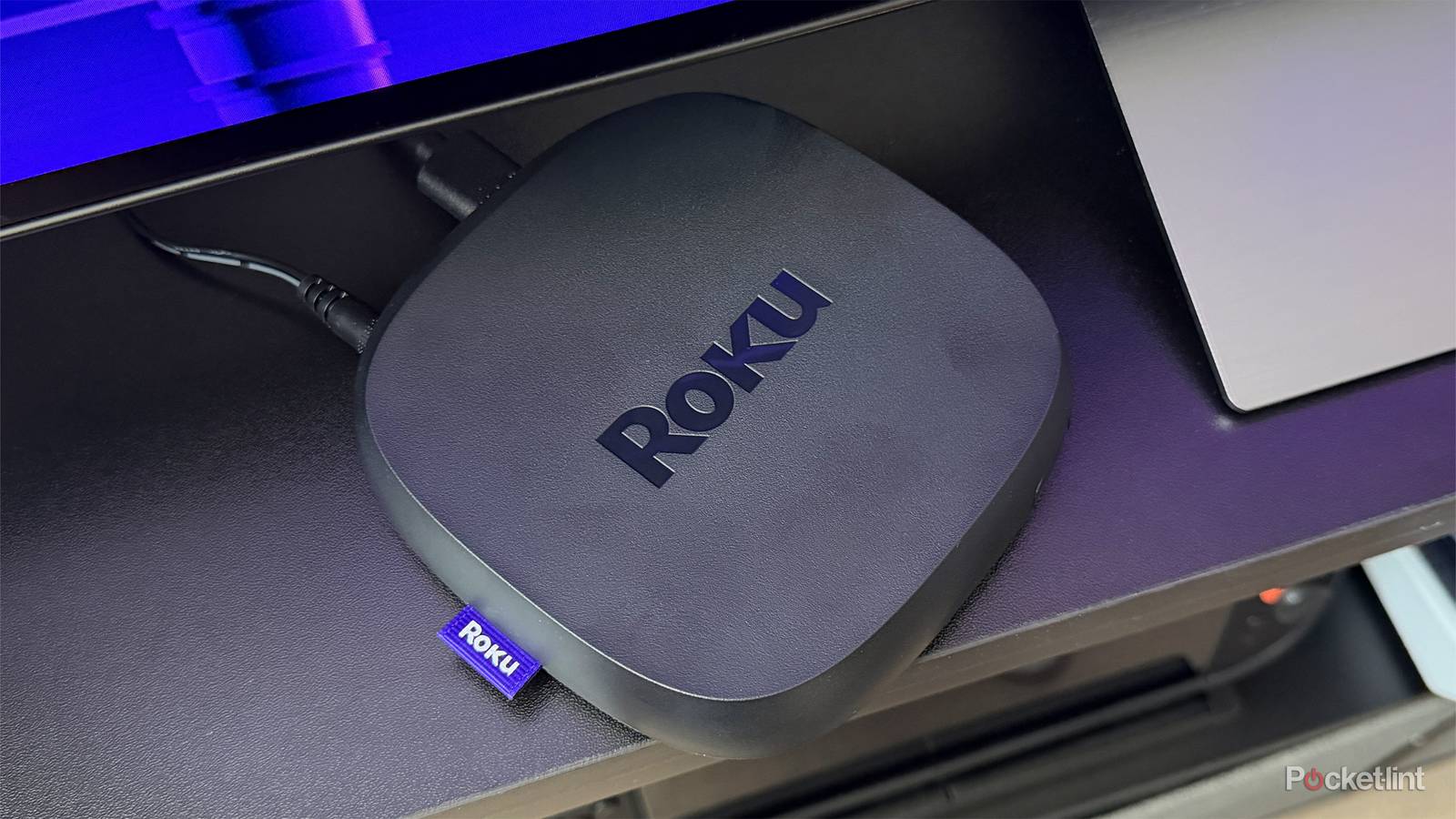
Things are somehow worse if you buy the cheapest Roku Streaming Stick. That lacks any form of HDR, including royalty-free standards like HDR10 and HDR10+. The company won’t even promise Dolby audio, though in reality, it supports it the same way the Fire TV Stick HD does — passthrough to other devices like your speakers.
All this is to say that if you buy an entry-level streamer, you’ll never experience the best your TV is capable of, whether or not you’re paying for a “premium” subscription plan. Yes, features like 4K, HDR, and Dolby Atmos are usually gated behind paywalls — but on YouTube, you can get 4K HDR for free. And no matter what services you choose, you’re going to see unnecessarily slow app updates and video buffering over Wi-Fi 5.
Simply bumping up to a mid-tier streamer like the Roku Streaming Stick 4K can be enough to fix these deficiencies. For a lot of shoppers, then, that’s the real minimum they should consider. But surface specs aren’t the whole story, which is why I usually recommend high-end models like the Apple TV 4K or Roku Ultra.
The hidden advantage of high-end streaming devices
It’s not just what’s on paper

The makers of TVs and media streamers alike tend to be stingy on processor power, at least for their mainstream products. These devices don’t rely on the same level of hardware you might find in your computer or the latest smartphones. Instead, they usually rely on lower-grade chips that are more affordable to produce en masse.
That’s not automatically a slight — the processor in your TV probably does a fine job. But the margins on media streamers are so tight that the cheaper you go, the more likely you are to end up with a processor that makes things feel sluggish. Even that might not be a concern, except that apps and operating systems are constantly evolving. A CPU that’s barely acceptable now could become intolerable a few years down the road, unable to cope with software upgrades like generative AI and extra visual flair.
With some products, the killer isn’t so much horsepower as it is memory. Budget models may have less RAM, and will definitely have less storage space. This means there’s less room for temporary files, which can potentially bring a device to its knees. The worst culprit in this regard seems to be Amazon. Unless you buy a Fire TV Stick 4K Max or a Fire TV Cube, you’re capped at just 8GB of storage, which has to be split between the OS, apps, and those cached files. If you install a lot of apps, it’s all too easy to run into performance problems, never mind finding yourself unable to keep downloading things. Hopefully Amazon’s recent Fire OS overhaul will fix some of that.
Ultimately, media streamers are subject to a popular axiom: buy once, cry once. A $27 model isn’t going to save you any money if you quickly discover how weak it is.
With a high-end device, what you’re really buying is both short- and long-term overhead. In my house, I have a 2017 Apple TV 4K that’s still running strong, whereas a full-fledged Insignia Fire TV my wife bought became totally unusable in less time. Sure, the Apple TV can’t handle tvOS 26’s Liquid Glass effects — but since it has the same processor Apple once used in iPad Pros, general performance is fine. If anything, I’m more upset that it doesn’t support HDMI 2.1 or HDR10+.
Apple’s products are the gold standard at the moment. Although the 2022 model has the same A15 Bionic chip from 2021’s iPhone 13, that still makes it wildly powerful next to competing products. Indeed the rumored 2026 update would be complete overkill if it weren’t for plans to add Apple Intelligence, which requires an A17 Pro or later. Simply adding that chip could give the set-top enough speed to handle console-quality graphics, and adding an A19 or A20 would be obscene. Amazon, Roku, and Google have effectively given up on TV gaming beyond cloud services.
Something I haven’t touched on yet is tech support. With budget streamers having a tough enough time handling existing loads, there’s a risk that companies will cut off software updates for them sooner rather than later, followed by any troubleshooting help. This is by no means guaranteed — Roku has a relatively good track record on this front — but it’s something worth considering if you expect to hold onto a streamer for more than four or five years.
Ultimately, media streamers are subject to a popular axiom: buy once, cry once. A $27 model isn’t going to save you any money if you quickly discover how weak it is and rush out to buy the $127 model you should’ve picked in the first place. If you really don’t want to spend $100 or more upfront, it’s wiser to save up a little longer, or only dial spending back as much as necessary.

- Brand
-
Apple
- Bluetooth codecs
-
5.0
- Wi-Fi
-
6
- Ethernet
-
Gigabit (128GB model only)