


Whether you’re playing video games, watching a movie on Blu-ray, or simply connecting a soundbar to your home streaming setup, it’s imperative you have the proper HDMI cable to connect those devices to your smart TV screen. The HDMI cable is how you get all your content, from games to movies to music, to your TV and speakers.
HDMI cables are relatively inexpensive and tend to last a long time. You likely have some extra ones scattered around your home. However, it doesn’t mean you shouldn’t be checking up on them every so often. Here’s how to spot when it’s time to replace your HDMI cables, and how to maintain them so they last as long as you need.
HDMI cables provide an essential connection
Enjoy convenient and reliable audio and video

A high-definition multimedia interface (HDMI) cable transfers audio and video from a device to your TV screen. It’s convenient and reliable, and universally enjoyed by electronic devices. The cable has been around for over 20 years, replacing an old system that featured separate connectors for audio and video, and it’s received numerous upgrades in its time.
For the most part, you just plug the cable into the appropriate port and enjoy. Your smart TV likely comes with three or four HDMI ports; after you connect to a device, your TV may automatically detect and set up that connection so you can enjoy it in a matter of minutes.
HDMI cables are considered electronic waste, and in most areas, require special disposal instead of putting them in the garbage. Be sure to check your municipality’s requirements before tossing away old cables.
HDMI cables have different capabilities. Ultra High Speed cables, also referred to as HDMI 2.1, support up to 48 Gbps bandwidth, allowing for 4K resolution streaming at 120Hz. Premium High Speed cables are also quite common. They support 18GBps bandwidth for 4K resolution at 60Hz. There is another iteration that may be hanging around your home. HDMI 1.4, also known as a High Speed HDMI cable, has been around for over 15 years. However, its inclusion of an audio return channel and its ability to handle 4K resolution, albeit at 30Hz, makes it a popular and common cable, found alongside older gaming consoles and soundbars.
Technical issues plague use
Video problems may mean faulty cables

One of the clearest ways you can tell you need a new HDMI cable is encountering issues with audio and video on your TV. Problems can manifest in several different ways. With video, you may notice flickering, blackouts, spots, or general instability and inconsistency that can indicate an HDMI issue. There may also be audio problems, with sound dropping out or playing out of sync.
It’s important to pinpoint the root of the problem, as issues with video can also mean there are problems with the TV. Isolate the HDMI cable by testing out video that isn’t connected by that cable; you can stream from an app or try out an alternate source. You’ll also want to make sure it isn’t the source material that is the problem. If you’re encountering issues while gaming, make sure there isn’t a problem with the console or the disc by switching out the HDMI cable.
Inspect cables for physical flaws
Pins and connectors may be loose or broken

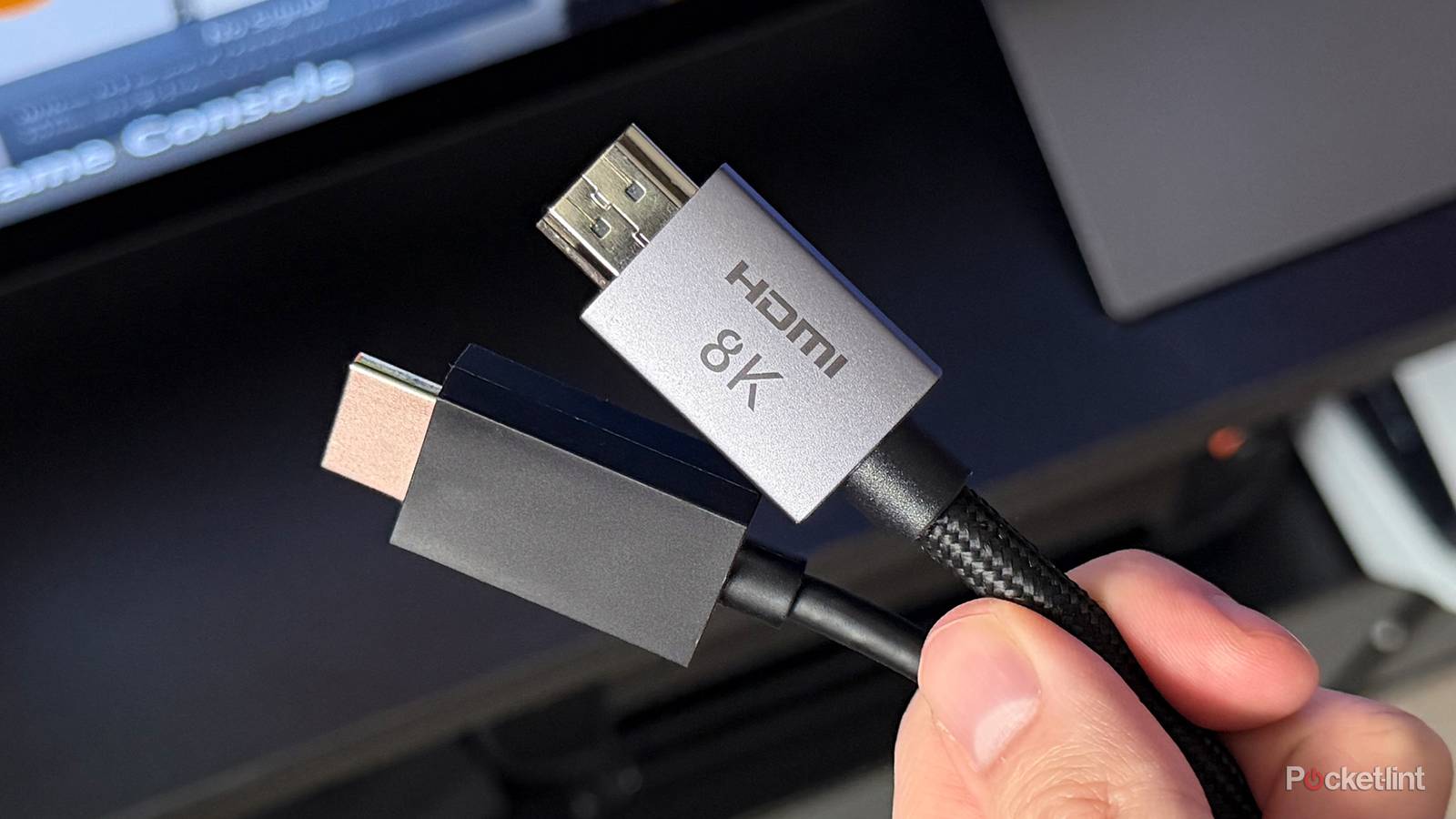
HDMI cables are quite durable and will likely last you until you decide you don’t need the specific cable anymore. However, regular connecting and disconnecting could lead to some wear over time. The only portion you need to be concerned with are the pins of the cable at either end.
A pin may be bent, crushed, or loose, which will cause problems with the connection. When plugging in the cable, it should fit easily and securely without any movement once it’s connected. If the cable appears to be loose or can’t fully lock into place, then there may be an issue with the pins on the cable. It’s also worth checking the other side of things; inspect the HDMI port on your device to make sure it’s ready to receive the cable.
It’s worth inspecting the cable itself; note any part along the cord that may seem bent, compressed, or crushed. That may be causing problems with the connection.
Check your device compatibility
Optimize your entertainment setup

Whenever you invest in or upgrade to a new device, whether it’s a smart TV, gaming console, streaming stick, soundbar, or physical media player, you’ll want to check the HDMI cables that will be connecting to and from those devices. That’s because you want to make sure everything is compatible and serving you to the fullest potential.
In order to get the highest quality video and audio, as well as any additional features that your TV or media player allows, every component needs to be aligned. That means the source material, including streaming services, your smart TV, and the connection in between have to allow for the same features.
For example, to enjoy a 4K Blu-ray, you need a 4K Blu-ray player (source), a 4K TV (output), and either an HDMI 2.1 or HDMI 2.0 cable (connection). Even the cable makes a difference because of the specs I mentioned before. An HDMI 2.0 cable allows for 4K resolution to transfer, but at a lower refresh rate than HDMI 2.1.
All of that means is that when you upgrade any device, you want to make sure you have the right cable to unlock that device. Keep in mind that even if your device comes with an HDMI cable, it may not be the best one suited for the job. It could just be a basic cable that gets the job done but doesn’t allow for any advanced features.
How to keep your HDMI cables safe
While HDMI cables are well-built and long-lasting, there are few best practices to adhere to when using them in order to keep everything running smoothly. Be mindful of bending the cable too harshly; avoid any angles or folding of the cable when connecting it between devices. Don’t keep it too taut either. Maintain some slack with generous curves. However, don’t use cables that are egregiously too long for the situation that results in your having tons of extra length.
You’ll want to keep away the HDMI cables from heat as well; it’s another reason why you shouldn’t mount a TV above a fireplace. Avoid frequent plugging and unplugging. And when you do remove a cable, do so by gripping the connector at the head of the cable and not by the cord. The careful removal will not only keep the cable in good condition but also the port.
When you are mounting a TV, keep in mind the position of the HDMI ports and how easy access will be. In some cases, it may be easier to plug in cables before mounting. Just be sure the cables have enough slack and aren’t pulling tight.
Lastly, regularly clean the area around your cables and your devices. Dust can accumulate quickly, and while the cable may be well-protected when locked into a port, open ports may attract dust and debris more regularly. Use compressed air to blow away any small particles around your connections and into the pins.