


Samsung-branded smart television sets are a bit different than average. Rather than running Google’s Android TV operating system, they’re powered by Samsung’s in-house Tizen platform instead. Tizen has many of the same smart TV hallmarks you’d expect to find in a 2026 flat panel, including, critically, access to a dedicated free ad-supported streaming television (FAST) service.
FAST streaming services like Tubi, Pluto TV, and The Roku Channel are rapidly growing in popularity, thanks in no small part to the out-of-control pricing schemes of subscription-based streamers like Netflix and Disney+. In the case of Samsung, FAST access comes in the form of Samsung TV Plus — an all-encompassing service with access to over 350 live channels, as well as thousands of on-demand movies and TV shows.
Samsung TV Plus features a staggering number of genres to choose from, ranging from live local news broadcasts, to popular series, blockbuster hits, and feature films. Luckily, Samsung provides a dedicated PDF document with a full channel lineup list, which can be accessed by following this link. Everything from Stingray Smooth Jazz to Hallmark classics can be found here, to say nothing of reality TV programming, true crime, sports, cartoons, and more.
How to get free live TV on your Samsung smart television set
Samsung TV Plus is your gateway to free content

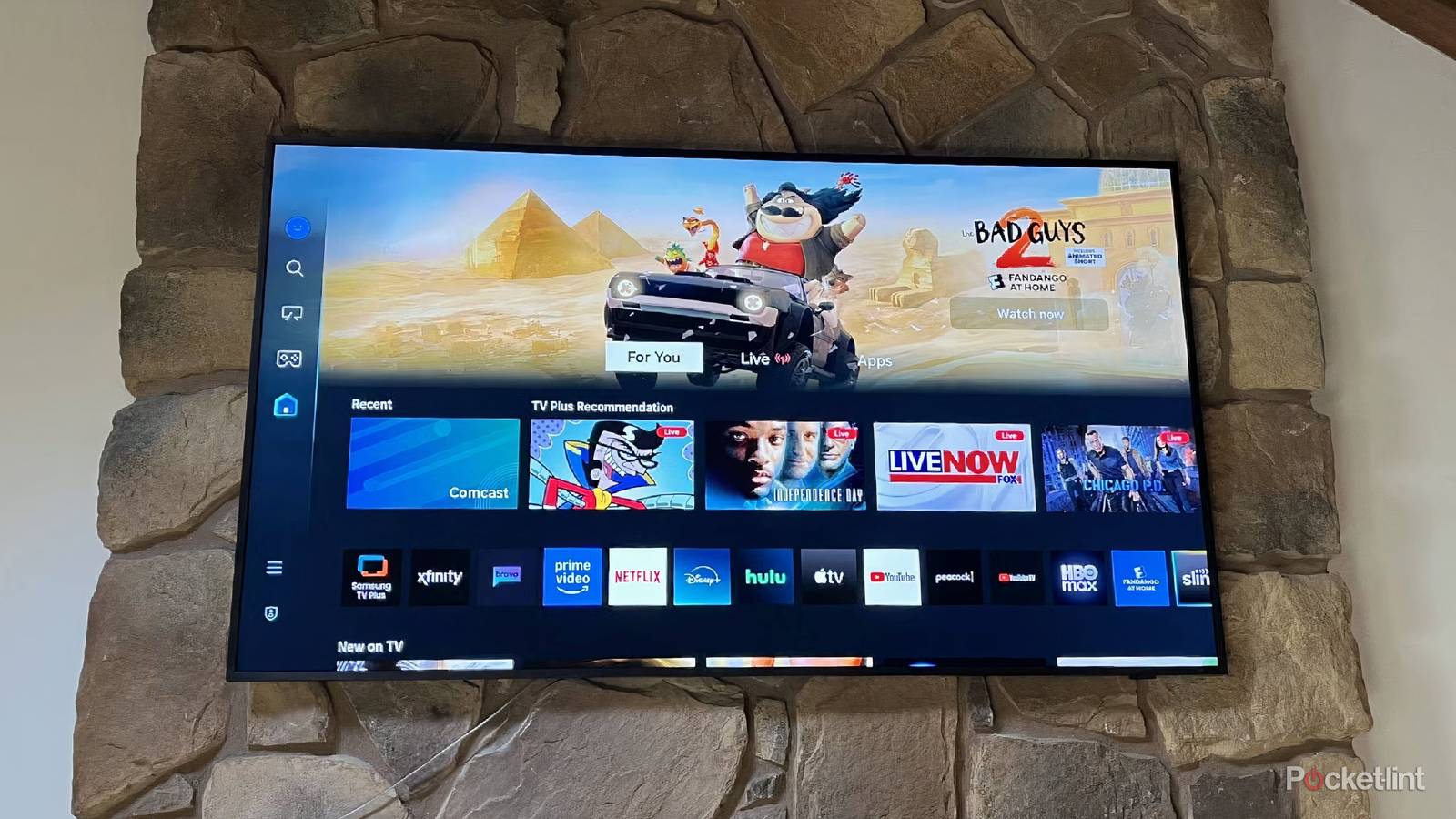
To access the TV Plus service on your Samsung smart TV, simply navigate to your home screen and then select the Samsung TV Plus application from the bottom app bar. Depending on the make and model of your TV, your included remote control may also feature a dedicated button for launching TV Plus.
TV Plus is integrated directly into Tizen on every Samsung smart TV from around 2016 and onward, but you’ll also find the service on certain smart monitors like the Samsung Smart Monitor M8. Steps for accessing the service from a monitor are roughly the same as on a TV, as Tizen remains the underlying platform across both Samsung smart TVs and smart monitors.
Note that while Samsung TV Plus itself is available globally in over 30 countries, content found on the service varies based on the region you reside in. Local content is tailored to individual markets, but licensing agreements and other industry factors mean that not all content is available in all jurisdictions.
Elsewhere, Samsung has published a TV Plus application onto both the Google Play Store and onto its first-party Samsung Galaxy Store. This allows you to enjoy free ad-supported shows and movies on-the-go right from your Android-powered Galaxy smartphone, tablet, or even XR headset. The TV Plus app is also preinstalled on Samsung-branded projectors, and even on the company’s Family Hub smart refrigerators.
No matter how you access the TV Plus service, a Samsung account isn’t required to get started, which is an appreciated bonus that reduces friction on the whole. So long as you have a compatible Samsung device and a stable internet connection, you’re well on your way to watching hundreds of free on-demand shows and live broadcasts without having to lift a finger.