


A few short weeks ago, I was reminiscing about the days of Windows Media Center — a simpler time in tech in which Microsoft and its PC hardware partners attempted to bring the couch and remote control experience to the Windows platform proper.
Microsoft went all-in on Windows Media Center back in the XP days, doubling down on Windows XP Media Center Edition as the facilitator of a “new era of entertainment on the PC” in a 2002 blog post.
For better or worse, however, Microsoft’s Windows Media Center ambitions never fully panned out, and the application itself and its associated remote control and IR sensor hardware products were phased out starting around the time of Windows 8 in 2012.
Microsoft’s failure to capture the media market through Windows is quite a shame in my eyes. I happen to believe that the Windows Media Center experience deserves a Windows 11 reboot by way of an Xbox Mode-style “Media Mode,” though I admit that such a development feels like a pipe dream in today’s streaming-first era.
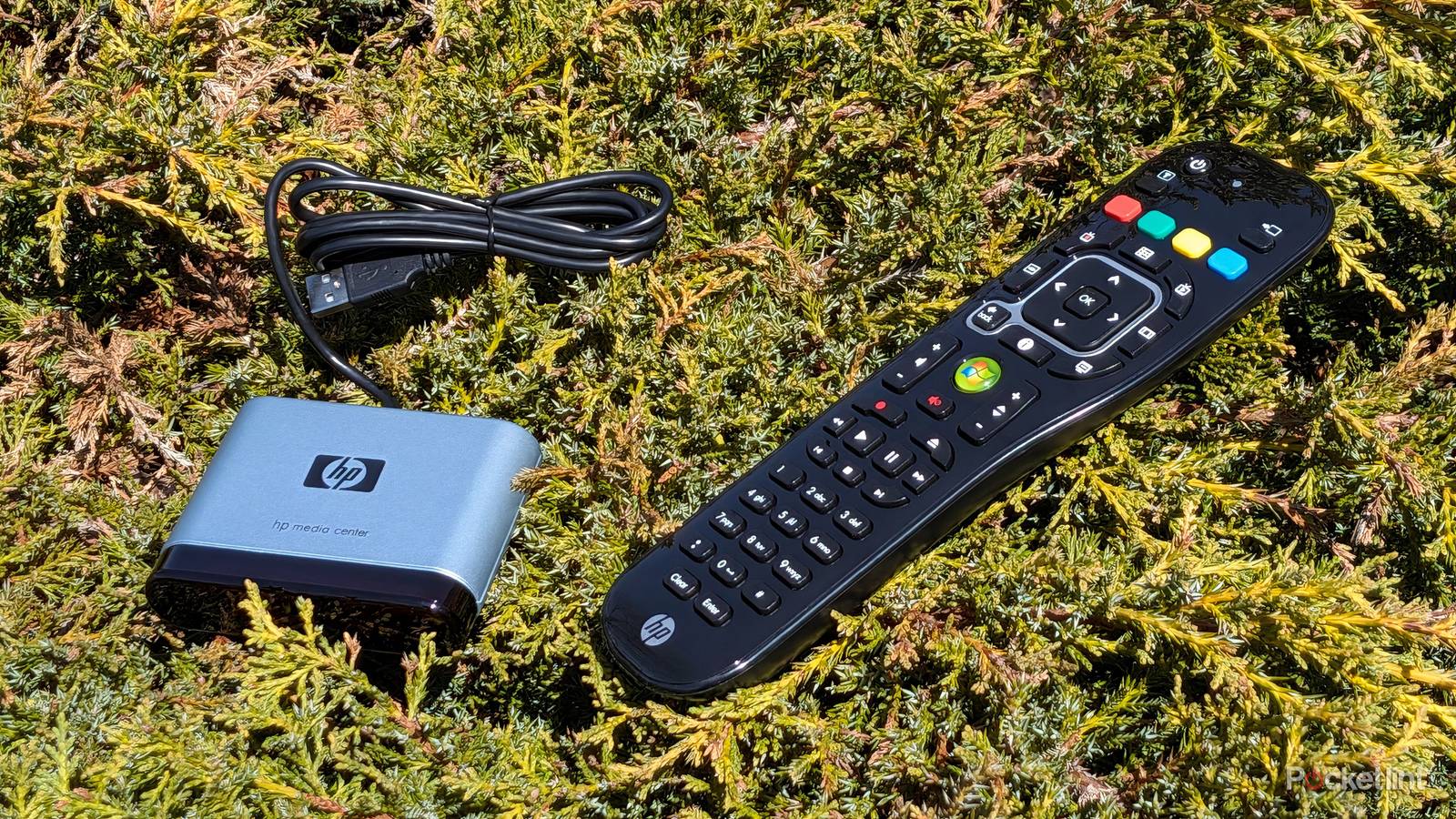
In any case, I’ve reacquainted myself with my own HP-branded Media Center Edition (MCE) remote control and its associated remote receiver. The hardware pair shipped alongside my Windows Vista tower PC circa 2006, though I never appreciated its utility during the time when it was actively being supported.
With all this in mind, and while holding my HP MCE remote in-hand, a novel idea overcame me: what if I were to plug this piece of tech history into my modern gadgets via USB? Well, next thing you know, I was reaching for my trusty old USB-A to USB-C adapter, and from there, I got cracking.
Microsoft Surface Pro 12-inch
No dice

Starting first with a Windows 11 PC — the 12-inch Surface Pro — I had my hopes high. After all, Windows 11’s lineage traces back to the days of Windows Media Center, and so perhaps I could get my HP remote and receiver up and running without much trouble.
Upon plugging in my IR receiver unit, Windows made an audible tone to indicate its recognition of hardware being plugged in. Through USB, the sensor itself lit up with power, meaning that everything on the electronic side of the equation was soundly connected.
In all likelihood, the missing piece of the puzzle here is a long-lost driver.
Unfortunately, that’s where my luck ended. No matter how many applications or legacy programs I attempted to get working with my remote, none recognized even a single input. I also struggled to get the now-defunct Windows Media Center running on Windows 11, though I understand there are some workarounds floating around online.
In all likelihood, the missing piece of the puzzle here is a long-lost driver — one that might still even be compatible with modern-day Windows. I’m not privy to the existence of such a driver, and so I’ll have to continue my research in the hopes of finding it at a later date.
Apple iPad mini 6
Nada

Now, I went into this small experiment half expecting my Media Center Edition remote to pair with my Windows 11 PC, but I had no doubt in my mind that non-Microsoft platforms would be a non-starter.
As expected, I was unable to get my HP remote to function as an input device on my iPad mini 6, though, as was the case on my Surface Pro, the USB hardware itself did light up, and, therefore, it can be deduced that it received power without issue.
Google Pixel 10
Nil

Android, too, seemingly lacks the drivers necessary to ‘talk’ with legacy Windows Media Center peripherals. As with the other devices on this list, power was not the issue, but software-side compatibility proved to be the ultimate bottleneck.
With Android being a relatively open platform, I’d imagine it’d be possible for a third-party developer to bridge this compatibility gap. Of course, this would require some dedicated work and additional know-how, and there’s unfortunately little incentive for anyone to attempt such an endeavor.
Sony Bravia XBR TV
Zilch

As a last-ditch effort to get my HP Media Center Edition remote to work with my modern arsenal of tech products, I figured I’d give my Sony Bravia XBR smart TV a whirl. If any device was going to accept an IR-powered TV remote as an input, it would undoubtedly be a television set.
It didn’t work. Not even in the slightest, in fact. The USB-A port on my TV was wholly unable to power the IR remote receiver unit, let alone allow for remote-based input. It would’ve been cool to leverage an MCE remote as a sort of makeshift universal remote control for Android TV, but, alas, it simply wasn’t in the cards.