If Apple does one thing consistently, it’s create some ambitious feature years before the rest of the world is ready to jump on the bandwagon. The company builds polished digital infrastructure that gets everyone excited, but then they quickly forget about it while waiting for third parties to finally say, “Sure, we’ll support it.” It happened with Apple’s car key, hotel key, and even digital identification cards.
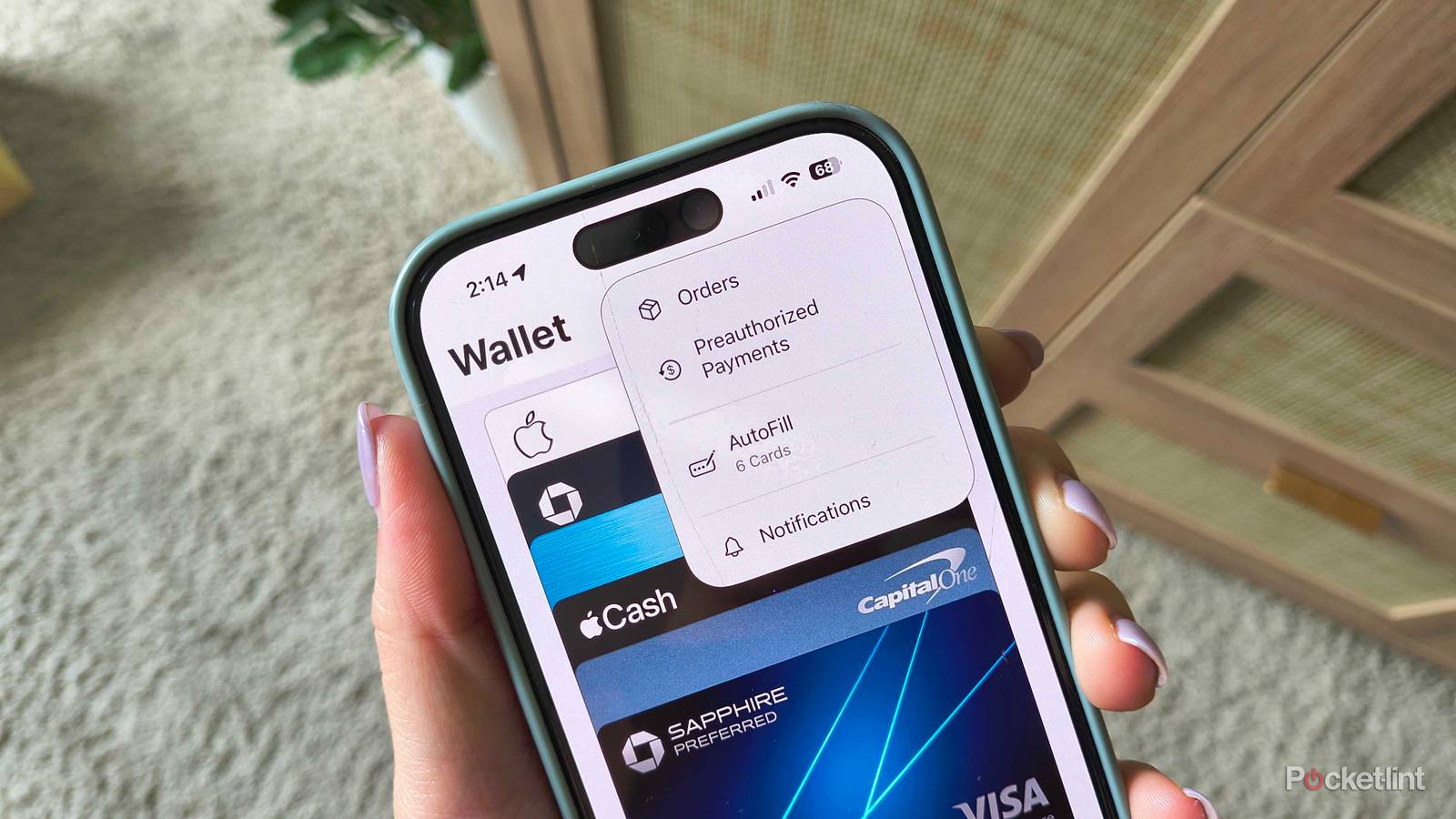
Another place users have been twiddling their thumbs while waiting for proper third-party adoption is in Wallet. Back in 2022, Apple added Order Tracking to its native Wallet app with iOS 16 in an effort to create a one-stop shop for keeping track of online purchases. It isn’t buried in the app, but I wouldn’t be surprised if you didn’t know it even existed. Until recently, it only worked when you bought something via Apple Pay (on iPhone, iPad, or Mac) from a participating merchant. It made sense, but those qualifications rendered the feature pretty much useless.
But iOS 26 brought a change that gives Order Tracking a way out of its cage. It’s a clever shift away from Apple having to rely on third parties to finally pick up support and lets the powerful native software do the legwork instead. Here’s how to access the new and improved Apple Wallet Order Tracking.
Apple Intelligence unlocks the doors you need to track other orders
And see their progress in Apple Wallet

Since third parties weren’t adopting Order Tracking, Apple found a workaround with iOS 26: Apple Intelligence. As the company’s evolving native AI software, it can help with task management, information summaries, writing, and photo editing.
You’ll need it to access improved order tracking, and it’s available on these devices:
- All models in the iPhone 17 series
- All models in the iPhone 16 series
- iPhone 15 Pro Max and iPhone 15 Pro
- iPad Pro: 5th generation (2021) and later
- iPad Air: 5th generation (2022) and later
- iPad mini: 7th generation (2024)
- Mac Studio: M1 Max/Ultra (2022) and later
- Mac Pro: M2 Ultra (2023)
- MacBook Air: M1 (2020) and later
- MacBook Pro: M1 (2020) and later
- iMac: M1 (2021) and later
- Mac mini: M1 (2020) and later
Enable Apple Intelligence on your iPhone by going to Settings > Apple Intelligence & Siri > toggle on Apple Intelligence. Follow the prompts to enable it wherever you want.
Remember those constraints on Order Tracking from before? Well, instead of waiting for vendors to declare support, Apple Intelligence does something different — it collects information about upcoming orders in your email inbox, as long as it’s connected to Apple Mail.
If you have an order coming up and an email confirmation, you might open the Mail app and see a “Track” prompt at the top of your inbox. Once you allow Apple to track them, you’ll start seeing orders that weren’t placed through Apple Pay pop up in your Wallet app.
To track orders, open Apple Wallet > tap the three dots in the top-right > choose Orders > tap into any order for more details. Apple Wallet will show you both upcoming and previous purchases.