I’ve claimed a few times that your Wi-Fi network is the backbone of your digital existence, and I stand by that. So many devices are based on Wi-Fi now that congestion and range issues will sow chaos. A sign of the times, I think, is that mesh routers have transformed from a niche product into something ISPs are more than happy to rent out for a monthly fee.
Largely because of the potential pitfalls, some devices just shouldn’t be put on Wi-Fi, no matter if they have the option. Others can be bought in versions that use alternative wireless standards. If you want to improve the efficiency of your home, I’d strongly suggest taking a hint or two from this list.
Smart bulbs
Great at times, problematic in others

When you’re just stepping into the smart home world, it can be tempting to stick with Wi-Fi bulbs for lighting. The obvious attraction is avoiding hubs, which are not only an added expense but sometimes exclusive to a single brand. Some Wi-Fi bulbs are genuinely excellent, and they all have their uses, particularly if they’re just for decoration. If you’re outfitting a gaming den or a home gym, by all means knock yourself out.
Problems begin once you’ve got a lot of lights and your house is dependent on them. A dozen Wi-Fi bulbs means a dozen more router connections, adding to congestion — in a home with a few dozen devices, your router may decide to kick some products offline periodically to let others on. More importantly, perhaps, Wi-Fi bulbs are heavily dependent on internet access. When your internet is down, automations won’t trigger, which is inconvenient at best and a risk to home security at worst.
A dozen Wi-Fi bulbs means a dozen more router connections, adding to congestion. Your router may decide to kick some products offline periodically to let others on.
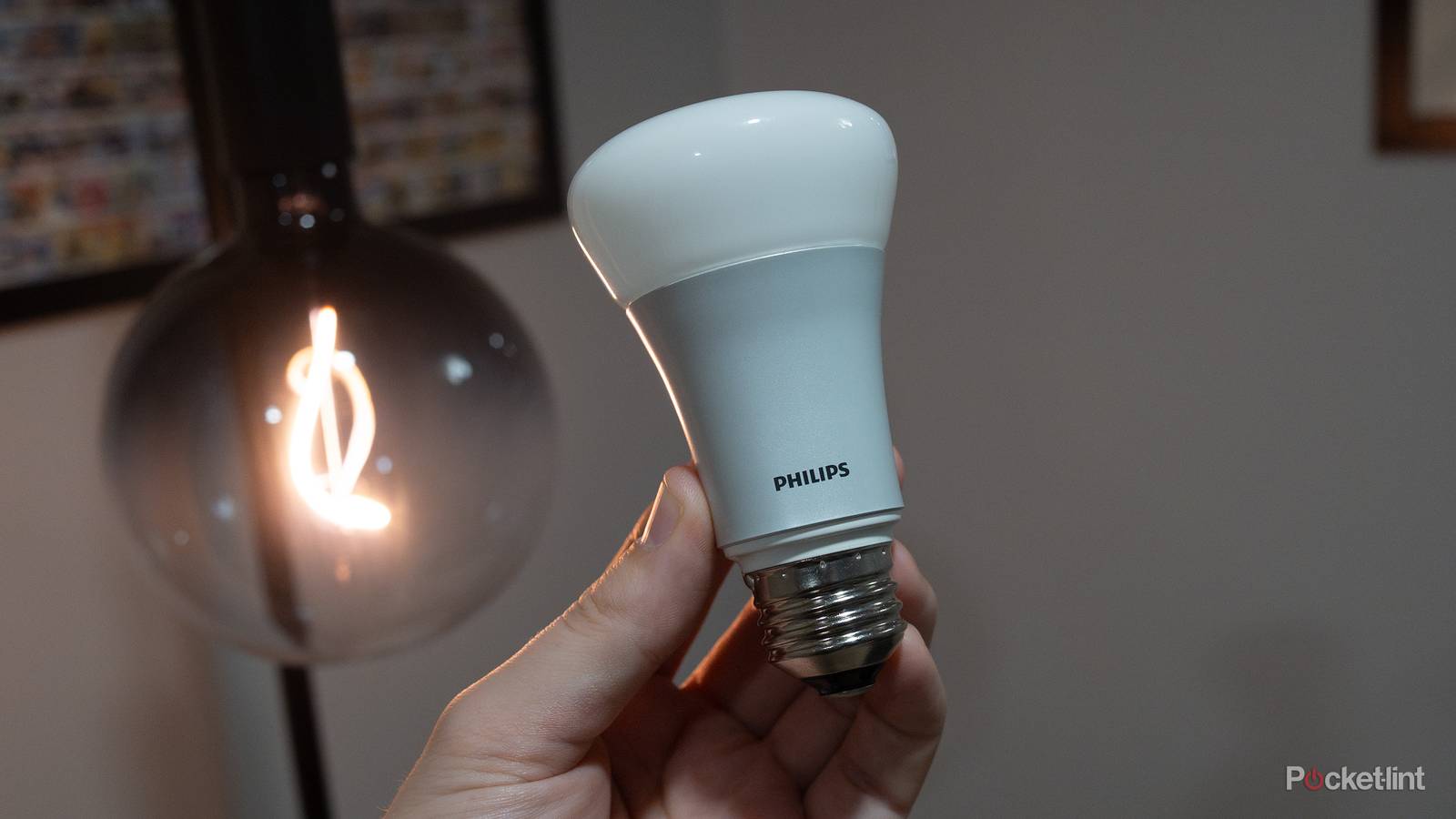
For these reasons I’ve been sticking with Philips Hue bulbs, which rely on the Zigbee mesh protocol instead. While that does mean I need a Hue Bridge, that’s the only Hue device connected to my router, and automations can continue to run offline as long as my home still has power.
There are alternatives to the Hue ecosystem, I should note. Ikea sells its own Zigbee products, and some companies use Thread, a newer mesh standard designed to be faster and more reliable. As a bonus, Thread doesn’t require a dedicated hub — just something Wi-Fi-connected that’s marked as a Thread “border router,” including some smart speakers and displays.
Laptop and desktop computers
When they’re deskbound, that is

The point of a laptop is mobility, obviously, so I don’t fault anyone for using Wi-Fi when they’re answering emails on their couch or watching a movie in bed. When you’re at your desk, though, a laptop should be plugged into Ethernet as often as possible, and it’s slightly absurd to rely on Wi-Fi for a stationary tower PC.
Why, you might ask? While Wi-Fi is plenty fast these days, a gigabit Ethernet connection is liable to be faster, even if you’ve got Wi-Fi 6E or 7. Part of this stems from reliability. In the context of a home, an Ethernet cable is virtually immune to range or interference concerns, so bandwidth is going to stay as consistent as your router and internet connection allow. I noticed a marked improvement in online gaming when I stopped being lazy and hooked up the Cat 6 cable I had lying around. Another benefit is that you’re getting one of the most bandwidth-heavy devices off your wireless frequencies, leaving openings for others.
In the context of a home, an Ethernet cable is virtually immune to range or interference concerns, so bandwidth is going to stay as consistent as your router and internet connection allow.
The main catch is that your computer might not be in the same room as your router, and not everyone is willing to string a dozen feet of cable, especially if they plan to keep things tidy and aesthetically appealing. Also, you’ll probably want to buy a Thunderbolt dock for a laptop workstation, which should save you the trouble of connecting multiple accessory cables every time you come and go.
Game consoles
Getting that competitive edge

For the most part, the benefits of connecting a console via Ethernet are the same as a full-fledged computer: a fast and stable connection, plus a reduced burden on your Wi-Fi spectrum. It’s just that in the case of a console, it can have an outsized impact. Console games tend to be action-oriented with at least some sort of online component, meaning that the reduced lag from going wired can smooth out your gameplay, and possibly score you some victories.
Game downloads can sometimes span dozens or hundreds of gigabytes, and there are few things worse than running out of time to play simply because a download took forever.
The PlayStation 5, Switch 2, and Xbox Series X all have built-in Ethernet ports, as do some other products. With handheld PCs like the Steam Deck, you may need to buy a separate dock or adapter, since they’re often equipped with just one or two USB-C ports. I should add that while the Switch 2’s Ethernet port is also on a dock, that accessory comes in the box.
If you’ve bought a console without a disc drive, I’d almost consider Ethernet mandatory. That’s because game downloads can sometimes span dozens or hundreds of gigabytes, and for diehards, there are few things worse than running out of time to play simply because a download took forever. Worse still is having to restart an install because your connection got interrupted.
Major home appliances
Does a stove really need to be online?

If you’ve followed my writing over the last several years, you’re probably aware that I love smart home tech. The right gear can make your life easier, for instance by waking you up with light or improving the efficiency of air conditioning. It’s a boost to security if you install devices like security cameras and smart locks.
As a rule, though, I don’t bother hunting for smart appliances such as stoves, fridges, and washing machines. And if I do have an appliance with smart features, I may not even bother enabling them. The fact is that in most cases, I don’t find them particularly useful — I don’t need a phone notification that my dryer is done when I can hear the buzzing from the other side of the house. I’m also a little hesitant to trigger anything involving intense heat remotely. While it’s probably safe, I’d rather be close by in case of a fire.
There’s no sense complicating your ecosystem (or your budget) for relatively trivial conveniences.
In the long run, there’s another issue: upgrades. Many people keep appliances for as long as they own their house, which can easily be five to 10 years or longer. On those timescales, once state-of-the-art features tend to become antiquated, and eventually obsolete, leaving you with hardware that might as well have been “dumb” from the start. There’s no sense complicating your ecosystem (or your budget) for relatively trivial conveniences.

- Playing Time
-
3-12 hours
- Brand
-
Valve
- Weight
-
1.41lb (640g)
- Chipset
-
AMD APU