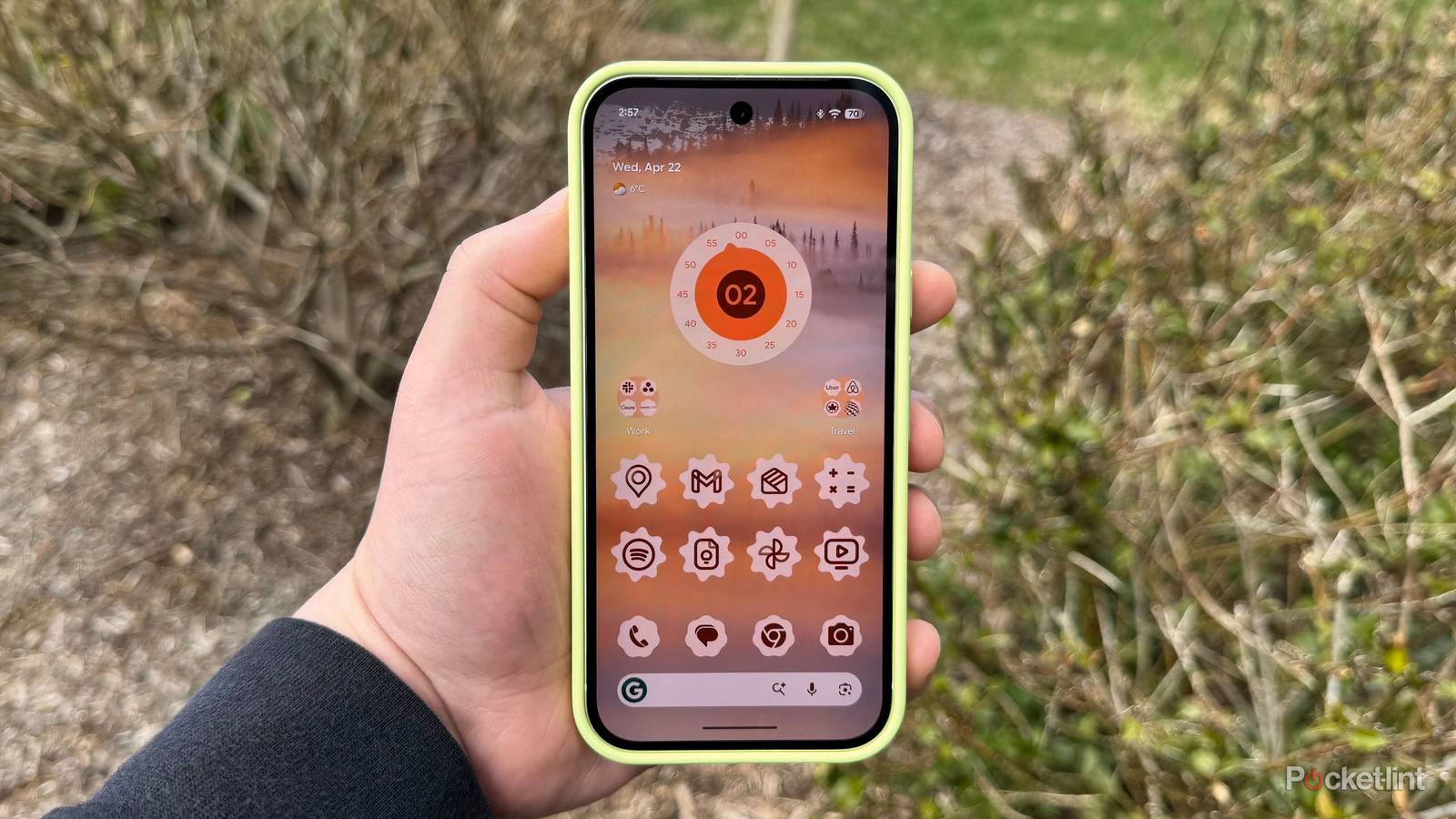
Ever since Google gave Android its big Material 3 Expressive visual overhaul last fall, I’ve been searching for third-party applications and widgets that best compliment the new aesthetic. In my quest, I’ve come across several excellent apps, widget packs, and icon packs that lean heavily into Google’s latest-and-greatest design language.
One snag in the road for me has been that the Google Pixel Launcher doesn’t natively support third-party icon packs. While the company’s new AI-generated icon engine is surprisingly competent, it doesn’t quite replace proper custom icon support in my eyes. Sure, I could always switch to any number of custom launchers to rectify this oversight, but then I’d be sacrificing navigational fluidity and animation quality — a hard pill to swallow, no matter how you look at it.
Material 3 Expressive warrants dynamic icons
Injecting a bit of fun nto the Android home screen

Then I discovered Pix Material Expressive Icons. This $2.30 application is a hybrid of sorts, combining elements of both app icons and home screen widgets in a single package. The main draw here is that you can essentially animate all your icons, which is cleverly achieved by way of countless icon-emulating mini widgets.
The great part is that, since these icons are technically widgets masquerading as icons, they work on my Pixel 10, despite the native launcher’s aforementioned lack of support for third-party icon packs. Much like other icon pack software, Pix Material Expressive offers a wide variety of custom designs to choose from, meaning that no two home screens will look quite alike.
Best of all, Pix Material Expressive Icons nails the Material 3 Expressive aesthetic. Iconography is on point, custom shapes are very Google-esque, and there’s in-built support for dynamic color theming based on your currently-selected wallpaper.
…Pix Material Expressive Icons nails the Material 3 Expressive aesthetic.
There are also several standard Android widgets included in the product, such as clock widgets and a music widget. These too are well-designed, as is the app’s main configuration page. The developer boosts of 27,230 custom icons and counting, and there’s a convenient graph that shows you which of your installed apps are themed and which have yet to be designed.
The app isn’t perfect, however — since it adds what are technically widgets to your home screen, you lose access to the standard long-press shortcut actions that normal icons allow for on most Android launchers. I also find that, every once in a while, the animations stop playing and require me to re-open the main app itself to reinitialize. This happens sporadically, but it’s not a particularly common occurrence in my experience
In practice, Pix Material Expressive is as lovely as it is aesthetically pleasing. The bouncy, playful icon animations it provides always put a smile on my face, and I’m particularly fond of the flower-shaped icon style, which reminds me of the happy-go-lucky collectible flowers from Super Mario World 2: Yoshi’s Island on the Super Nintendo Entertainment System. While I’d still love for Google to implement proper third-party icon pack support within its Pixel Launcher, Pix Material Expressive is a competent compromise that I enjoy every last bit of.