


In the vast world of streaming, you’re certainly not short on options when it comes to devices to buy. There’s Amazon’s Fire TV Stick lineup, the Google TV Streamer, the Apple TV 4K, Walmart’s onn 4K, Nvidia Shield, and plenty more. But one of the most popular choices is undoubtedly Roku, whether it’s one of its streaming sticks or the more premium Roku Ultra.
Credit is due where credit is due: Roku has built a strong lineup of affordable, reliable streaming devices. Its platform, Roku OS, has become the largest streaming platform in the US, largely thanks to its ease of use and extensive content. Between the huge library of free content on The Roku Channel and how effortless it is to jump into streaming staples like Netflix, Disney+, and Prime Video, it’s easy to see why Roku remains a go-to option for many people.
With that in mind, if you’re looking to jump into the world of Roku streaming for the first time or are interested in switching from another platform to Roku, here are five things I think you should know before diving in.

- Brand
-
Roku
- Operating System
-
Roku OS
- Downloadable Apps
-
Thousands
A slim plug and play streaming stick that includes 4K/HDR support and includes a voice remote.
Roku devices use HDMI
Your TV will also need a USB port, if you’re getting a Roku Streaming Stick

To kick things off, it’s worth pointing out that, like pretty much every modern streaming device, a Roku connects to your TV through its HDMI port, whether you’re looking at one of Roku’s streaming sticks or the Roku Ultra. HDMI has been the standard connection port on TVs since the mid-2000s, so this likely won’t be an issue at all.
However, if you’re planning to use a Roku with a much older TV, it’s worth double-checking that HDMI is actually there. If it isn’t, you’ll need an adapter, such as an RCA-to-HDMI converter, to make it work.
In addition to plugging into HDMI, a Roku Streaming Stick also needs power. In the box, Roku includes a USB cable that lets you power the stick directly from your TV’s USB port. If your TV doesn’t have a USB port, you’ll need to use a USB wall adapter instead. The good news is that just about any USB adapter will work, since Roku Streaming Sticks don’t draw much power.
If you’re looking at the Roku Ultra, it comes with both an HDMI cable and a plug for the wall in the box, so you’ll have everything you need.
Make sure to choose the Roku that is best for you
Roku has four different devices available, with the cheapest supporting 1080p streaming

Roku has built quite an extensive lineup of products over the years, and the differences can be confusing. In total, there are three streaming sticks: the Roku Streaming Stick, Roku Streaming Stick Plus, and Roku Streaming Stick 4K. In addition to those, Roku also sells its premium option, the Roku Ultra. If you’re trying to figure out which one makes the most sense for you, or you’re a little lost on the differences, let me break it down.
For starters, there is the Roku Streaming Stick. This is Roku’s most affordable streamer at $30, and it keeps the price low by limiting the resolution to 1080p. If you have a 4K TV, this isn’t the one you’ll want, since you won’t be taking advantage of that higher resolution. But if you’re connecting it to an older 720p or 1080p TV, the basic Roku Streaming Stick is a solid, budget-friendly option.
Next up is the Roku Streaming Stick Plus, which usually goes for about $40. The big upgrade here is support for 4K and HDR, making it a much better match for a 4K TV and noticeably sharper picture quality.
Roku’s streaming devices are often on sale, so keep an eye out for deals.
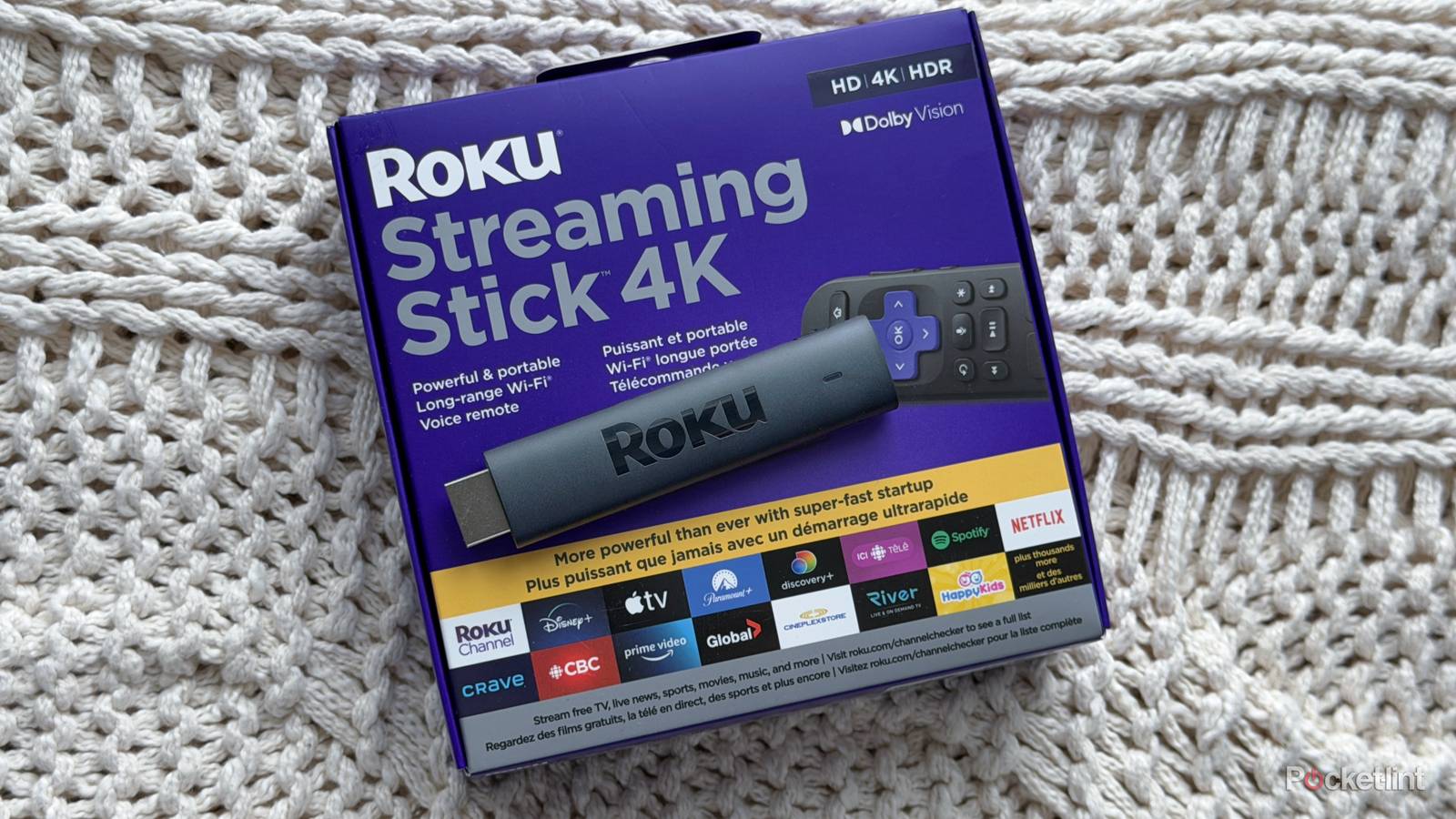
At the top of Roku’s streaming stick lineup is the Roku Streaming Stick 4K, priced at $50. It still offers 4K HDR like the Stick Plus, but adds more premium features, including Dolby Vision and HDR10+. It also has Roku’s best Wi-Fi performance thanks to a long-range Wi-Fi receiver built into the USB power cable. If your TV is far from your router, this can make a real difference in keeping your connection stable.
Finally, there’s the Roku Ultra, which Roku bills as its “ultimate streaming player.” Unlike the sticks, this is a small box that connects to your TV with an HDMI cable. It has the fastest hardware, Wi-Fi 6 support, an Ethernet port, and all the same high-end features as the Streaming Stick 4K, including Dolby Vision, Dolby Atmos, and HDR10+. If you want the best streaming experience Roku offers, the Ultra is the way to go, though it’s also the priciest option at around $100.
You can use your phone to control your Roku
Roku has a free iOS and Android app

Like most streaming devices, every Roku player includes a remote, which Roku calls the Roku Voice Remote. You can use the directional buttons to navigate your TV as you would with any remote, or press the microphone button to open apps like HBO Max with your voice, without digging through menus. That said, Roku also gives you another way to control your TV: its mobile app.
The Roku App is free on both iOS and Android. While it lets you watch content from The Roku Channel when you’re away from your TV, it also doubles as a backup remote. There’s a built-in remote feature that displays a digital version of the Roku Voice Remote on your phone, letting you navigate your TV just like you would with the physical remote.
I’ve found myself using the app frequently to navigate my Roku Streaming Stick 4K, and, best of all, it has its own app drawer to quickly launch any app.

- Developer
-
Roku
- Subscription cost
-
No
The Roku Channel has lots of free content
However, you’ll still need to pay for live TV if you want certain channels

I’d be remiss not to mention one of the best perks of owning a Roku: easy access to The Roku Channel, Roku’s hub for free streaming content. Over the years, Roku has done an impressive job expanding it. It now offers more than 500 live TV channels, plus thousands of on-demand shows and movies — all free to watch, supported by ads — and Roku continues to add new content. This February alone, it added nine new channels. So if you’re feeling subscription fatigue from juggling multiple monthly streaming bills, The Roku Channel can help lighten the load.
That said, it’s important to set expectations here. If you want to watch major networks like NBC, ABC, CBS, or Fox — especially for big sporting events like the Super Bowl, the Olympics, or the Stanley Cup — you’ll still need a paid live TV subscription like YouTube TV or DirecTV, as The Roku Channel doesn’t have those networks available for free. The same goes for apps like Netflix, Disney+, and HBO Max. You can download the apps on your Roku for free, but you’ll need an active subscription to actually watch anything.
You can get a free HDMI extender from Roku
An HDMI extender can make it easier to set up and access your Roku

One notable difference between Amazon’s Fire TV Sticks and Roku’s Streaming Sticks comes down to what’s included in the box. It won’t matter to everyone, but Amazon bundles an HDMI extender with all of its Fire TV Sticks. That’s helpful if your TV’s HDMI port is hard to reach or squeezed too close to other ports. The extender creates a little breathing room between the TV and the streaming stick, making setup much easier.
Roku, on the other hand, doesn’t include an HDMI extender in the box with its streaming sticks. The good news? It will send you one for free if you need it. Most modern TVs won’t have an issue, but if you’re struggling to plug your Roku in properly, you can request a free HDMI extender directly from Roku. Just fill out a short form on Roku’s website, provide your device’s serial number and your mailing address, and Roku will ship one out free of charge.