



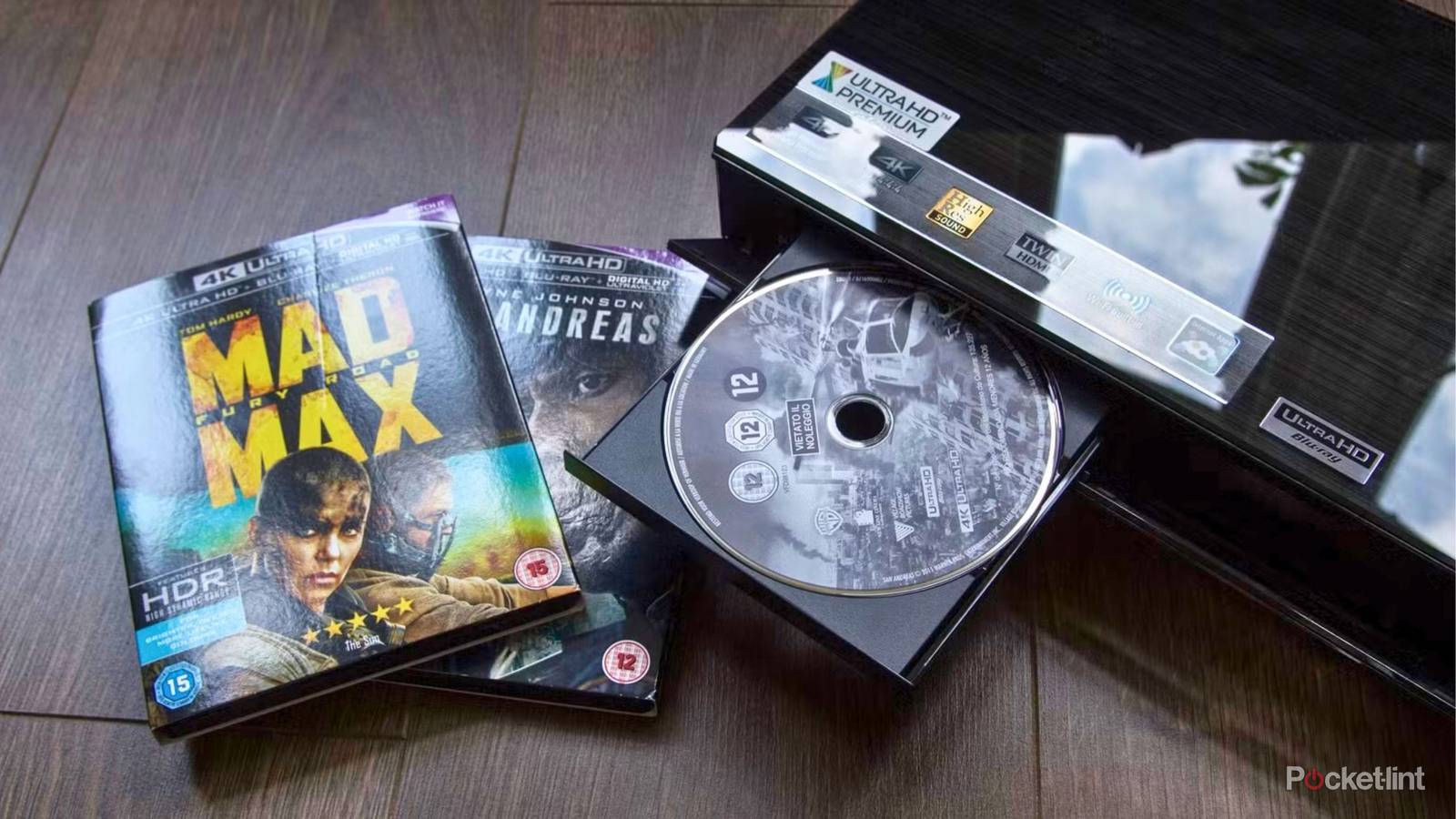
For all the seeming convenience that streaming services offer, with vast libraries of titles available on demand, there are subtle and sometimes surprising drawbacks to opting for online entertainment. Netflix and others destroyed the cable model, only to later copy it, but there is still plenty of support for physical media.
It’s absolutely worth considering choosing an actual disc of entertainment over an online portal. A Blu-ray or even DVDstill provides a lot that you can’t get with streaming. Here are some ways physical media excels, and why you may want to decrease your time searching all your many services.
Buffering and compression hinders streaming services

Perhaps the biggest advantage physical media has over streaming is the quality of audio and video. Blu-ray is significantly better than any tier available on your favorite streaming service, and even DVDs offer a baseline quality that can outdo Netflix at times and plenty of others, too. The reason hinges on how the source material gets to your screen.
In order to make streaming convenient and quick, services like Netflix sacrifice quality. To make it to you online, streaming services compress files to make them more manageable over Wi-Fi or LAN networks. The compressed files strive to take away only bits and pieces that you won’t notice, but that depends on the title and your TV screen. Sometimes the quality seems fine, and sometimes you’ll end up missing a bunch. Either way, it’s not going to be the idealized, optimized version of whatever you’re watching.
Make sure you are using the right HDMI cable to connect your TV screen and media player. An Ultra High Speed HDMI cable, also known as HDMI 2.1, provides 4K resolution and top HDR formats at 120Hz, ideal for enjoying Blu-rays on new smart TVs.
The other issue with Wi-Fi streaming is buffering; if your network is crowded or doesn’t have a strong enough signal, services are going to lower the quality of what you’re watching in order to make sure it still gets to you.
These aren’t problems when you’re using discs. You don’t need Wi-Fi; you just need an HDMI cable to connect your media player to your TV. There is no fear of lag or buffering, and you don’t have to deal with bandwidth issues. The files on Blu-ray and DVDs are big, and those big files provide you with the best quality version possible. If you’re seeking out the cinematic fidelity of your favorite blockbusters, streaming just won’t cut it. You need the physical disc to ensure quality.
 Quiz
QuizBlu-ray and DVD technology
Trivia challenge
From spinning discs to high-definition glory — how much do you really know about Blu-ray and DVD?
HistoryHardwareFormatsCapacityStandards
In what year was the DVD format officially launched for consumer use?
That’s right! DVD was officially launched in Japan in November 1996, before rolling out to North America in 1997. The format was developed by a consortium of major electronics companies including Sony, Panasonic, and Philips.
Not quite — DVD launched in Japan in November 1996. It then made its way to North American markets in 1997, quickly displacing VHS as the dominant home video format over the following years.
What colour laser does a standard Blu-ray player use to read discs?
Correct! Blu-ray players use a blue-violet laser with a wavelength of 405nm. This shorter wavelength compared to the red laser used in DVDs allows data to be packed much more densely on the disc surface.
The answer is blue-violet, with a wavelength of 405nm. This is actually what gives Blu-ray its name. The shorter wavelength compared to the red laser in DVDs is what enables the significantly higher storage capacity.
What is the storage capacity of a standard single-layer Blu-ray disc?
Spot on! A single-layer Blu-ray disc holds 25GB of data. Dual-layer discs double that to 50GB, while newer BDXL triple-layer discs can hold up to 100GB, making them ideal for 4K Ultra HD content.
The correct answer is 25GB for a single-layer Blu-ray disc. Dual-layer discs hold 50GB, which is why most feature films are released on dual-layer media to accommodate high-bitrate video and lossless audio tracks.
Which format did Blu-ray defeat in the high-definition disc format war of the mid-2000s?
Exactly right! Blu-ray defeated HD DVD in a format war that concluded in early 2008. The turning point came when Warner Bros. announced it would exclusively support Blu-ray, prompting Toshiba to discontinue HD DVD shortly after.
The correct answer is HD DVD, backed primarily by Toshiba and Microsoft. The format war ended in February 2008 when Toshiba officially discontinued HD DVD after Warner Bros. threw its exclusive support behind Blu-ray.
What is the maximum video resolution supported by a standard Blu-ray disc (not Ultra HD)?
That’s correct! Standard Blu-ray supports up to 1080p (Full HD) resolution at up to 60 frames per second. It was a massive leap over DVD’s 480p standard definition, and helped drive widespread adoption of HD televisions.
Standard Blu-ray tops out at 1080p Full HD resolution. This was a significant upgrade over DVD’s 480p and helped establish the format as the premium home video choice — until 4K Ultra HD Blu-ray arrived to raise the bar again.
Which company originally developed the DVD format alongside JVC, Sony, and others?
Correct! Philips was one of the founding members of the DVD Consortium alongside Sony, Panasonic, Hitachi, JVC, and others. Philips had already co-developed the CD format with Sony, so its involvement in DVD was a natural progression.
The answer is Philips, which co-developed the DVD standard alongside Sony, Panasonic, JVC, and Hitachi among others. Philips had significant experience in optical disc technology, having previously co-invented the CD with Sony back in the early 1980s.
What laser wavelength does a standard DVD player use to read discs?
Well done! DVD players use a red laser with a wavelength of 650nm. This is shorter than the 780nm infrared laser used in CD players, allowing DVDs to store more data, but longer than Blu-ray’s 405nm laser which enables even denser storage.
DVD players use a 650nm red laser. For comparison, CD players use a 780nm infrared laser, while Blu-ray uses a 405nm blue-violet laser. The progression to shorter wavelengths is what has driven increases in optical disc storage capacity over the decades.
What does the acronym ‘BD-ROM’ stand for in Blu-ray terminology?
Correct! BD-ROM stands for Blu-ray Disc Read-Only Memory. It is the standard format used for commercially pressed Blu-ray movies and games, as opposed to BD-R (recordable) or BD-RE (rewritable) formats used for home recording.
BD-ROM stands for Blu-ray Disc Read-Only Memory. This is the pre-pressed, non-recordable format you find on commercial movie and game releases. The Blu-ray family also includes BD-R for write-once recording and BD-RE for rewritable discs.
Your Score
/ 8
Thanks for playing!
Discs are more reliable and consistent
Streamers regularly change their library

In addition to providing better quality, your physical media is going to be more consistent and reliable in a lot of different ways. Whereas the quality of the title you’re watching on Disney+ or Amazon Prime Video may fluctuate depending on your connection, your physical media is going to remain the same consistent quality (unless you end up scratching the disc).
What’s more, that disc you own is always going to be in your possession unless you decide you don’t want it anymore. That is far more reliable than Netflix and others that have changing libraries. Titles come and go every day, week, and month, and just because a movie or series was on the service when you first subscribed doesn’t mean it will always be there. You can’t rely on catalogs retaining every single title into the future, even titles that are supposedly original programs.
A physical media library offers true ownership. The monthly fee you pay to Netflix doesn’t give you any kind of ownership of anything; it allows access to entertainment licenses temporarily. Titles come and go as Netflix makes deals. You’re never the owner, and you’re not in control.
No one interferes with your physical discs
Platforms can alter, edit, and remove scenes and titles

When you acquire a physical media disc, the contents of that disc are not going to change. They won’t be deleted or censored or abridged. What you watch the first time will be the same thing you watch every time thereafter. Unfortunately, the same can’t be said for streaming.
Not only do platforms add and remove titles from their libraries, but sometimes they alter the actual content as well. Scenes or entire episodes may be removed from certain shows if they are deemed inappropriate. Whether or not you agree with the change, it means that services have control over what you watch, and how much of it you get to see.
In the case of live programming, numerous edits will be made across the show in order to adjust it for TV. While often those edits are technical in order to improve audio and the flow of the event, the edits can also involve subject matter. Netflix has gotten into the comedy roast arena, and frequent edits are made to cut jokes; they are often cut for time, but they can also be cut if they are seen as in poor taste. In the case of a Kim Kardashian appearance at a live roast, a chorus of boos was removed from the edited version that could be heard on the live telecast.
All of that means that what you’re watching may not be either what initially happened or what the creators intended for you to see. That Blu-ray or DVD isn’t going to change. And neither are your VHS tapes of the original Star Wars trilogy; just don’t let George Lucas find out you have them.
Enjoy bonus features and extras on discs
Streaming services offer more ads and distractions

One of the best reasons to continue to embrace physical media, and one area that it’s so far better than what is offered on streaming services, comes down to the bonus features. DVDs and Blu-rays may feature any number of exciting extras and shorts and behind-the-scenes peeks. From bloopers and audio commentary to featurettes and interviews and even trailers, physical media offer you a lot more than just the movie or show.
Some services, namely Disney+, have sought to match this energy and it’s done a decent job. Some titles offer extras, but they aren’t available on every show or movie and other streaming services have yet to catch on. The least they could do is embrace the chapter feature found on physical media so you don’t need to scroll from the start to get to the point you want to watch.
Whereas discs offer bonus features, most of your streaming services, instead, offer ads. You have to pay a lot more to stream ad-free, and even those tiers don’t consider trailers for other shows on the service “ads.” Ads before, during, and after what you’re watching are here now and only going to get worse. They’re going to come to your pause screen also and everything is going to be connected to a cart for one-click checkout. Stick with physical media that isn’t connected to anything else.
One-time payment makes discs a savvy investment

Lastly, one more way streaming can’t beat physical media is the cost. While it may seem like streaming provides more bang for your buck, it’s worth considering the long-term investment of both. Streaming services ask for a monthly or yearly fee and that comes with all the drawbacks I’ve already listed. It’s also become very apparent that streaming services are going to continue to raise prices, so that monthly or yearly cost isn’t going to be a consistent rate.
Conversely, when you buy a Blu-ray or DVD, that’s it. You pay once upfront and then never again. Maybe that Blu-ray costs $15 from the store, but that $15 can be spread across the next decade or two or three. Meanwhile, Netflix is going to charge you $15 every month until it raises the price in a year or two. Streaming services will always come back for more money; your discs won’t.